Double click the camera IP address in the search tool.
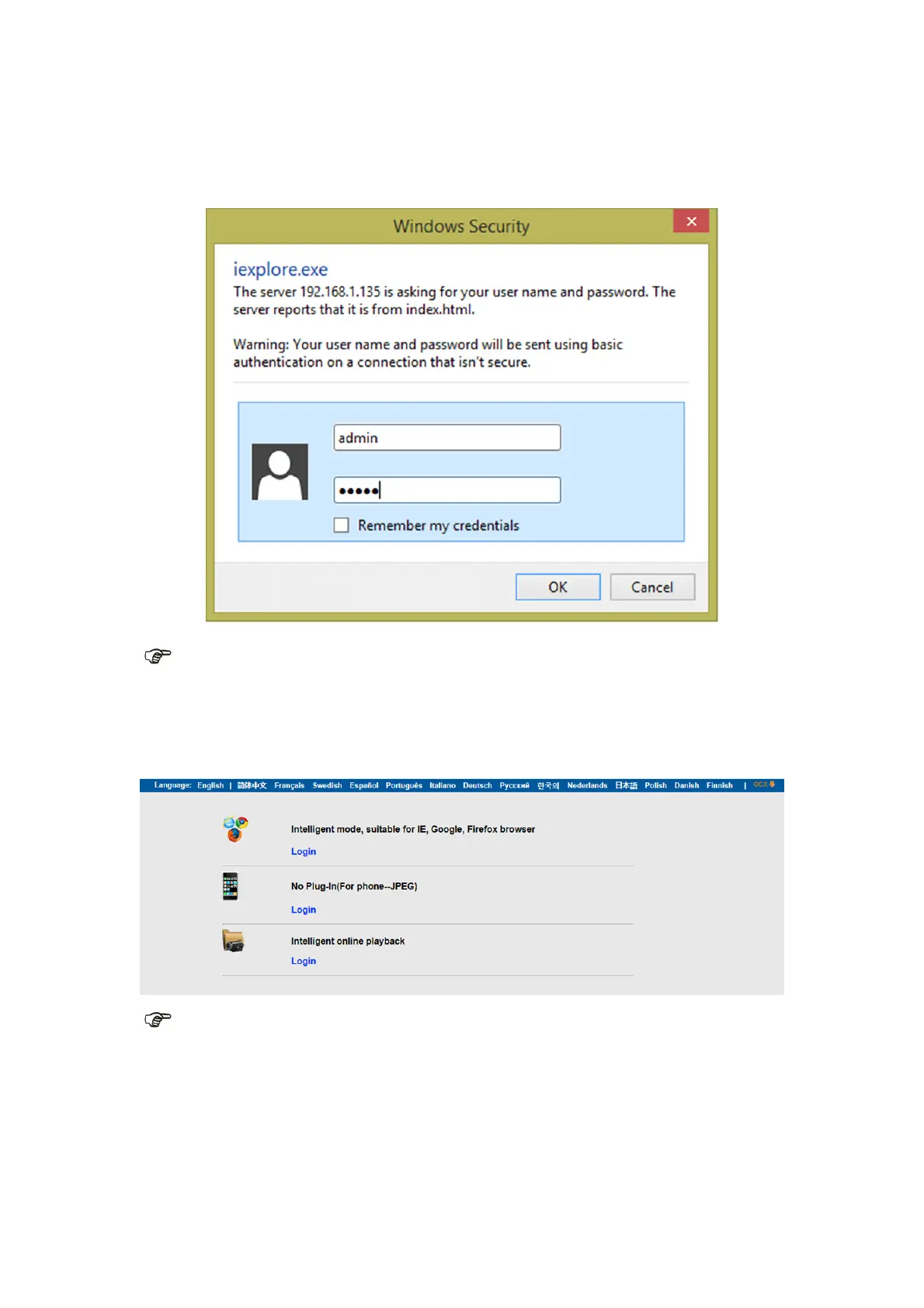
In your default browser a login screen like shown below will be displayed:
Note: Both the username and password are “admin”
(Please change the account user name and password for safety later)
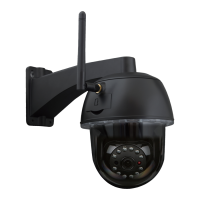
After entering the correct user name and password, the Login screen will be displayed.
(It supports 6 visitors watching online at the same time)
Note: If the OCX already has been installed you may login directly. If not, please install
OCX.
A. Click on “OCX” to download and Install it.
B. Refresh the webpage and login again, the camera video will be displayed as below


 To Next Page