5. Time Settings
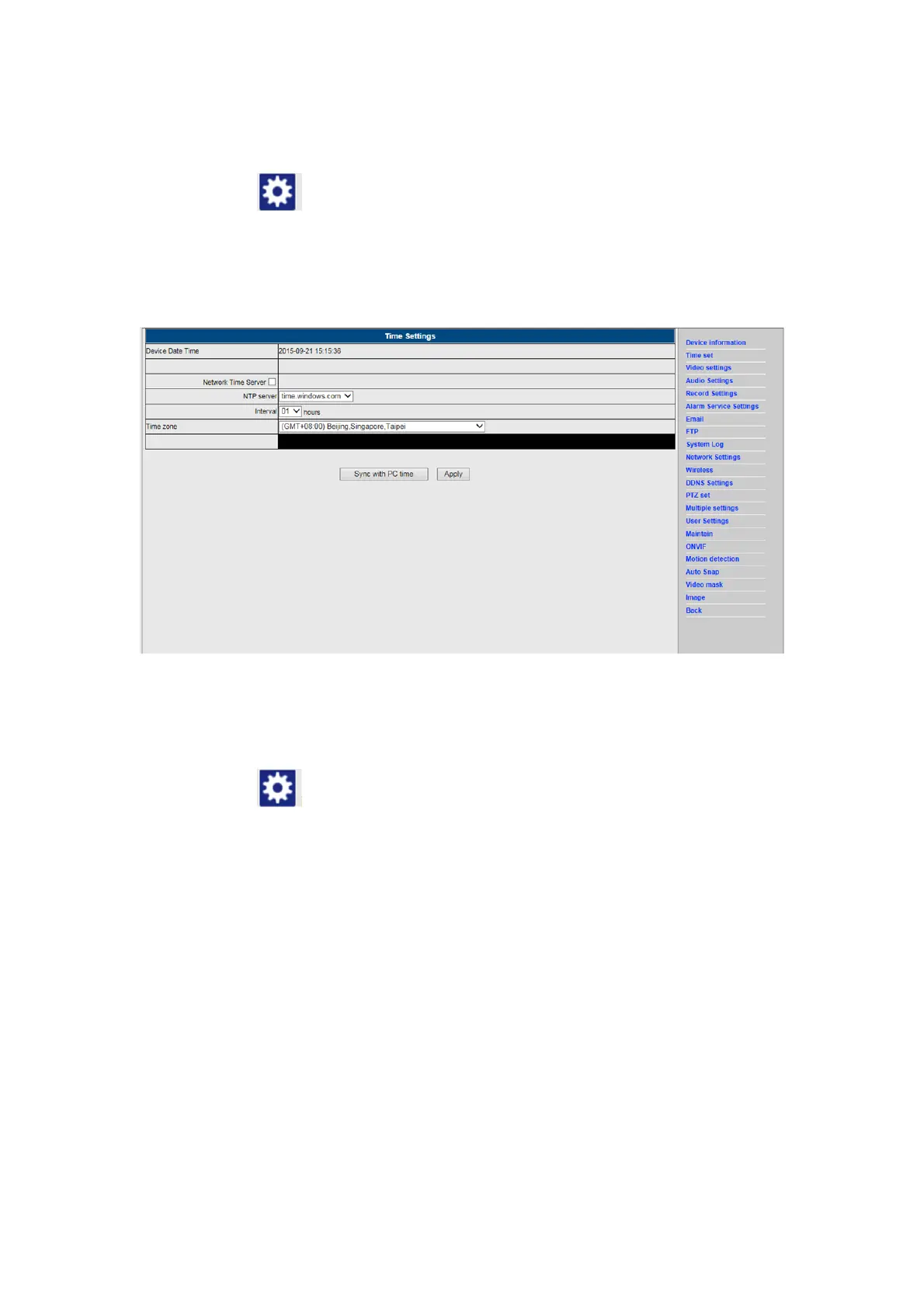
1) Click on the icon to access the “Time” settings
2) You may choose any NTP server, then click on “Apply”
3) Choose the desired time and click on “Apply” to activate it
6. Record settings
1) Click on the icon to access the “Record” settings
2) Choose “on”
3) Choose between ”First stream” or ”Second stream”
4) Choose the time schedule for recording
5) Click on “Apply”


 To Next Page