Double click the camera IP address in the search tool.
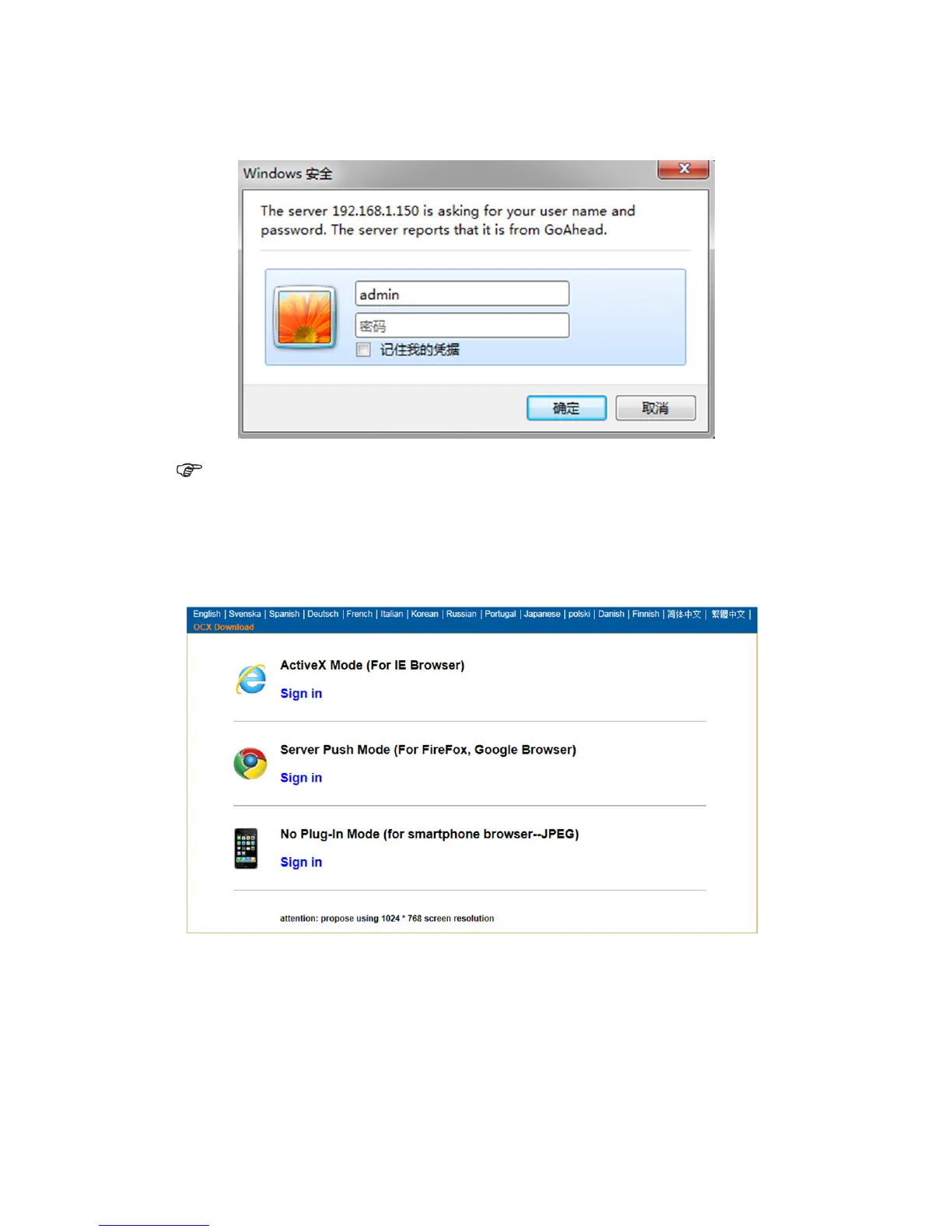
A Sign-in interface will be shown in your default browser, like below:
Note: User: admin Password: None/blank
(Please change the account info for safety after login)
After you entered the correct user name and password, this login screen will be displayed.
(It supports 6 visitors to view online at the same time)
Note:
1) If you use the IE browser, please choose the first sign-in mode (ActiveX Mode) to login.
If you use other browsers, such as Firefox, Safari or Google Chrome, you should choose
the second sign-in mode (Server Push Mode). Don’t choose the wrong mode, or you will
not see the video. On the other hand, using Server Push Mode, you lose functions like
Recording, 2-way audio, IR control.



 To Next Page