EasyManua.ls Logo

Denver IPC-330 - User Manual

Denver IPC-330
17 pages
Print Icon
To Next Page IconTo Next Page
Loading...
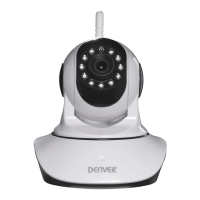
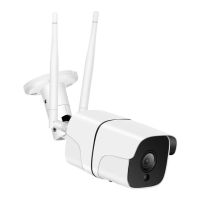
DENVER IPC-330 DENVER IPO-320
Question and Answer IconNeed help?

Do you have a question about the Denver IPC-330 and is the answer not in the manual?

Summary

Installation and Initial Setup

Install Search Tool Software

Steps to install the camera search tool from CD, including browser view setup.

Login IP Camera to the LAN

Connecting the camera to the local network after hardware installation and using the search tool.

Camera Access and Configuration

Browser Access Modes

Selecting between ActiveX, Server Push, or No Plug-In modes for browser access.

Wireless Network Configuration

Configure Wi-Fi Connection

Selecting SSID, matching router parameters, and entering the Wi-Fi network key.

DDNS Service Settings

Mail and Alarm Service Settings

Recording and Capture Settings

Network and Control Settings

FAQ and Troubleshooting

Password Forgotten Recovery

Procedure to reset the camera to factory settings and default login credentials.

No Video Display Troubleshooting

Steps for resolving no video issues, including firewall and ActiveX settings checks.

Summary

Installation and Initial Setup

Install Search Tool Software

Steps to install the camera search tool from CD, including browser view setup.

Login IP Camera to the LAN

Connecting the camera to the local network after hardware installation and using the search tool.

Camera Access and Configuration

Browser Access Modes

Selecting between ActiveX, Server Push, or No Plug-In modes for browser access.

Wireless Network Configuration

Configure Wi-Fi Connection

Selecting SSID, matching router parameters, and entering the Wi-Fi network key.

DDNS Service Settings

Mail and Alarm Service Settings

Recording and Capture Settings

Network and Control Settings

FAQ and Troubleshooting

Password Forgotten Recovery

Procedure to reset the camera to factory settings and default login credentials.

No Video Display Troubleshooting

Steps for resolving no video issues, including firewall and ActiveX settings checks.

Denver IPC-330 Specifications

General IconGeneral
TypeIP Camera
Intended useIndoor
Connectivity technologyWireless
WirelessYes
Night visionYes
Infrared (IR) cut-off filterYes
Power source typeDC
DC current1A
Lens3.6 mm
Viewing Angle110°
Motion DetectionYes
Two-Way AudioYes
Weather ResistanceNo
Max video resolution1920 x 1080
DC voltage5V
Width60 mm
Depth60 mm
Operating Temperature-10°C to +50°C
StorageMicroSD up to 128GB

Related product manuals