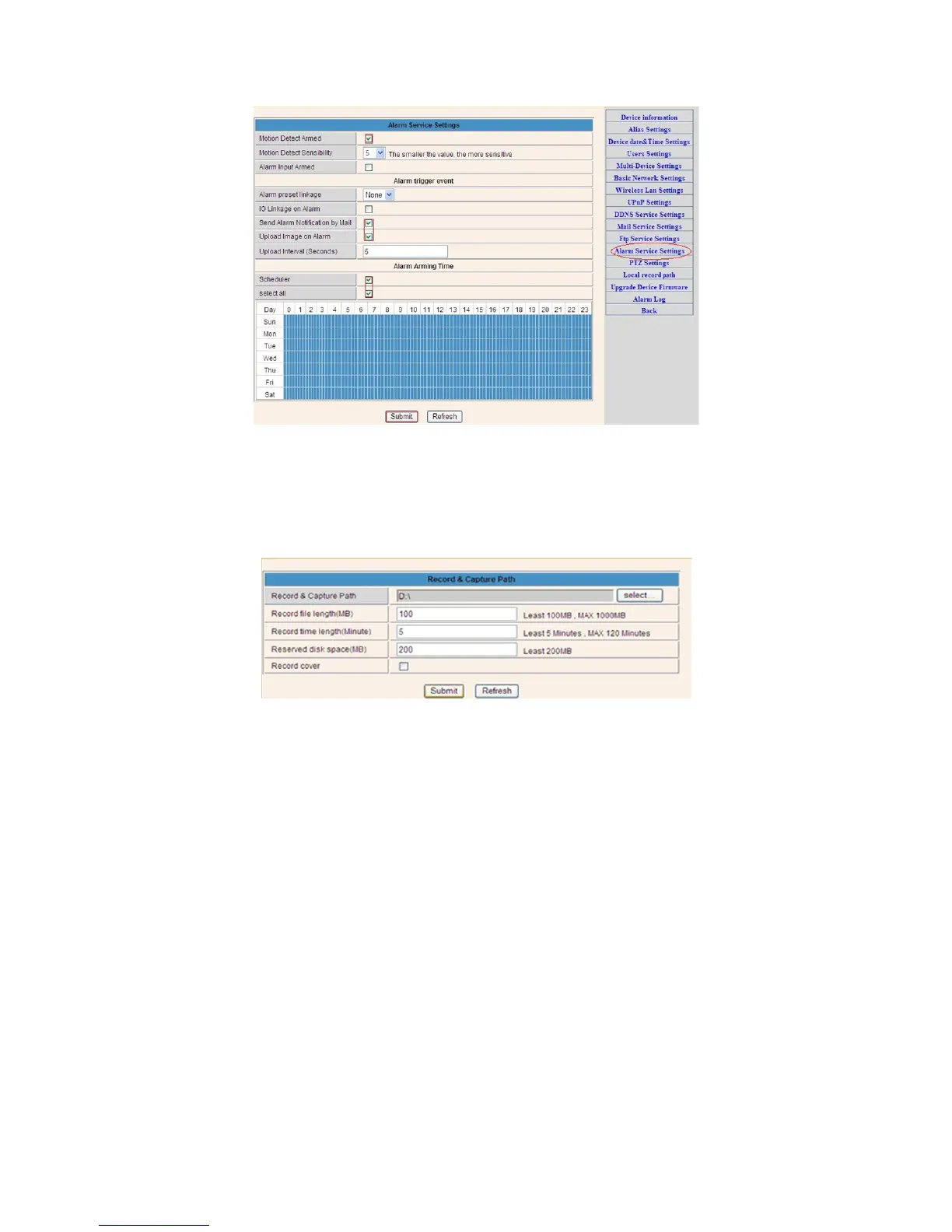
If you let the camera page (browser) on, if the come will be activated, 1 minute will be
recorded.
6. Record & Capture Path
Record & Capture Path: Where to store the files, video and photos. (If you can’t choose
this, pay attention to your PC OS and IE version, please use the IE browser.)
Record file length: At least 100MB
Record time length: At least 5 minutes.
Reserved disk space: If your pc disk space is less than 200MB, stop recording.
Record cover: Delete the old files when the disk capacity is almost depleted.
7. Record Schedule (For IPC-330 with SD card
recording function)
This section explains the SD card recording settings. If the SD card has been inserted, the
capacity of the card will be displayed. But at first, you need to format it. It includes: Record
coverage, Record time, Timer recording. The settings are like follows:



 To Next Page