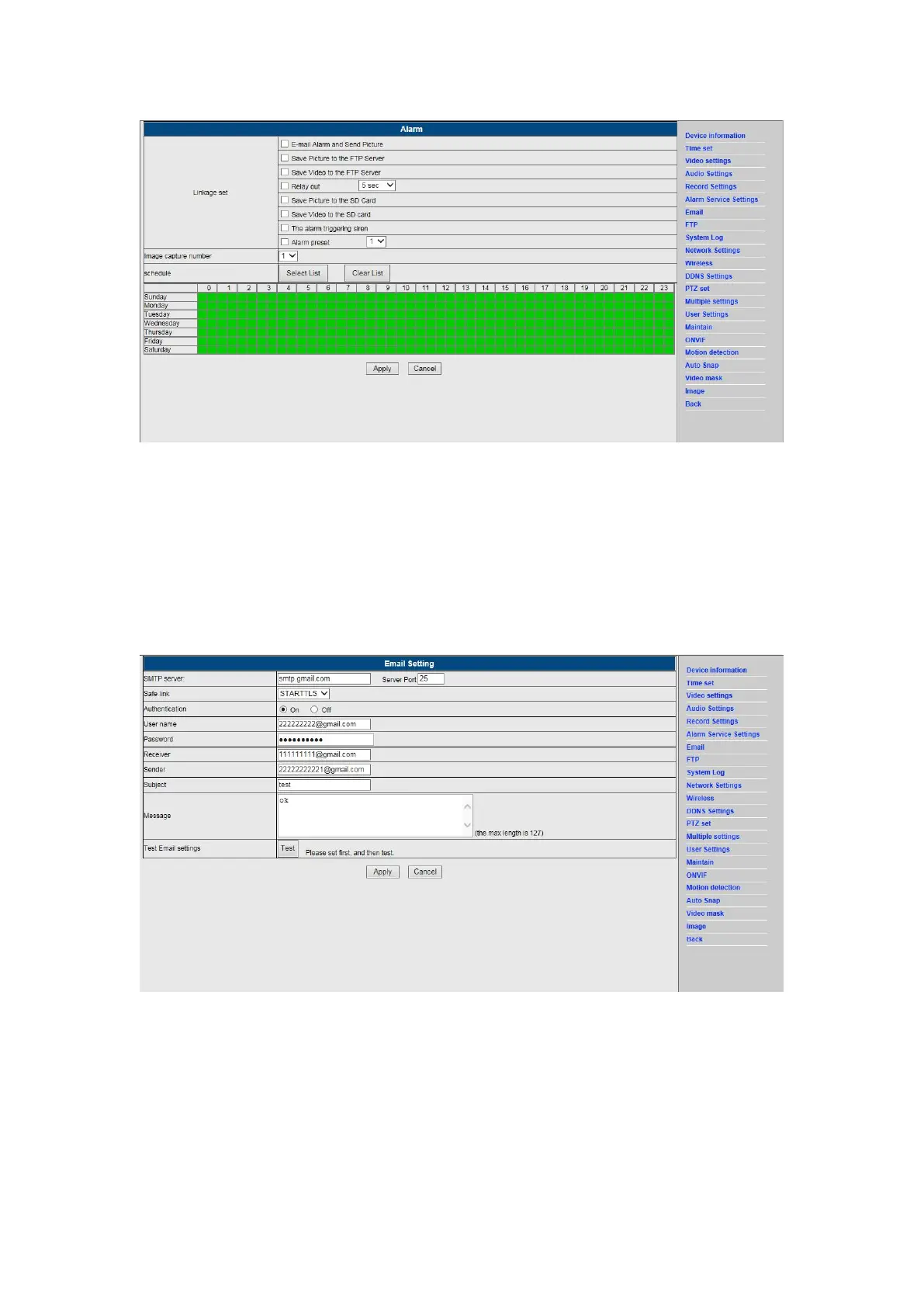
8. Alarm Notification Setting & Email, FTP
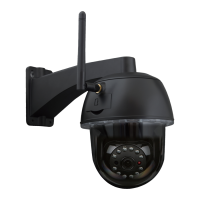
1) The email configuration screen serves for the preparation of the alarm function. If the
motion detect activates your camera is triggered, you will receive an email containing
photos. Precondition for this is the correct setup and test of the service. Here the
configuration of a Gmail account as example:
Note: This function only works if the IP camera is connected to the network. If you use Gmail,
you must configure the port as 465, SSL as TLS. But the most important is, that you check if
your email client has SMTP enabled.
After first test email,you will receive an email from google with an login attemt.
Option 2 :
Change your setting to allow less secure apps to access your account,follow these steps :


 To Next Page