1.Go to the “Less secure apps ”section in my account.
2.Next to “Access for less secure apps”,select Turn on.(Note to Google Apps users :This
setting is hidden if your administrator has locked less secure app account access)
3.More details about allow less secure apps ,please refer to this link :
https://support.google.com/a/answer/6260879?hl=en.
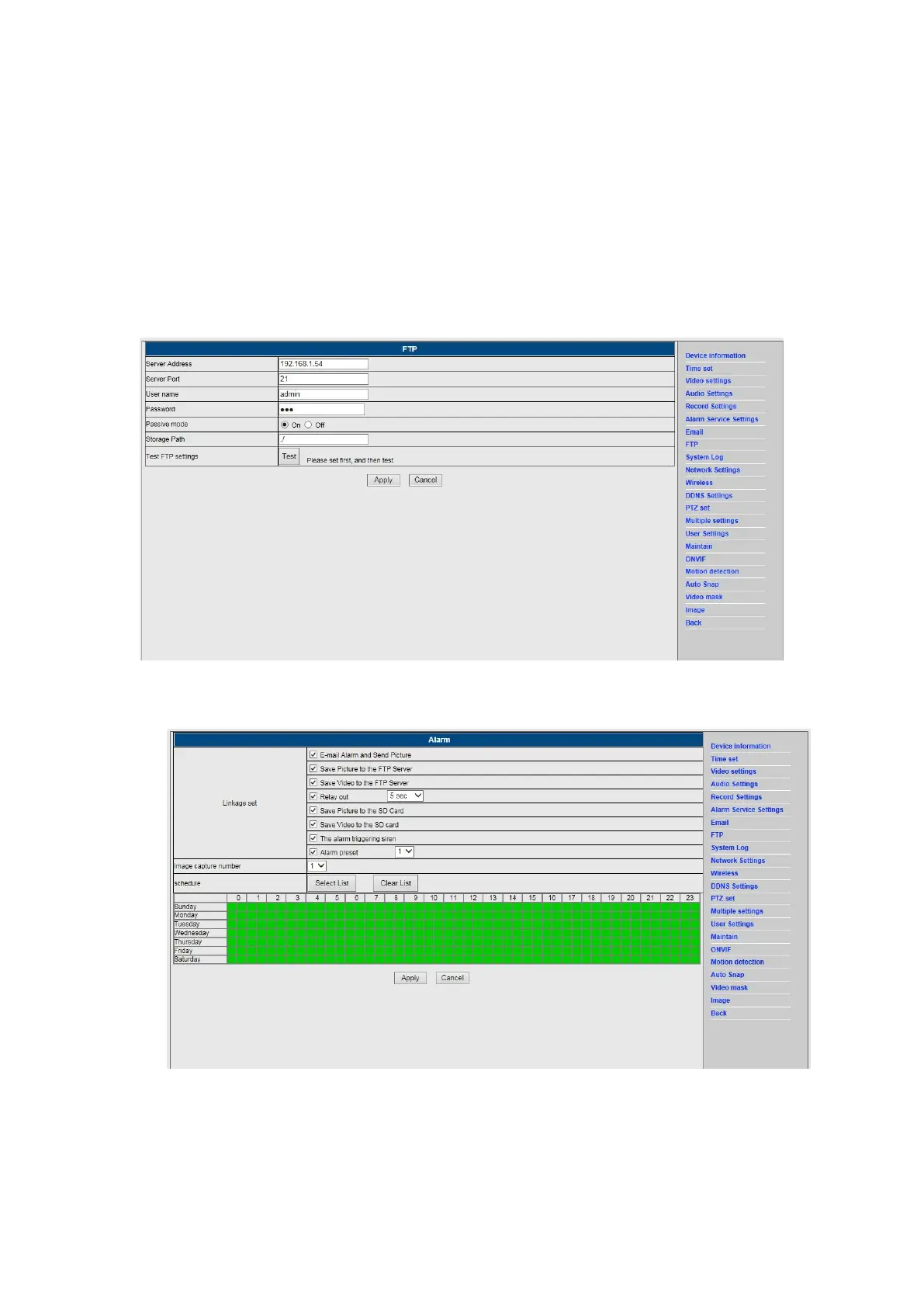
2) FTP service is a precondition for the alarm function. If the motion detect activates your
camera an email with photos will be submitted to you. For this it is required that you
configure the email service correctly in check it for functionality. For example:
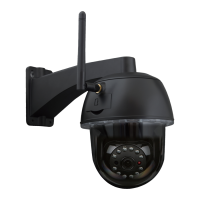
3) Alarm Service Settings, please enter the same settings like in the screenshot below:


 To Next Page