25
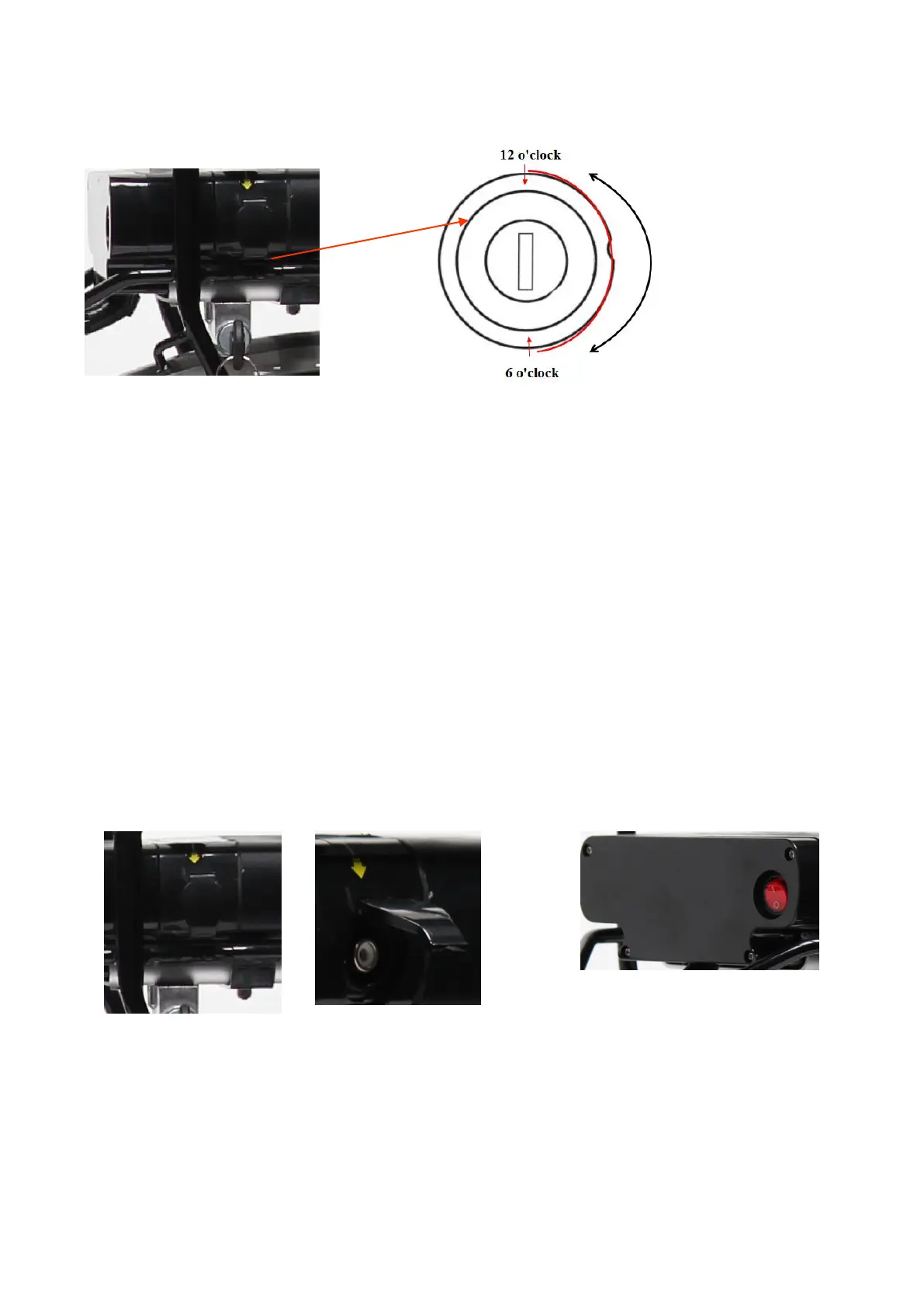
Notice the battery lock (Fig.4.1,4.2)
(Fig. 4.2) (Fig. 4.2)
From the initial position (12 o'clock), turn the key clockwise to the 6 o'clock position to lock. Perform the
reverse procedure for unlocking.
Battery charge
If an AC outlet is available within reach of your bike, you can charge your bike directly with the battery still
attached to the bike. The charging port is covered by a plastic cap, with a yellow arrow for notice (Fig 4.3).
Please open it then you charge the battery directly (Fig 4.4).
Removing the battery is useful for charging in a location where the bicycle may not fit or when no
reachable AC power supply exists at the place where the bike is parked
Before removing the battery from the bike, you need to do as following steps:
* make sure the switch is off, the button is returned back (Fig4.5).
* Turn the key to left to unlock the battery. (refer Fig 4.2)
* Remember to take off and care about the key after you withdraw the battery from the carrier!!! Any
copy available.



 To Next Page