26
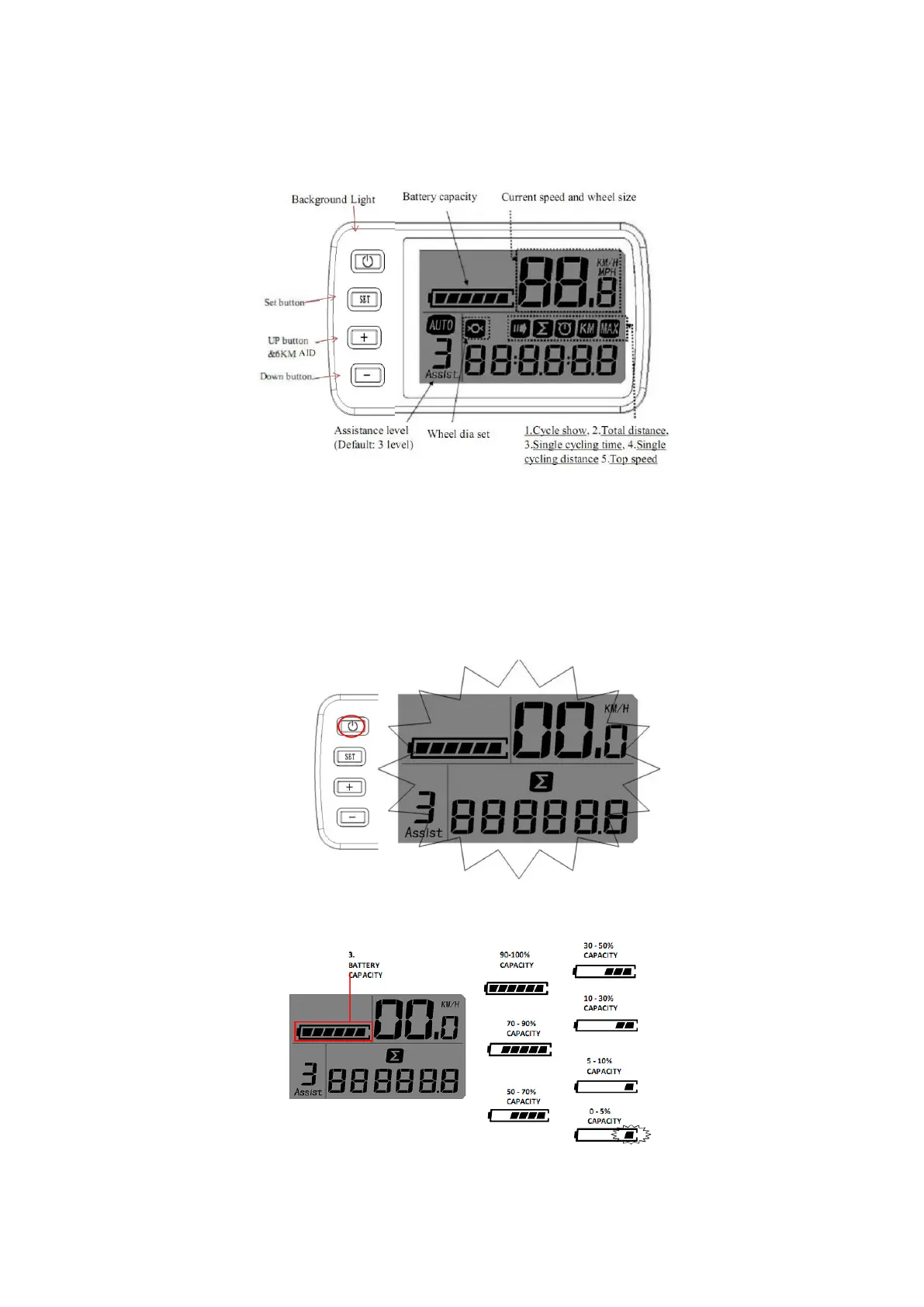
6. LCD looking with function:
(Fig. 5)
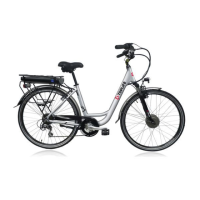
1) Background LIGHT: Touch the power button, the LCD background screen light is on, then touch again, the
LCD background light is off. Usually in daytime, the background light is unnecessary to be turned on. When
background light is not needed, you’d better to turn off to save the electric (Fig. 6)
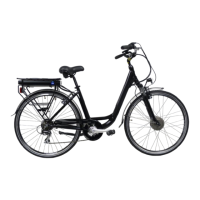
2) BATTERY CAPACITY: Will show battery capacity (Fig. 7)
.



 To Next Page