27
3) GENERAL OPERATIONS:
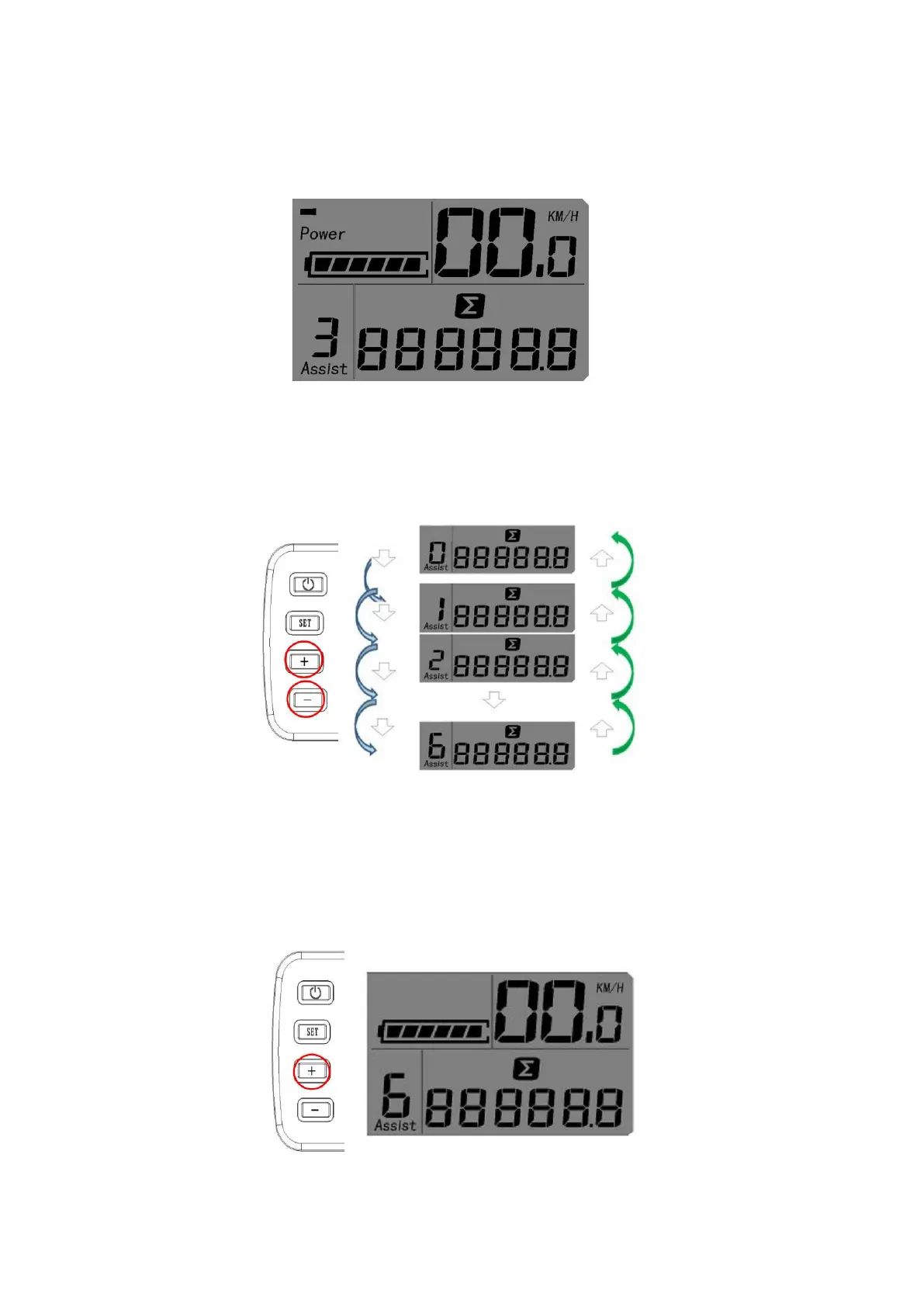
Switch on the power, the assistance Mode opens, the default start assisting condition is: Assistance Level 3
(Fig. 8).
4) ADJUST ASSIST LEVEL:
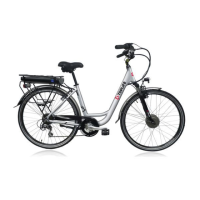
Adjust assistance position: Press the “+” or the “--” button may change the assistance position, altogether 6 levels
from 0 to 6 choices. Level 0 is no assistance, level 6 is in max speed or max power situation (Fig. 9).
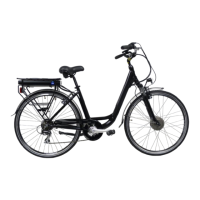
5) 6KM AID START button: Press the “+” button more than 2 seconds, it will get into the 6KM/H AIDING START
state. It means even though you don’t pedal the bike forward, the bike can start moving directly at max speed of
6KM/H only, provided this button is kept pressing. As soon as this button is released, the bike will stop
immediately (Fig. 10).



 To Next Page