28
6) Riding mode:
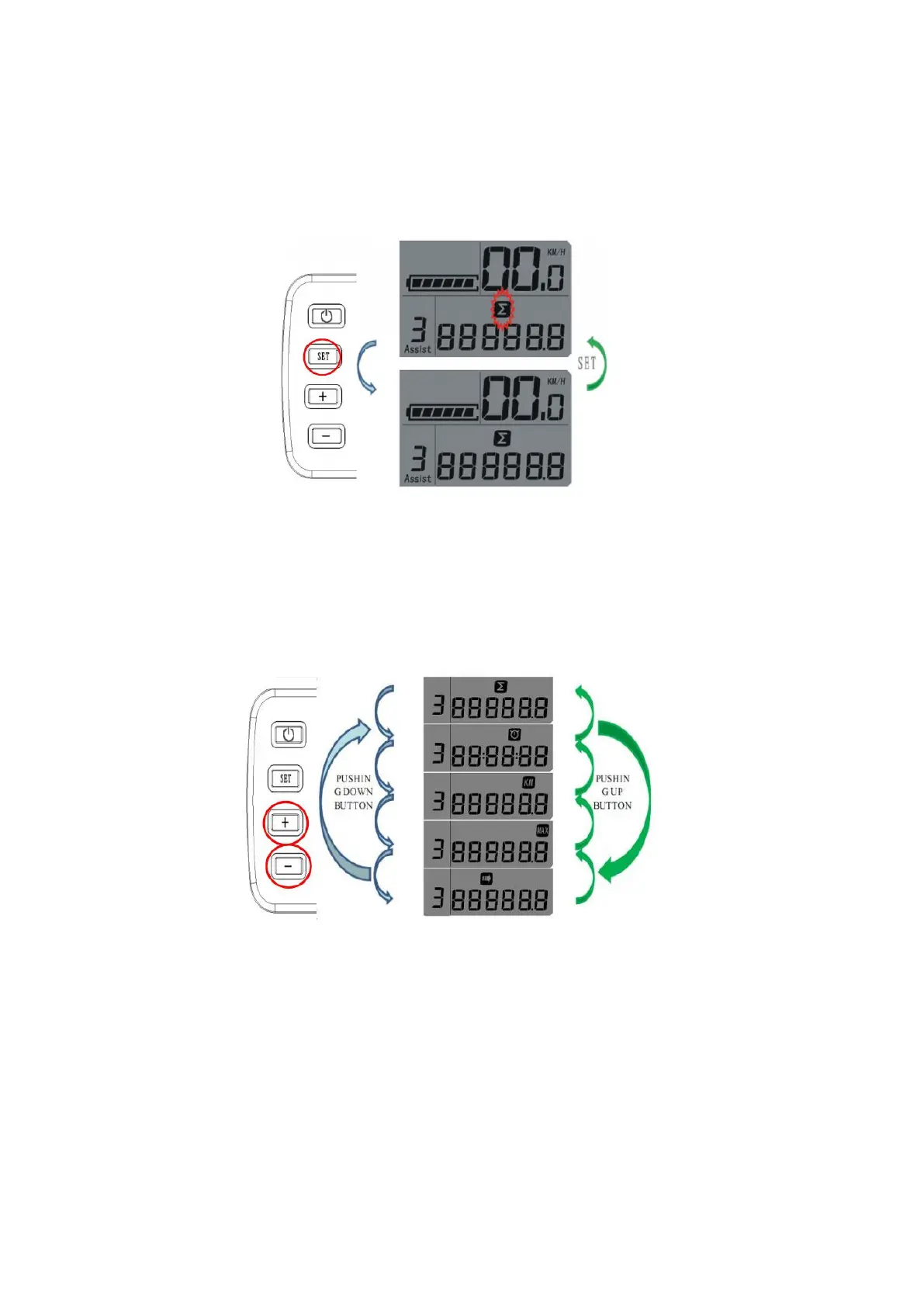
A. SETTING MODES: Press SET button, the present bike’s status line will be blinking, then, you can press “+” or “--
” button to set the present display modes, to keep showing the present mode, just press SET button again. The
system display default: total distance (Fig. 11).
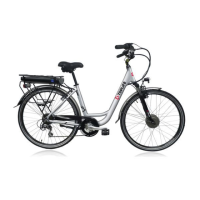
B. Press SET button once, it can go into the Bicycle Riding Mode: under bicycle mode, press the “+” or “--” button,
it can be showing all the modes one by one in a cycle among “Total Distance”, “Single Cycling Time”, “Single
Cycling Distance, “Top Speed” and “Cycle Show” (Fig. 12).
Press SET button one more time, this function is stopped.
C: When setting Bicycle Mode to “Cycle Show” symbol, press the “+” or “--” button, the LCD will automatically
take 5s as a unit to show all the present bicycle modes/status respectively, such as “Single Cycling Time”,
“Single Cycling Distance, “Top Speed” and “Total Distance”. The LCD will be constantly showing all the details
one by one in a cycle (Fig. 13).



 To Next Page