EasyManua.ls Logo

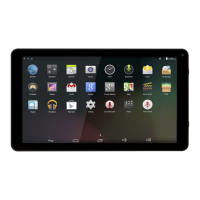
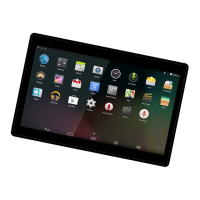
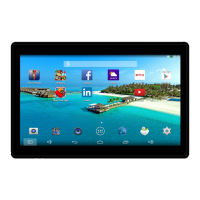
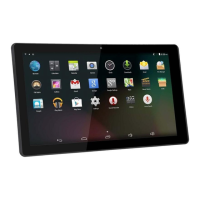
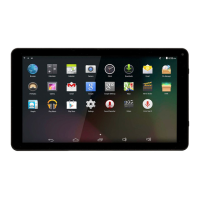
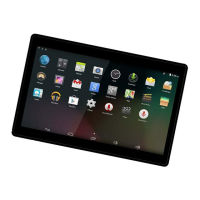
Denver TAQ-10423L - User Manual

Denver TAQ-10423L
17 pages
Print Icon
To Next Page IconTo Next Page
Loading...
ENGLISH / ENGLISH
TAQ-10423L
WHITE
www.denver-electronics.com
Question and Answer IconNeed help?

Do you have a question about the Denver TAQ-10423L and is the answer not in the manual?

Summary

Unit at a Glance

Power Button

Turn unit on/off, access power off menu.

Reset Button

Use needle/paper clip to reset the unit.

SIM Card Slot

Insert SIM card by pulling out back cover.

Getting Started

Powering the Tablet On and Off

Instructions for turning the tablet on, off, and putting it into standby mode.

Connecting to the Internet

Connecting to Wireless Internet

Steps to connect the tablet to a Wi-Fi network.

SIM Card Management

Voice call

How to manage SIM cards for voice calls.

Message

How to manage SIM cards for SMS messages.

Mobile data setting on 4 G tablets

Troubleshooting

Summary

Unit at a Glance

Power Button

Turn unit on/off, access power off menu.

Reset Button

Use needle/paper clip to reset the unit.

SIM Card Slot

Insert SIM card by pulling out back cover.

Getting Started

Powering the Tablet On and Off

Instructions for turning the tablet on, off, and putting it into standby mode.

Connecting to the Internet

Connecting to Wireless Internet

Steps to connect the tablet to a Wi-Fi network.

SIM Card Management

Voice call

How to manage SIM cards for voice calls.

Message

How to manage SIM cards for SMS messages.

Mobile data setting on 4 G tablets

Troubleshooting

Denver TAQ-10423L Specifications

General IconGeneral
Screen size10.1 inches
Operating SystemAndroid 10
RAM2 GB
Internal storage32 GB
Resolution1280 x 800 pixels
Wi-Fi802.11 b/g/n
Front camera2 MP
Rear camera5 MP
Battery5000 mAh
CPUQuad-core 1.3 GHz

Related product manuals