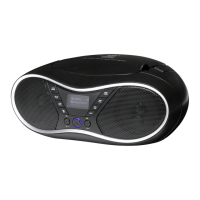
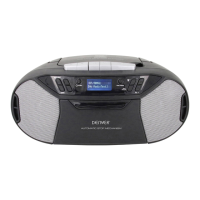
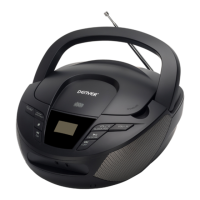
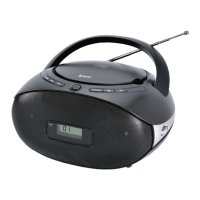
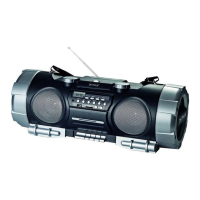
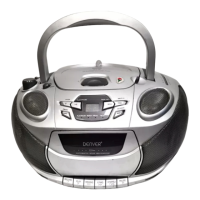
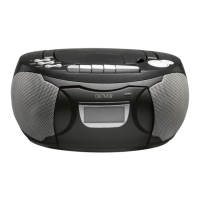
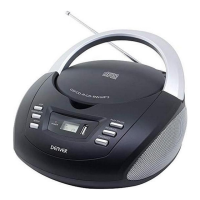
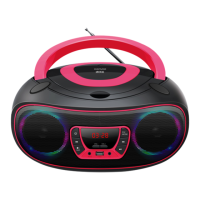
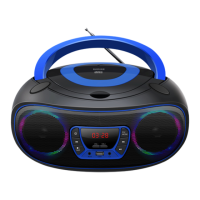
The Denver TDB-10 is a versatile CD Boombox designed for portable audio entertainment, offering a range of playback options including CD, DAB/FM radio, USB, and Aux-in. It can be powered by either AC mains or batteries, making it suitable for both home and on-the-go use.
Function Description:
The TDB-10 serves as an all-in-one audio system capable of playing audio CDs, receiving digital (DAB) and analog (FM) radio broadcasts, playing music from USB storage devices, and connecting to external audio sources via its Aux-in port.
Important Technical Specifications:
- Power:
- AC Power: 100-240V~50/60Hz (detachable AC cord included).
- Battery Power: Requires 4 C batteries (not included).
- Radio Frequencies:
- FM: 87.5-108MHz
- DAB: 174.928-239.200MHz
- Max Output Power: 8W
- Connectivity:
- USB Port: For playing audio from USB storage media.
- Aux-in: 3.5mm jack for connecting external audio sources (e.g., MP3 players).
- Earphones Jack: For private listening.
Usage Features:
General Controls:
- OPEN/CLOSE: Opens and closes the CD compartment.
- POWER/FUN:
- Short press (standby mode): Turns the radio on (defaults to DAB mode).
- Press and hold (operating mode): Turns the radio off.
- Short press (operating mode): Cycles through DAB, FM, CD, USB, and AUX modes.
- VOL+/VOL-:
- Short press: Adjusts volume step by step.
- Press and hold: Adjusts volume continuously. Maximum volume level is 32.
- MENU/INFO:
- Short press: Displays information (e.g., station details in DAB mode).
- Press and hold: Displays the menu.
- EQ/RPT:
- Short press: Cycles through EQ modes (FLAT, CLASS, JAZZ, ROCK, POP).
- Press and hold (USB Mode): Cycles through repeat functions (REP-1, REP-DIR, REP-ALL, RANDOM).
- Press and hold (CD Mode): Cycles through repeat functions (REP-1, REP-ALL, RANDOM).
- PLAY/PAUSE/ENTER:
- FM mode (press and hold for 2 seconds): Automatically scans FM frequencies.
- CD/USB/BT mode (first short press): Pauses playback.
- CD/USB/BT mode (second short press): Continues playback.
- AUX mode: No function.
- DAB mode: Selects a highlighted sub-station.
- PREV/NEXT:
- FM mode (short press): Scans up or down through radio frequencies.
- FM mode (press and hold): Auto searches for the previous or next radio station.
- CD/USB Mode (short press): Skips to the previous or next title.
- CD/USB Mode (press and hold): Fast rewinds or fast forwards through the current title.
- AUX mode: No function.
- DAB mode (short press): Highlights a sub-station.
FM Radio:
- Select FM mode using the FUN button.
- Extend the FM antenna for better reception.
- Short press PREV or NEXT to tune to the previous or next available station.
- Press and hold PREV or NEXT for auto-search of the previous or next radio station.
- Press and hold PLAY/PAUSE to automatically search and save up to 30 radio stations.
DAB Radio:
- Select DAB mode using the FUN button.
- Press and hold PLAY/PAUSE to automatically search and save DAB radio stations.
- Short press PREV/NEXT to highlight a sub-station, then press ENTER to select.
- Short press INFO to display station details.
CD Playback:
- Open the CD compartment using OPEN/CLOSE.
- Insert a CD.
- Select CD mode using the FUN button.
- Use PLAY/PAUSE to control playback.
- Use PREV/NEXT for track navigation and fast forward/rewind.
- Use EQ/RPT to cycle through repeat functions (REP-1, REP-ALL, RANDOM).
USB Playback:
- Insert a USB storage medium into the USB PORT.
- Select USB mode using the FUN button.
- Use PLAY/PAUSE to control playback.
- Use PREV/NEXT for track navigation and fast forward/rewind.
- Use EQ/RPT to cycle through repeat functions (REP-1, REP-DIR, REP-ALL, RANDOM).
Aux-in:
- Connect an external audio source (e.g., MP3 player) to the Aux-in port using a 3.5mm audio cable.
- Select AUX mode using the FUN button.
- Control playback from the connected external device.
Maintenance Features:
The manual does not explicitly detail maintenance features beyond basic usage instructions. However, as with most electronic devices, it is implied that general care such as keeping the device clean, avoiding exposure to extreme temperatures or moisture, and handling CDs and USB devices properly will contribute to its longevity. The device is designed for user-friendly operation with clear controls and a digital display for easy navigation and information. The detachable AC cord and battery option provide flexibility in power management. The EU declaration of conformity indicates adherence to European safety and environmental standards, including proper disposal of electronic waste.

 Need help?
 General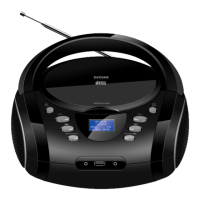

 To Next Page