USB/SD Recording
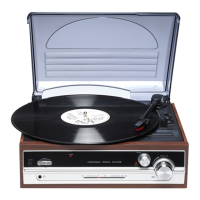
Place the record of your choice on the turntable. If required, do not forget to
place the 45 RPM record adapter on the record spindle.
Choose the desired playing speed using the speed selection switch between 33.3,
45 and 78 RPM. Turn on the Rotary Power Switch, note that this also
controls volume.
Release the tone arm lock.
Insert the USB or SD, press and hold the REC button, the flash of the LED
indicator besides the USB/SD connector shows that it has started recording.
When you stop the turntable or press REC button, or move the arm to LP, the
recording will stop.
Turn on the power and insert the USB/SD and the unit will automatically play
music from USB flash or SD card.
If you are playing an LP, you need to move the tonearm back to stop the LP
music. USB/SD music will begin automatically if USB/SD is inserted. If BT is on,press USB/SD
/BT/REC/BT OUT button to select USB/SD mode, wait for a few
seconds, USB/SD music playback will begin.
DEL: to delete the music which you have recorded from LP to USB/SD device,
press and hold the DEL button, this will delete the current playing music.
USB/SD Playing
Turntable cannot delete music which is not recorded by the turntable.
Connect a Bluetooth Device to the Turntable
Press the USB/SD/BT/REC/BT OUT button to choose Bluetooth mode, a blue
LED will begin flashing to indicate the turntable is in pairing mode.
Search for the turntable (named “VPL-230”) in the list of Bluetooth devices and connect.
A chime and a steady blue LED light will indicate your device has paired with
the turntable successfully.
Connect the Turntable to an External Bluetooth
Speaker
ENG 5


 To Next Page