DESi
18
WIRELESS FINGERPRINT
READER
In this section, you can find details about installation and
usage of Wireless Fingerprint Reader.
Before using your motorized cylinder, first, you should adjust
“locking way” and then “number of rotation” settings
via master controller of your motorized cylinder. If master
controller is fingerprint reader, please check page 25 and 26
for this purpose.
If you want to change the master controller of motorized
cylinder, check “HOW TO RESET MOTORIZED CYLINDER”
topic on the last page.
To use all available features of your device, we recommend you to use
a smartphone as master controller.
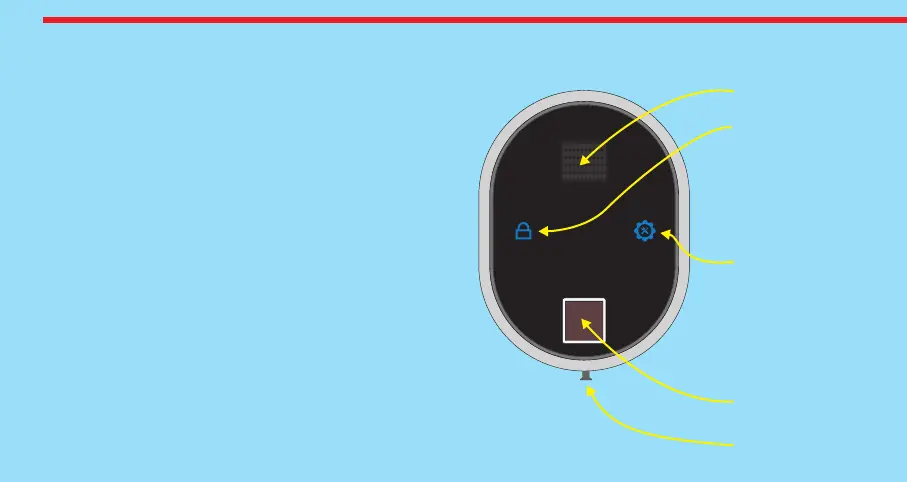
Display
Button #1
- Lock
- Enter Shown Item
- Confirm Selection
Back Plate
Screw
Button #2
- Enter Menu
- Shift to Next Item
- Rotate in Choices
Sensor


 To Next Page