42
7.2. CHANGING DEFAULT MASTER PASSWORD
Default master password of keypad is “12345". The first thing you need to do is changing default password as follows:
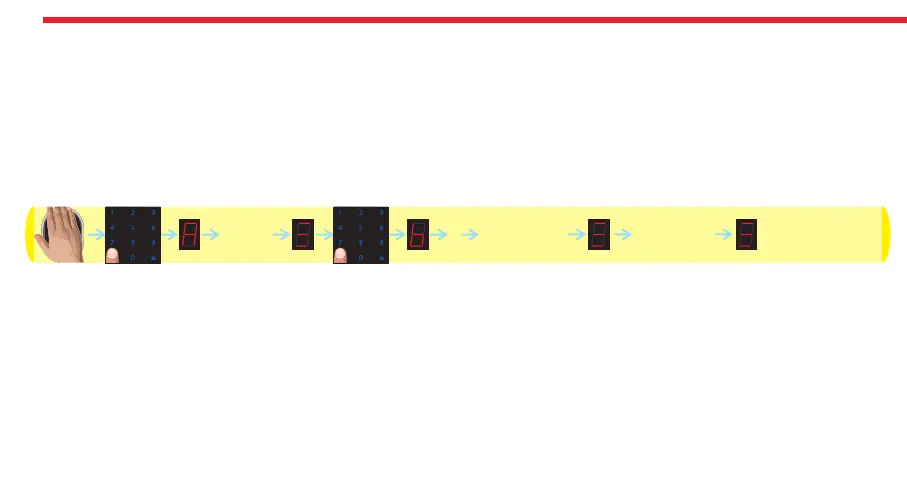
- Wake the keypad up by putting your palm to the touch keys and then touch “M” button. “A” appears on the display.
- Enter “12345" as password. After display animation, touch “M” button again. “b” appears on the display.
- Touch “1" button and enter the new master password in 5 digit.
- After display animation, re-enter the new master password.
In this way, the master password will be changed. Schematic representation of this operation is as follows:
DESi
12345
ENTER NEW
PASSWORD
(5 DIGIT)
1
RE-ENTER
PASSWORD


 To Next Page