8
5.2. APPLICATION SETTINGS
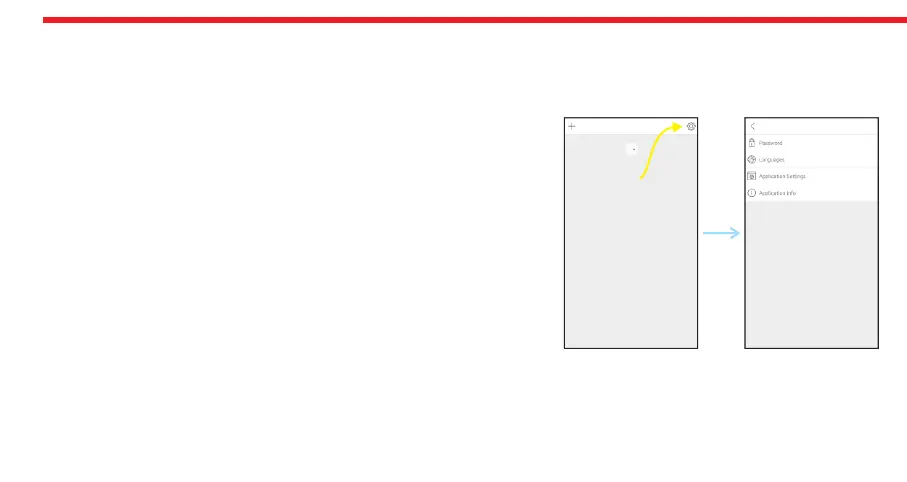
If you touch the menu button in the top right corner when it is not connected to motorized cylinder, you will reach settings
menu of application. Related menu items are as follows:
PASSWORD: You can disable, enable or change the password of application.
LANGUAGES: You can change language of the application.
APPLICATION SETTINGS: You can disable / enable auto-connection
feature which connects to a known motorized cylinder around as soon as
the application is launched.
APPLICATION INFO: You can see the version of installed application.
Menu
Button


 To Next Page