7
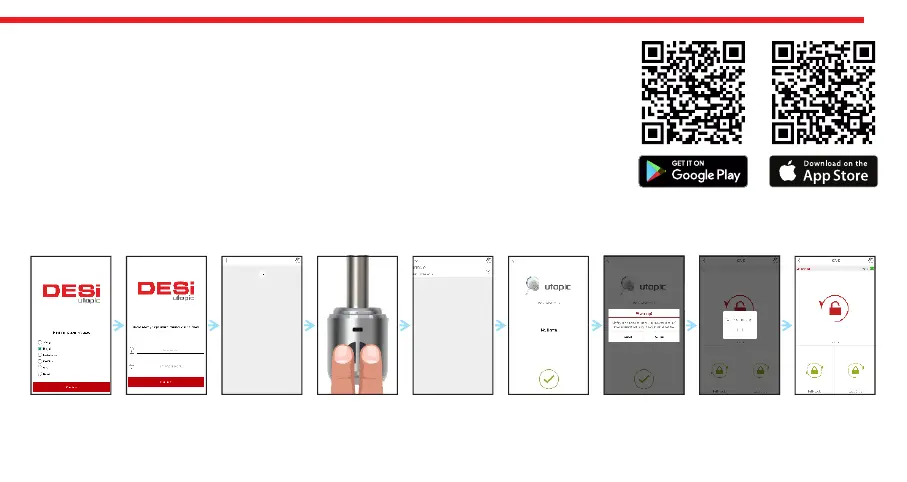
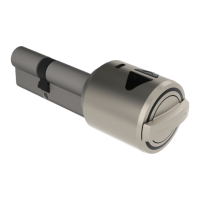
matching is successful, you will hear 2 short tones from motorized cylinder and your mobile phone will be master controller
of motorized cylinder.
NOTE: For Android phones, application will ask to reach location services. This is needed for using Bluetooth properly.
5.1. ENROLLING A MOBILE PHONE AS MASTER CONTROLLER
- Search “Desi Utopic” on stores. Download, install and run the application.
- Choose desired language and define a password.
- Press and hold two buttons on motorized cylinder until you hear long and short
warning tones, then release buttons.
- On application screen, touch “+” in the top left corner to see the list of Utopic
motorized cylinders around.
- Touch the UTOPIC line, enter a name for your device and touch the “green tick”. If a
confimation pop-up appears, confirm and device recognition process will start. If the


 To Next Page