20
6.2. ENROLLING FIRST (MASTER) FINGERPRINT
Fingerprint reader comes without any fingerprint in its memory. The first 3 fingerprints are accepted as master
fingerprints and administrative activities like enrolling or deleting fingerprint can be done by master fingerprints only.
Master fingerprints need to be chosen carefully. on’t enroll a child’s finger or a finger which is deformed D ny (or can be
d ) a eformed easily as master finger.
To enroll first fingerprint:
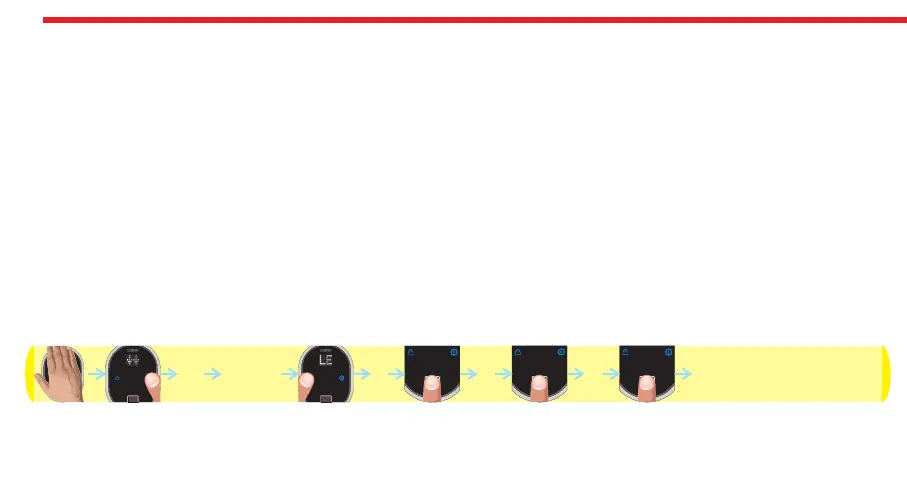
- Touch to device with your palm to wake it up. Touch “Button #2". First “OK” and then “LEARN” will be displayed.
- Touch “Button #1". “L3" will be displayed.
- Put the finger onto the reader till you see “OK” and remove. “L2" will be displayed.
- Put the same finger again till you see “OK” and remove. . “L1" will be displayed.
- Put the same finger again till you see “OK”.
After this step, your finger will be enrolled as first master. Schematic representation of operation is as follows:
DESi
OK LEARN L3
L2 L1 OK



 To Next Page