5
In some security doors, even if you remove cylinder screw, you cannot remove cylinder due to cramped installation of
cylinder defender. Follow the instructions below, for that kind of situations:
- Untighten the screws of the cylinder defender (don’t remove the screws)
- Remove cylinder screw and take out the old cylinder.
- Disassemble the motorized knob from the cylinder.
- Install the cylinder part to the door and tighten the cylinder screw.
- Tighten the screws of the cylinder defender.
- Assemble the motorized knob with the cylinder.
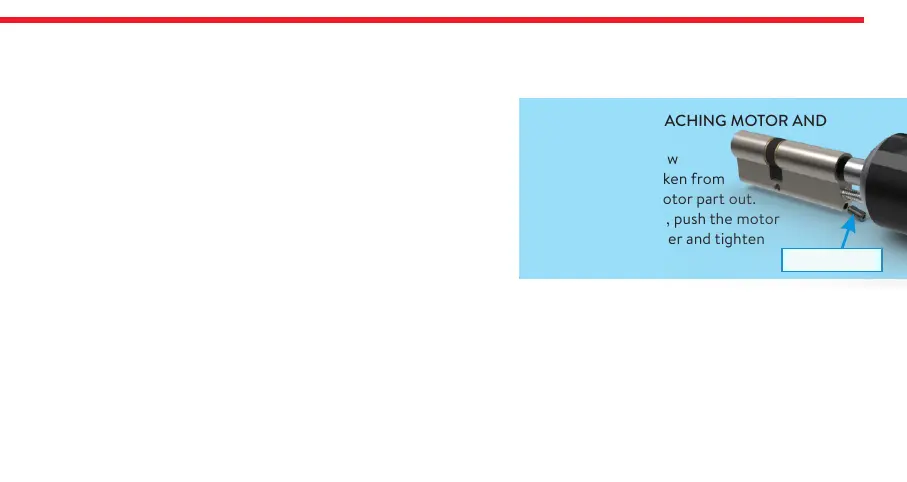
DETACHING / ATTACHING MOTOR AND
CYLINDER
Loosen the set screw
with the hex key taken from
the box. Pull the motor part out.
To attach two parts, push the motor
properly into cylinder and tighten
the set screw.
Set Screw
4. MASTER CONTROLLER AND USER CONTROLLERS
The first controller enrolled to motorized cylinder is accepted as the master controller. The rest of the controllers will be
user controllers. Both, master and user controllers can be used to lock/unlock the motorized cylinder but only the master
controller can change settings of motorized cylinder.


 To Next Page