50
7.3.7. ENABLING OR DISABLING BUZZER SOUND
You can disabled (or enable) activation sounds by following steps below:
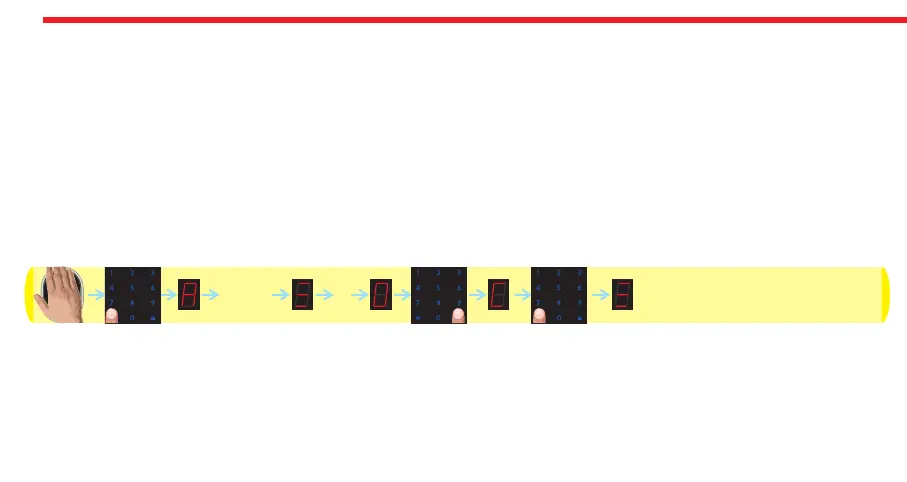
- Wake the keypad up by putting your palm to the touch keys and then touch “M” button. “A” appears on the display.
- Enter 5 digit master password. After display animation, touch “3” button. “O” or “c” will be displayed.
- Touch “LOCK" button to toggle between;
“O” - buzzer is enabled,
“C” - buzzer is disabled.
- When desired way is displayed, touch “M" button.
After first locking or unlocking operation done by keypad, selected settings will be applied to the system. Schematic
representation of operation is as follows:
DESi
12345
3


 To Next Page