Clearing paper jams and staple jams
1
1-50 ineo 223/283/363/423
1.18
1.18 Clearing paper jams and staple jams
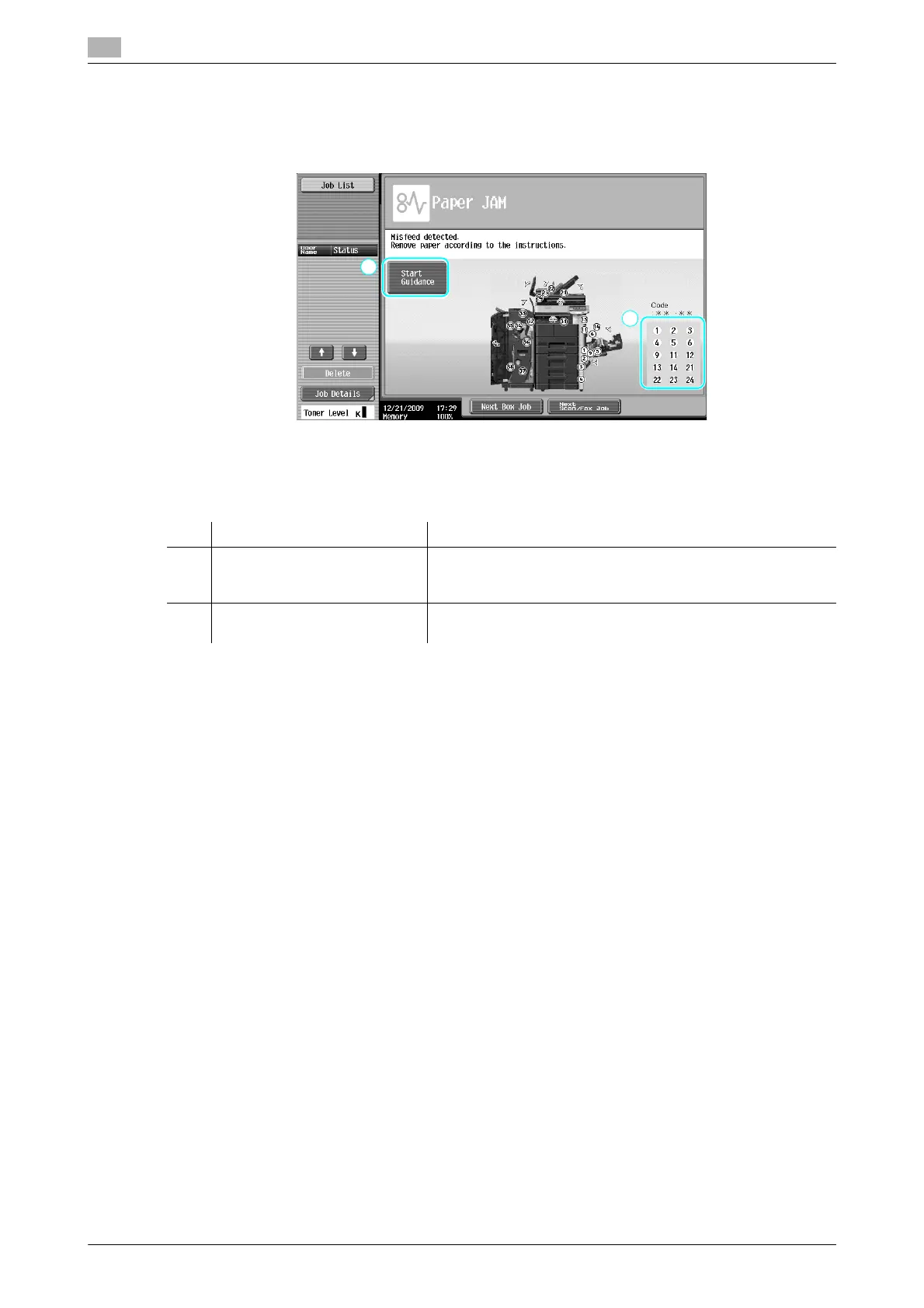
If a paper jam or staple jam occurs, a screen like the one shown below appears with the location of the jam
indicated. To clear the jam, check the location indicated in the screen, and then perform the necessary
operation in accordance with the guidance.
A flashing "round number" indicates the location of the paper jam/staple jam.
Press [Start Guidance] to remove paper in accordance with the guidance.
If you failed to clear paper jams, message "Paper remaining in device. Remove paper according to
instructions." appears. Retry to remove paper in accordance with the guidance.
No. Item Description
1 [Start Guidance] Pressing this button will utilize an animation to start displaying
the procedure to clear a paper jam or staple jam. This item is
displayed only when a hard disk is installed.
2 Paper jam or staple jam
location numbers
This displays a list of paper jam or staple jam location numbers.



 To Next Page