ineo+ 224/284/364/454/554 5-29
5
[TX Stamp]
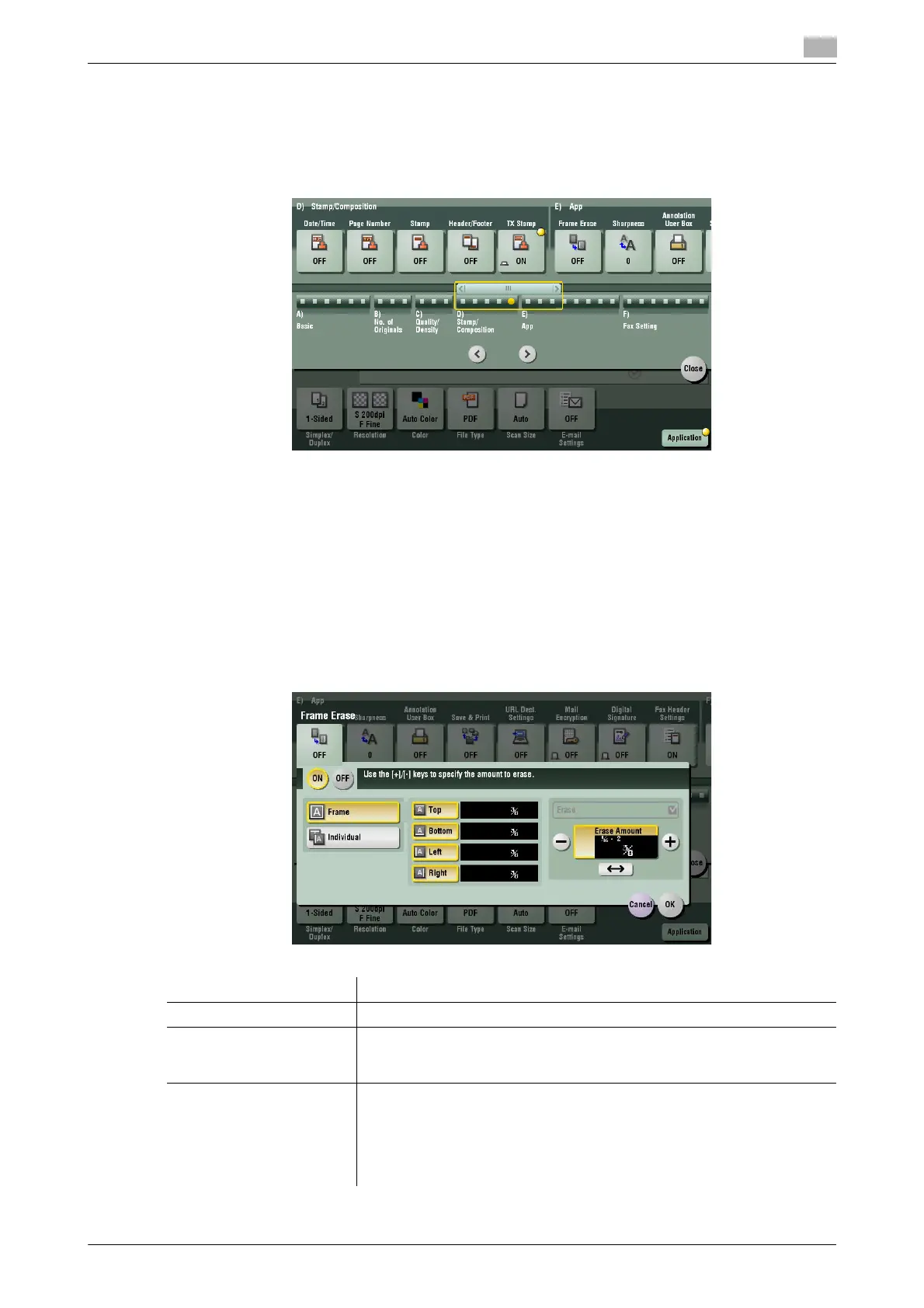
To display: [Scan/Fax] - [Application] - [Stamp/Composition] - [TX Stamp]
When scanning originals using ADF, a TX Stamp is printed on a scanned original to certify that the original
has been scanned. It is used when sending a fax.
Tips
- To print TX Stamps, the Stamp Unit is required.
- The ink used for stamping is consumables. If the ink becomes faint, contact your service representative.
- If [Mixed Original] is specified to scan originals, TX Stamp may not be printed on the specified position.
[Frame Erase]
To display: [Scan/Fax] - [Application] - [App] - [Frame Erase]
Erases the four sides of the original to the same width. You can also erase the four sides of the original to
different widths.
Settings Description
[ON]/[OFF] Select [ON] to specify Frame Erase.
[Frame] Select this option to erase the four sides of the original to the same width.
In [Erase Amount], tap [+]/[-] for the inch area, or tap [+]/[-] or press the key-
pad for the centimeter area to specify the width of the area to be erased.
[Individual] Select this option to erase the four sides of the original to different widths.
Select a side ([Top], [Bottom], [Left] or [Right]) and specify the width of the
area in [Erase Amount] by tapping [+]/[-] for an inch area and by tapping
[+]/[-] or pressing the keypad for a centimeter area. Likewise, specify the
width for all the other sides one by one.
If you do not want to erase the side, cancel the setting for [Erase].



 To Next Page