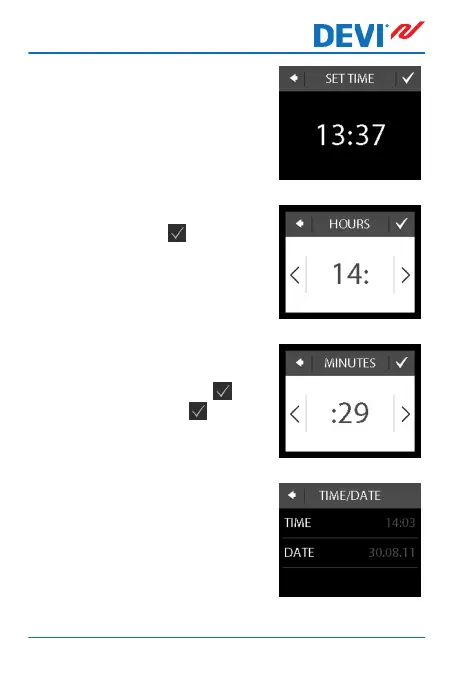
3. Press the hour numbers.
4. Use the arrows < and > to set
the hour. Press to confirm.
5. Press the minutes numbers
and use the arrows < and > to
set the minutes. Press to
confirm and press again to
return to the TIME/DATE
screen.
6. Press DATE.
DEVIreg™ Touch
User Guide 9



 To Next Page