How to get an overview of defined comfort periods
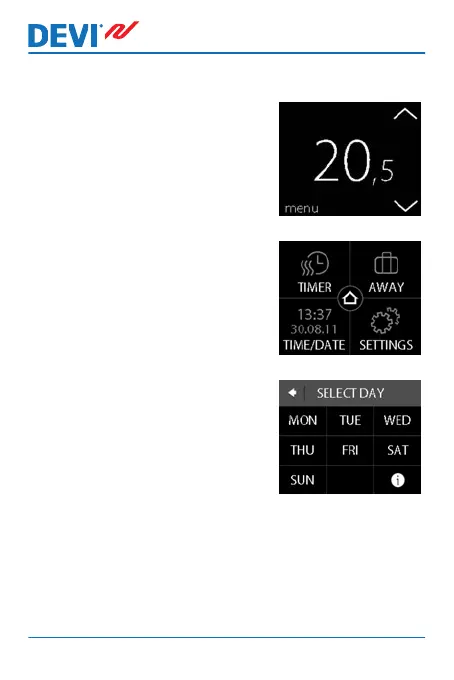
1. Touch the thermostat display
to activate it, then press
menu.
2. Press TIMER in the upper left
corner of the menu. Then
press ADJUST SCHEDULE
3. Press the information icon in
the bottom right corner of the
SELECT DAY screen.
DEVIreg™ Touch
16 User Guide


 To Next Page