2.10 Backlight Level
How to change the backlight
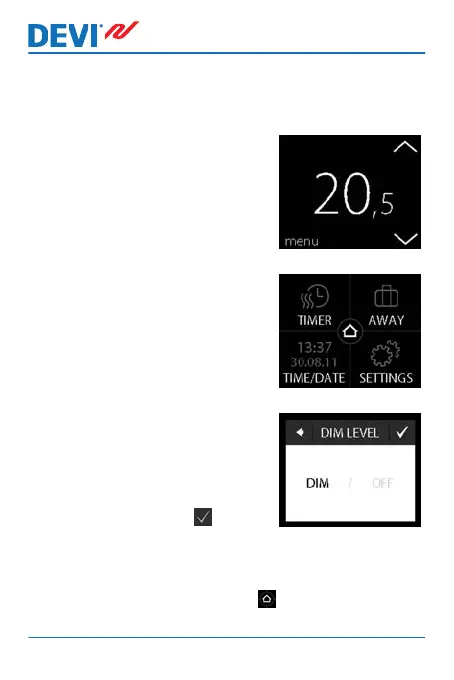
1. Touch the thermostat display
to activate it, then press
menu.
2. Press SETTINGS in the bot-
tom right corner of the menu.
Then press OPTIONS.
3. Use the arrows in the right
side of the screen to go to
DIM LEVEL, and press to se-
lect it. Then press DIM to re-
duce backlight or OFF to turn
backlight off. Press to con-
firm.
To return to the normal temperature display, press the
back arrow in the upper left corner of the screen until you
get to the main menu, then press .
DEVIreg™ Touch
30 User Guide


 To Next Page