15 — ENG
D20247
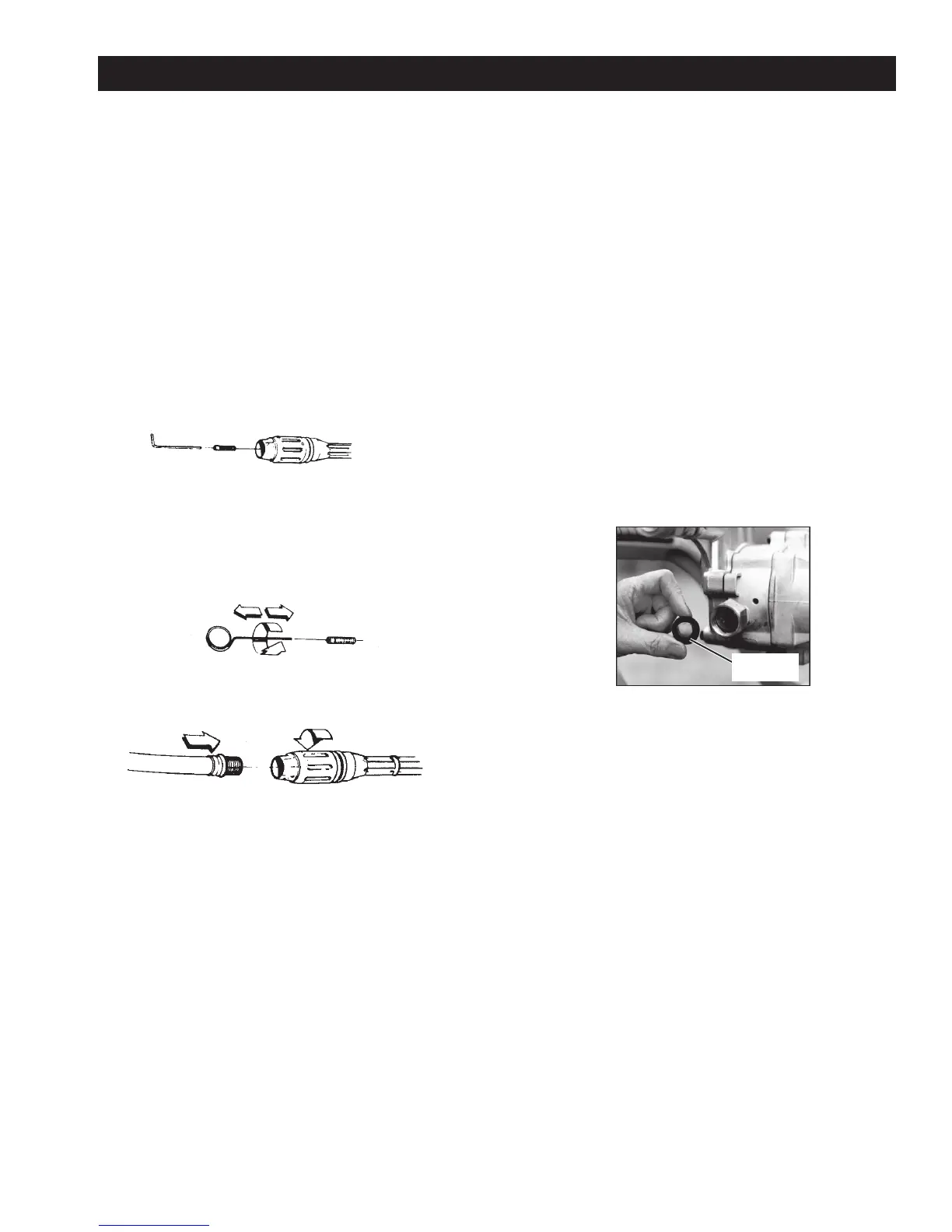
HOW TO CLEAN THE NOZZLE
If the nozzle becomes clogged with foreign material
such as dirt, excessive pump pressure may develop
and the spray pattern will change. If a nozzle be-
comes partially clogged or restricted, the pump
pressure will pulsate. If this happens, clean the nozzle
immediately using the nozzle cleaning kit supplied with
your pressure washer. The procedure is as follows:
1. Shut off pressure washer and turn off water
supply.
2. Pull trigger on spray gun to relieve any water
pressure.
3. Disconnect multi-reg wand from spray gun.
4. Remove nozzle from multi-reg wand with 2 mm
Allen wrench from parts bag.
5. Inspect nozzle for obstructions, grime, or any
foreign matter that could restrict flow of water.
6. Remove any obstructions with nozzle cleaning
tools provided and back flush with clean water as
shown.
7. Direct water supply into nozzle end for 30 seconds
to back flush loosened particles.
MAINTENANCE
HOW TO CLEAN THE WATER INLET FILTER
This screen filter should be checked periodically and
cleaned if necessary.
1. Remove filter by grasping the end and removing it
from water inlet of pump.
2. Clean filter by flushing with water on both sides.
3. Install filter into water inlet of pump.
screen
filter
8. Take this opportunity to inspect wand for obstruc-
tions. Back flush wand if obstructions are seen.
9. Reassemble nozzle to wand. Tighten securely to
prevent leaks.
10. Reconnect multi-reg wand to spray gun and turn
on water supply.
11. Start pressure washer and test spray pattern. See
How To Use Wand in the Operation Section.
12. If the spray pattern is still incorrect, replace multi-
reg wand.


 To Next Page