EasyManua.ls Logo

Devine D-Series - User Manual

Devine D-Series
16 pages
Print Icon
To Next Page IconTo Next Page
Loading...
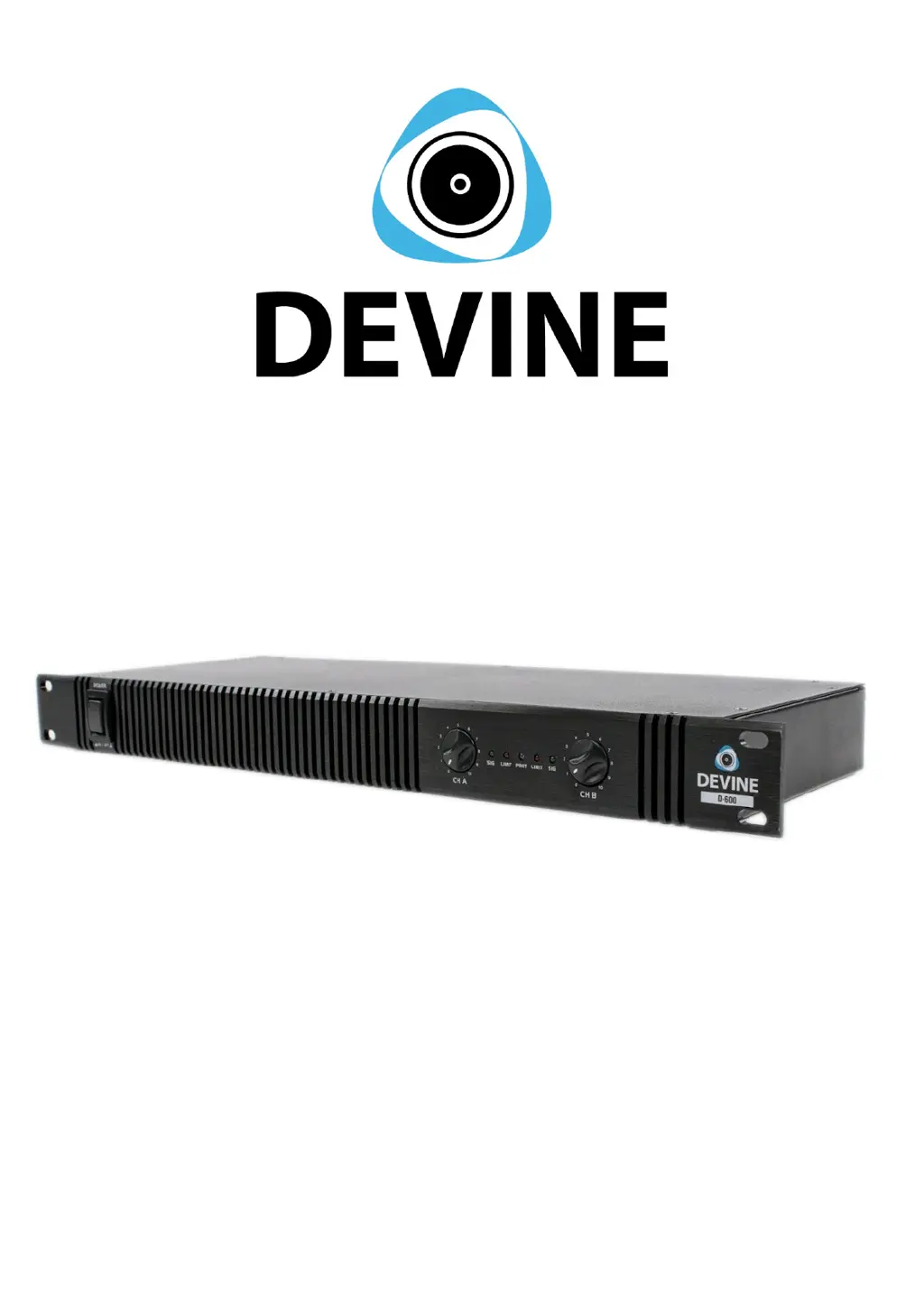
D-series (D-200, D-400, D-600)
Digital class D power amplifiers
User manual
Any information and illustrations shown in this user manual are subject to change without further notice.
User manual version: 4.0 Creation date + author initials: 11-12-2015 RV Revision date + author initials: 10-12-2015 RV

Questions and Answers

  • D
    David FletcherSep 4, 2025
    How to reduce too much bass on Devine Amplifier?
    • S
      Sally ValdezSep 4, 2025
      If you're experiencing too much bass with your Devine Amplifier, it's likely that the bass level is set too high. To resolve this, decrease the bass level to a neutral position.
  • Y
    yhernandezSep 18, 2025
    Why is there a lack of high frequencies in my Devine D-Series?
    • M
      Matthew TrevinoSep 18, 2025
      If you are experiencing a lack of high frequencies with your Devine Amplifier, it could be because you are playing a track without high frequencies. Try another reference track to play through the speaker system.
  • F
    Frank HillSep 16, 2025
    Why is there a lack of bass in my Devine D-Series?
    • D
      Dustin WilliamsSep 16, 2025
      If you notice a lack of bass when using your Devine Amplifier, it could be due to: * Playback of a track without low frequencies. Try another reference track to play through the speaker system. * Bass level set to minimal level on your signal source. Increase Bass level until neutral position is achieved.
  • S
    smithaaronSep 14, 2025
    Why is there a buzzing noise coming from the speaker of my Devine Amplifier?
    • D
      Donald RogersSep 14, 2025
      If you're experiencing a buzzing noise from the speaker connected to your Devine Amplifier, consider these potential causes: * Unearthed power connection: Connect the speaker to a grounded outlet. * Unearthed signal source: Connect the signal source to a grounded outlet. * Interference from power cables: Avoid placing power and signal cables in a parallel structure and keep them as far apart as possible. If needed, cross cables only in a X-shape. * Bad cables: Remove/replace the cable or increase/decrease the volume of the speaker. If the noise is gone, the problem is somewhere in your signal chain.
  • M
    Matthew BeckerSep 12, 2025
    What to do if the Protect LED is active on my Devine Amplifier?
    • T
      Timothy CrosbySep 13, 2025
      If the Protect LED on your Devine Amplifier is active, it indicates that the internal components are being protected due to overloading. To resolve this, turn off the amplifier and check the following: * Ensure your speaker impedance is correct. * Verify that your signal source is not sending an overloading signal. * Confirm that the amplifier has not been turned up beyond its maximum capacity.
  • G
    Gary GreenSep 12, 2025
    What to do if my Devine Amplifier has distorted sound?
    • D
      Danny WilliamsonSep 12, 2025
      If the sound from your Devine Amplifier is distorted, it might be because: * The signal source level is too high. Decrease the signal source level. * The signal source level on the amplifier is set too high. Decrease the signal source level on the amplifier. * The speakers can't handle the supplied amplifier power. Decrease the volume level on your signal source or amplifier to avoid damage. * The amplifier channels are clipping. Decrease the volume level on your signal source or amplifier to avoid damage.
  • C
    Courtney JohnsonSep 9, 2025
    Why is my Devine D-Series Amplifier not producing any sound?
    • L
      Lisa WagnerSep 9, 2025
      If your Devine Amplifier is not producing sound, there could be several reasons: * The signal source level is set to minimum. Increase the signal source level. * The signal source level on the device panel is set to minimum. Increase the volume of the signal source on the amplifier with the volume knobs. * The cable is defective. Change the cable. * The speaker is not connected properly. Check the connection from your amplifier to your speakers. * The wrong working mode is selected. Select the correct working mode (stereo or bridge) and apply the correct cabling.
  • C
    caleb91Sep 7, 2025
    Why is the CLIP limiter indicator flickering on my Devine D-Series Amplifier?
    • J
      Jamie RodriguezSep 7, 2025
      If the CLIP limiter indicator on your Devine Amplifier is constantly flickering or lit, it means the CLIP limiter circuit is active to prevent overloading. To resolve this, decrease the volume settings on your signal source, mixer panel, or master volume. You can also try setting the Treble and Bass levels to neutral.
  • M
    Melinda GarciaSep 5, 2025
    How to decrease high frequency on Devine D-Series?
    • M
      Mr. David BurkeSep 6, 2025
      If there's too much high frequency in your Devine Amplifier's output, the treble level is probably set too high. Simply decrease the treble level to a neutral position.
  • T
    Thomas NelsonAug 21, 2025
    Why is there no sound coming from my Devine D-Series?
    • A
      Allison McconnellAug 21, 2025
      If your Devine Amplifier isn't producing sound, several factors could be at play. First, check that the signal source level isn't set to minimum or muted; if it is, increase the level or un-mute it. Also, make sure the signal source level on the amplifier itself isn't set to minimum by using the volume controls. Defective cables or connectors can also cause this issue, so try replacing the cable. Ensure that the speaker is connected properly to the amplifier. Finally, check that the correct working mode (stereo or bridge) is selected and that the cabling is correct.

Devine D-Series Specifications

General IconGeneral
Number of channels2
Power per channel @ 4 Ohms1000W
Frequency response20 Hz - 20 kHz
Signal-to-noise ratio> 100dB
Mounting height2U
Amplifier typeClass D
Connectors inputXLR
Connectors outputSpeakon
ProtectionsShort circuit, DC, thermal, overload
CoolingFan-cooled