Introduction 10
devolo dLAN 1000 duo+
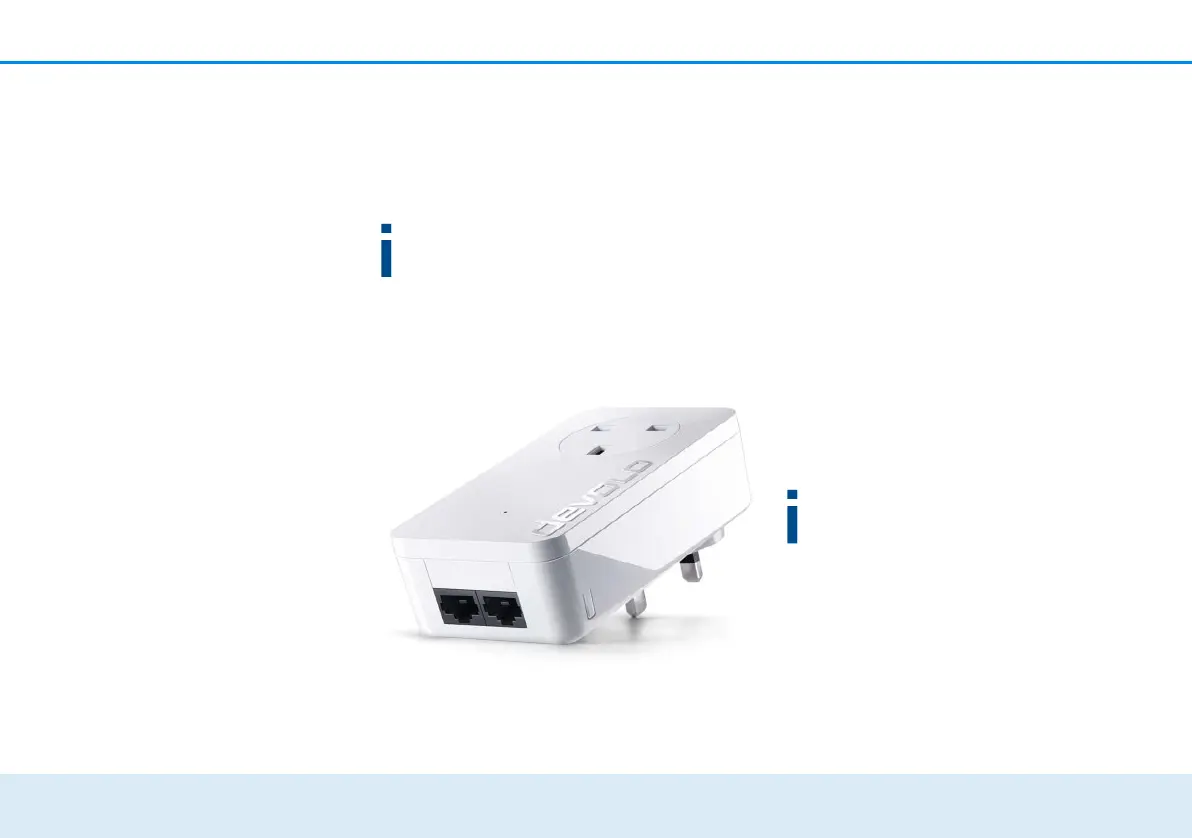
2.2 The dLAN 1000 duo+
The dLAN 1000 duo+ is equipped with
쎲 two fast ethernet connectors,
쎲 one dLAN indicator light,
The LED status display can be deactivated with
the devolo Cockpit-Software (see 4.3
devolo Cockpit).
쎲 an encryption button with reset function (next to
the network connectors),
쎲 One integrated electrical socket.
2.2.1 Encryption button
This button has the following functions:
Encrypting the dLAN network
쎲
To encrypt your dLAN network individually, press
each encryption button on the connected
devices within 2 minutes, for approximately 1
second each.
쎲 To remove a dLAN device from your network,
press the encryption button on the correspond-
ing device and hold for at least 10 seconds.
Reading the dLAN indicator light
The integrated indicator light (LED) shows the dLAN
status for the dLAN 1000 duo+ by illuminating and/or
flashing:
Check whether the adapter is connected to the
mains supply correctly and whether the encryp-
tion process has been carried out successfully.
For more information about this, refer to 3.3
Connecting the dLAN 1000 duo+.













 To Next Page