page 18Manual_Revised_V1.1
3. CAPACITY DISPLAY
This Lithium-Ion battery pack is equipped with
a POWER BAR, which is used to display the
battery pack’s remaining run time. Press the
POWER BAR button to display the LED lights.
The LED lights will stay lit for approximately 4
seconds.
NOTE: The POWER BAR can be used
whether the battery is attached or removed
from tool.
4. LOW-BATTERY CAPACITY INDICATOR
· If LED worklights on the POWER BAR
begins to rapidly and continuously ash
when the trigger switch on the tool is
depressed, the battery pack’s power has
run out, and the battery pack should be
recharged.
· Unlike other battery pack types, Lithium-Ion
battery packs deliver fade-free power for their
entire run time. The tool will not experience a
slow, gradual loss of power as you work. To
signal that the battery pack is at the end of its
run time and needs to be charged, the power to
the tool will drop quickly. The POWER BAR will
begin to display four ashing LED lights when
the battery is completely discharged. When this
happens, remove the tool from the workpiece,
and charge the battery pack as needed.
NOTE: The POWER BAR may also display
four ashing LED lights due to an overload or
high temperature situation.
5. WHEN TO CHARGE THE BATTERY PACK
Attach the battery pack on the charger to
resume the battery when the battery pack
is protected.The Lithium-Ion battery can be
charged at any time and will not develop a
“memory” when charged after only a partial
discharge. It is not necessary to run down
the battery pack charge before recharging.
Remove the battery pack from the tool when
convenient for you and your job.
· Use the POWER BAR to determine when
you need to recharge the battery pack.
· You can “top-off” your battery pack’s charge
before starting a big job or long period of use.
6. TO ATTACH BATTERY PACK
WARNING: Use only DEVON lithium-ion
batteries with the voltage listed on the nameplate
of your power tool. Using other batteries can lead
to injuries and pose a re hazard.
NOTE: Use of batteries not suitable for the
machine can lead to malfunctions of or cause
damage to the power tool.
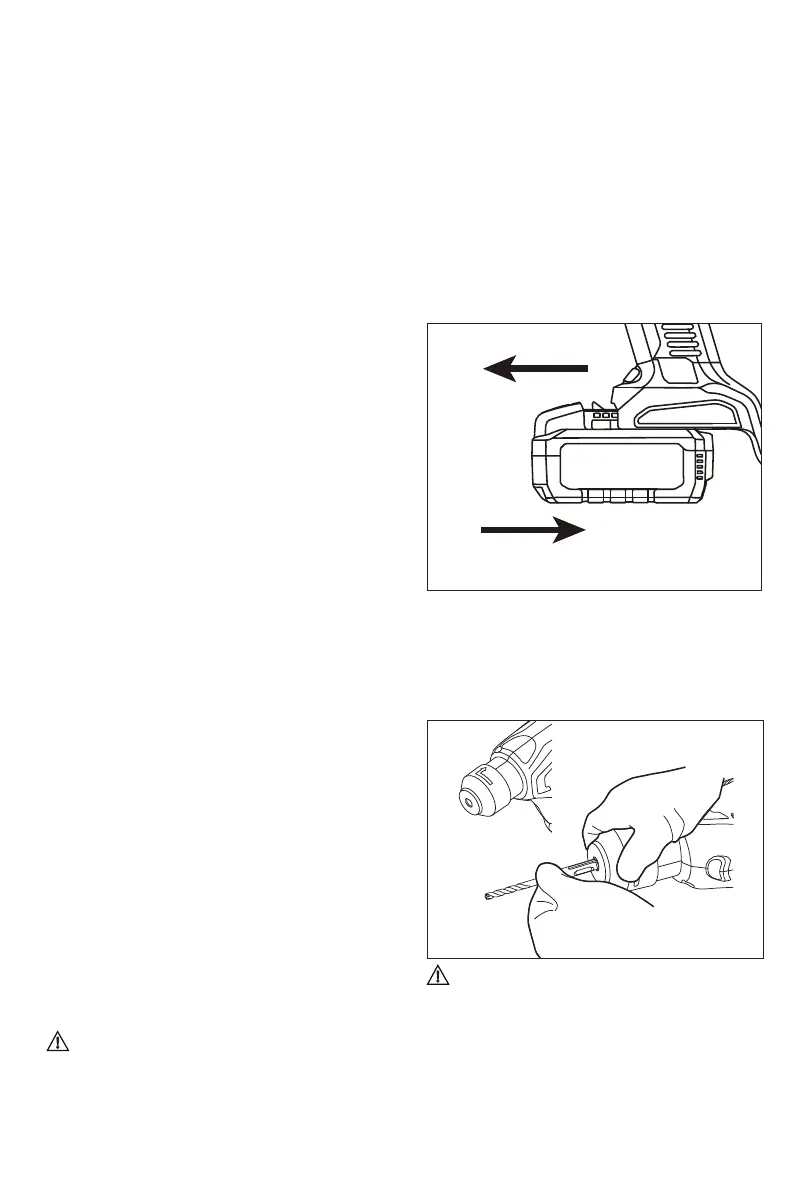
1. Lock the trigger switch on the tool by placing
the direction of rotation (forward/reverse/
center lock) selector in the center position.
2. Align the raised rib on the battery pack with
the grooves on the bottom of the tool, and
then attach the battery pack to the tool.
NOTE: Make sure that the latch on the battery
pack snaps into place and the battery pack is
secured to the tool before beginning operation.
To remove the battery pack from the tool,
depress the battery release button located on
either side of the battery pack, and pull the
battery pack out and remove it from the tool.
7. For SDS drill bit
WARNING: Always wear sturdy gloves
when handling or changing drill and chisel bits as
they can be very sharp.
1) Clean the shank end of the bit and apply a
light coat of grease;


 To Next Page
 Loading...