12
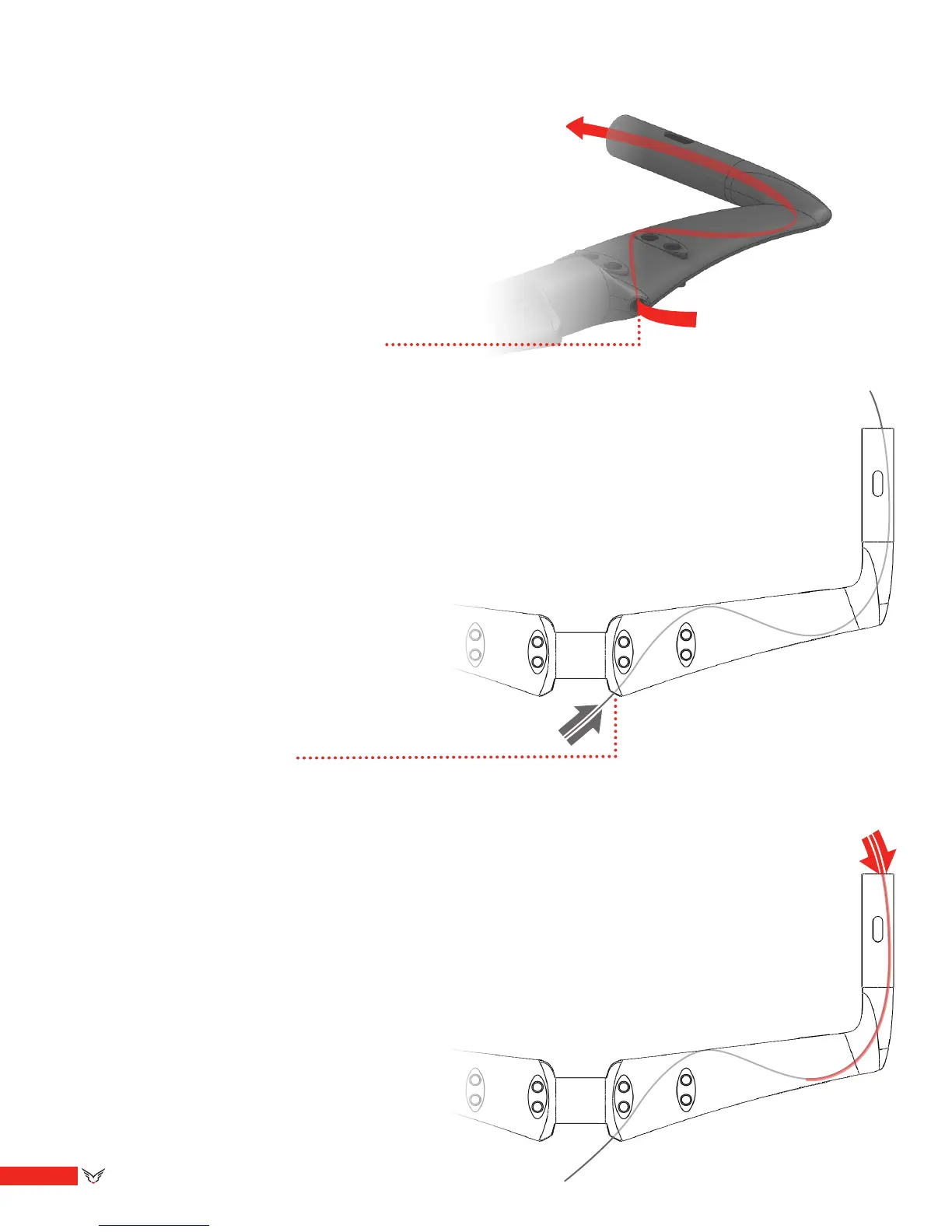
**If using electronic shifters, this is when you
route the wire. If necessary, use the steel brake
cable to guide the wire through by temporarily
attaching the shifter wire to the brake cable.
2. Route the steel inner cable though the bar
until it exits the appropriate hole. This steel
cable will be used to guide the shifter wire and
the brake housing through the bar.
Step 3: Cable Routing
Routing the brake and shifter cables can be
made easier by following these suggested steps:
*Note- when using electronic shifters, be sure
to route the electronic wire before inserting the
brake housing.
1. Insert the steel inner cable, starting at the
rear of the bar.
3. Starting at the end nearest the grip area of
the bar, slip the cable housing over the cable
and continue to advance the cable housing
through the bar (using the cable as a guide)
until it exits the hole you inserted the cable into.


 To Next Page