ENGLISH
10
Installing a Bit or Accessory into a Keyless
Chuck (Fig. D)
WARNING: Do not attempt to tighten drill bits (or
any other accessory) by gripping the front part of the
chuck and turning the tool on. Damage to the chuck
and personal injury may result. Always lock off trigger
switch and disconnect tool from power source when
changingacces sories.
WARNING: Always ensure the bit is secure before
starting the tool. A loose bit may eject from tool
causing possible personalinjury.
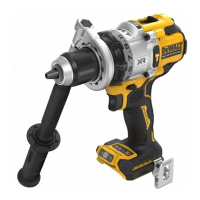
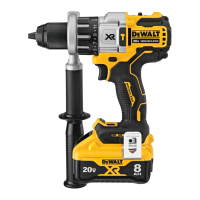
Side Handle (Fig. F1–F4)
WARNING: To reduce the risk of personal injury,
ALWAYS operate the tool with the side handle properly
installed. Failure to do so may result in the side handle
slipping during tool operation and subsequent loss of
control. Hold tool with both hands to maximizecontrol.
The side handle
14
clamps to the front of the gear case and
may be installed in multiple positions to permit right- or
left-hand use. After the side handle is rotated into position,
it should be pushed rearward until the slots
16
on the lip
of the side handle are aligned and fully engaged with the
projecting tabs
17
on the top and bottom of the gear case.
The side handle is then securely clamped by turning the
handle grip
18
clockwise until tight. Be sure to grip the side
handle at the far end on the handle grip to control the tool
during astall.
IMPORTANT: Figures F3 and F4 illustrate correct and
incorrect installation of the sidehandle.
ANTI‑ROTATION System (Fig. L)
Your tool is equipped with the DeWALT ANTI-ROTATION
System. This feature senses the motion of the tool and
shuts the tool down if necessary. The red LED indicator
22
illuminates when the ANTI-ROTATION System isengaged.
INDICATOR DIAGNOSIS SOLUTION
OFF Tool is functioning
normally
Follow all warnings and instructions
when operating the tool.
SOLID RED ANTI‑ROTATION
System has
been activated
(ENGAGED)
With the tool properly supported,
release trigger. The tool will function
normally when the trigger is
depressed again and the indicator
light will go out.
WARNING: NEVER brace the tool against the
batterypack.
• Torque is the twisting action the drill produces in regards
to the rotating bit. As the drill bit meets resistance in the
material being drilled, the motor responds by adjusting
the output torque to meet the requirement up to the
maximum capacity of the motor and gearsystem.
• The bit rotates clockwise when the tool is in the forward
position and counterclockwise when the tool is in the
reverseposition.
• The tool reaction torque is in the opposite direction.
Torque (Fig. H, I)
WARNING: This is a high‑torque drill. To reduce the
risk of serious personal injury, ALWAYS hold tool firmly
with both hands in the proper position for operation
asshown.
ASSEMBLY AND ADJUSTMENTS
WARNING:
To reduce the risk of serious personal
injury, turn unit off and
remove the battery pack
before making any adjustments or removing/
installing attachments or accessories. An accidental
start‑up can causeinjury.
Wall Mounting
Some DeWALT chargers are designed to be wall mountable
or to sit upright on a table or work surface.If wall mounting,
locate the charger within reach of an electrical outlet, and
away from a corner or other obstructions which may impede
air flow. Use the back of the charger as a template for the
location of the mounting screws on the wall. Mount the
charger securely using drywall screws (purchased separately)
at least 1” (25.4mm) long, with a screw head diameter of
0.28–0.35” (7–9mm), screwed into wood to an optimal
depth leaving approximately 7/32” (5.5 mm) of the screw
exposed. Align the slots on the back of the charger with the
exposed screws and fully engage them in theslots.
SAVE THESE INSTRUCTIONS FOR
FUTURE USE
Important Charging Notes
1. Longest life and best performance can be obtained if
the battery pack is charged when the air temperature is
between 65° F – 75° F (18° C– 24° C). DO NOT charge
when the battery pack is below 40° F (4.5° C), or above
104° F (40° C). This is important and will prevent serious
damage to the batterypack.
2. The charger and battery pack may become warm to the
touch while charging. This is a normal condition, and
does not indicate a problem. To facilitate the cooling of
the battery pack after use, avoid placing the charger or
battery pack in a warm environment such as in a metal
shed or an uninsulatedtrailer.
3. If the battery pack does not charge properly:
a. Check operation of receptacle by plugging in a lamp
or other appliance;
b. Check to see if receptacle is connected to a light
switch which turns power off when you turn out
thelights;
c. If charging problems persist, take the tool, battery
pack and charger to your local servicecenter.
4. You may charge a partially used pack whenever you
desire with no adverse effect on the batterypack.
Charger Cleaning Instructions
WARNING:Shock hazard. Disconnectthe charger
from the AC outlet before cleaning. Dirt and grease
may be removed from the exterior of the charger using
a cloth or soft non‑metallic brush. Do not use water or
any cleaningsolutions.



 To Next Page