ENGLISH
8
Storage Recommendations
1. The best storage place is one that is cool and dry, away
from direct sunlight and excess heat orcold.
2. For long storage, it is recommended to store a fully
charged battery pack in a cool dry place out of the
charger for optimalresults.
NOTE: Battery packs should not be stored completely
depleted of charge. The battery pack will need to be
recharged beforeuse.
SAVE THESE INSTRUCTIONS FOR
FUTURE USE
COMPONENTS FIG. A
WARNING: Never modify the power tool or any part
of it. Damage or personal injury couldresult.
Refer to Figure A at the beginning of this manual for a
complete list ofcomponents.
INTENDED USE
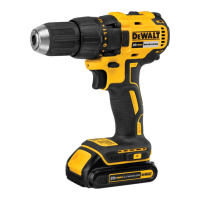
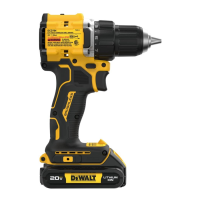
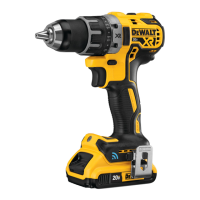
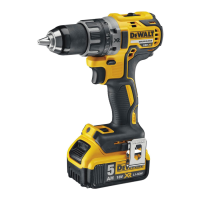
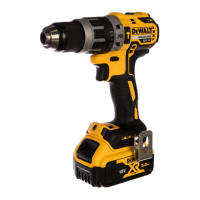
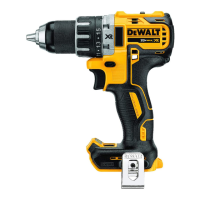
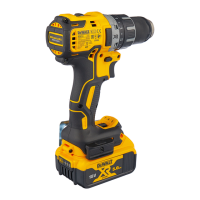
Your drill/driver/hammerdrill is designed for professional
drilling, screwdriving and percussion drillingapplications.
DO NOT use under wet conditions or in presence of
flammable liquids orgases.
Your drill/driver/hammerdrill is a professional power tool.
DO NOT let children come into contact with the tool.
Supervision is required when inexperienced operators use
thistool.
Belt Hook and Bit Clip
(Optional Accessories) (Fig.A)
WARNING: To reduce the risk of serious personal
injury, turn unit off and remove the battery pack
before making any adjustments or removing/
installing attachments or accessories. An
accidental start‑up can causeinjury. Exception—Tool
Connect™ functions and mode adjustments require
battery to beinstalled.
WARNING: To reduce the risk of serious personal
injury, ONLY use the tool's belt hook to hang the
tool from a work belt. DO NOT use the belt hook
for tethering or securing the tool to a person or object
during use. DO NOT suspend tool overhead or suspend
objects from the belthook.
WARNING: To reduce the risk of serious personal
injury, ensure the screw holding the belt hook
issecure.
CAUTION: To reduce the risk of personal injury or
damage, DO NOT use the belt hook to hang the
drill while using as aspotlight.
IMPORTANT: When attaching or replacing the belt hook
7
or bit clip
9
, use only the screw
8
that is provided. Be sure
to securely tighten thescrew.
The belt hook
7
and bit clip
9
can be attached to either
side of the tool using only the screw
8
provided, to
accommodate left- or right- handed users. If the hook or bit
clip is not desired at all, it can be removed from thetool.
To move belt hook or bit clip, remove the screw
8
that
holds it in place then reassemble on the opposite side. Be
sure to securely tighten thescrew.
Variable Speed Trigger Switch (Fig.A)
To turn the tool on, squeeze the trigger switch
1
. To turn
the tool off, release the trigger switch. Your tool is equipped
with a brake. The chuck will stop as soon as the trigger
switch is fullyreleased.
NOTE: Continuous use in variable speed range is not
recommended. It may damage the switch and should
beavoided.
Forward/Reverse Control Button (Fig.A)
A forward/reverse control button
2
determines the
direction of the tool and also serves as a lock-offbutton.
To select forward rotation, release the trigger switch and
depress the forward/reverse control button on the right side
of thetool.
To select reverse, depress the forward/reverse control
button on the left side of thetool.
The center position of the control button locks the tool in
the off position. When changing the position of the control
button, be sure the trigger isreleased.
NOTE: The first time the tool is run after changing the
direction of rotation, you may hear a click on start up. This is
normal and does not indicate aproblem.
Torque Adjustment Collar (Fig.D–F)
Your tool has an adjustable torque screwdriver mechanism
for driving and removing a wide array of fastener shapes
and sizes and in some models, a hammer mechanism for
drilling into masonry. Circling the collar
3
are numbers, a
drill bit symbol, and in some models, a hammer symbol.
These numbers are used to set the clutch to deliver a torque
range. The higher the number on the collar, the higher the
torque and the larger the fastener which can be driven. To
select any of the numbers, rotate until the desired number
aligns with thearrow.
NOTE: The torque adjustment collar is only engaged during
screwdriving mode and not in drill and hammerdrillmodes.
Fig. D Fig. E
Fig. F
4
3
3
4


 To Next Page