Need help?
Do you have a question about the DeWalt DCF787 and is the answer not in the manual?
Guidelines for maintaining a safe and well-lit work environment to prevent accidents.
Precautions regarding power tools, plugs, cords, and avoiding electrical hazards.
Advice on staying alert, using PPE, and preventing unintentional starting for operator safety.
Instructions for safely charging, using, and maintaining battery packs for longevity.
Guidance on tool maintenance, repairs, and the importance of qualified service.
Specific safety advice for impact drivers, including wiring and fastener contact.
Identification of unavoidable risks like hearing impairment and flying particles.
Information about DEWALT chargers and their operation.
Focus on electrical safety specific to charger and tool connections.
Step-by-step instructions for charging battery packs using the specified charger.
Information on charger indicators and how to check battery charge status.
Safety precautions and methods for cleaning the battery charger.
Critical safety guidelines for handling, charging, and storing battery packs.
General instructions and warnings for operating the power tool safely and effectively.
Guidance on correct hand placement for safe and secure operation of the tool.
Explanation of the variable speed trigger for controlling tool operation.
How to use the button to change the tool's rotation direction and lock the switch.
Information on the integrated worklight and its activation.
Instructions for installing and removing accessories using the quick-release chuck.
Details on the tool's lubrication requirements.
Instructions for cleaning the tool to maintain performance and safety.
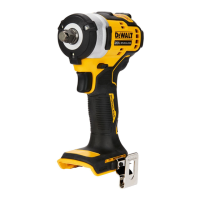
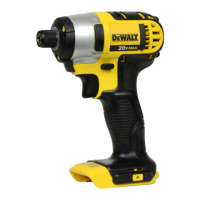
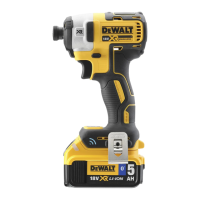
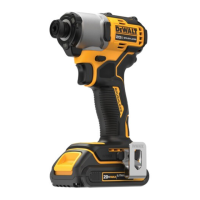
This document describes the DEWALT Brushless Cordless Compact Impact Driver, model DCF787. This tool is designed for professional impact screwdriving applications, making it particularly useful for driving fasteners in wood, metal, and concrete. It is a professional power tool and should not be used under wet conditions or in the presence of flammable liquids or gases. Children should not come into contact with the tool, and supervision is required when inexperienced operators use it. This product is not intended for use by young children or infirm persons without supervision, or by persons with diminished physical, sensory, or mental abilities, lack of experience, knowledge, or skills, unless they are supervised by a person responsible for their safety. Children should never be left alone with this product.
The impact driver operates on an 18V volt battery pack. Compatible battery packs include DCB181, DCB182, DCB183, DCB183B, DCB184, DCB184B, DCB185, DCB187, DCB189, DCB546, DCB547, and DCB548.
To install the battery pack, align it with the rails inside the tool's handle and slide it in until it is firmly seated and a lock snap is heard. To remove the battery pack, press the release button and firmly pull the battery pack out of the tool handle.
Some DEWALT battery packs include a fuel gauge with three green LED lights indicating the remaining charge level. To activate the fuel gauge, press and hold the fuel gauge button. If the charge level is below the usable limit, the fuel gauge will not illuminate, and the battery will need recharging. The fuel gauge is an indication of charge level and is subject to variation based on product components, temperature, and end-user application.
A belt hook and magnetic bit holder (optional accessories) can be attached to either side of the tool using the provided screw, accommodating left- or right-handed users. If not desired, they can be removed. When attaching or replacing, use only the provided screw and securely tighten it. Do not suspend the tool overhead or suspend objects from the belt hook; only hang the tool's belt hook from a work belt.
The tool is operated by a variable speed trigger switch. Squeeze the trigger switch to turn the tool on, and release it to turn the tool off. The tool is equipped with a brake that stops the chuck when the trigger switch is fully released. The variable speed switch allows for starting applications at a slow speed, with speed increasing as the trigger is squeezed further. For maximum tool life, variable speed should only be used for starting holes or fasteners, and continuous use in this range is not recommended.
A forward/reverse control button determines the direction of the tool and also serves as a lock-off button. For forward rotation, release the trigger switch and depress the forward/reverse control button on the right side of the tool. For reverse, depress the forward/reverse control button on the left side of the tool. The center position of the control button locks the tool in the off position. When changing the position of the control button, ensure the trigger is released. A click may be heard on start-up after changing the direction of rotation, which is normal.
A worklight is located above the trigger switch and activates when the trigger switch is depressed. It remains illuminated for up to 20 seconds after the trigger is released. If the trigger switch remains depressed, the worklights stay on. The worklight is for lighting the immediate work surface and is not intended to be used as a flashlight.
The quick-release chuck accepts 6.35 mm hex accessories and 25.4 mm bit tips only, allowing better access in tight spaces. Before changing accessories, place the forward/reverse button in the locked off (centre) position or remove the battery pack. To install an accessory, push it fully into the chuck; the chuck collar does not need to be pulled up. To remove an accessory, pull the chuck collar away from the front of the tool, remove the accessory, and release the collar. Only impact accessories should be used; non-impact accessories may break and cause a hazardous condition. Inspect accessories for cracks before use.
When using the tool, place the accessory on the fastener head and keep the tool pointed straight at the fastener. Press the switch to start operation and release to stop. Always check torque with a torque wrench, as fastening torque is affected by factors such as voltage (low voltage reduces torque), accessory size (incorrect size reduces torque), bolt size (larger diameters generally require higher torque), bolt condition (free of rust and debris), material type and surface finish, and fastening time (longer time increases torque, but excessive time can overstress or damage fasteners).
The DEWALT power tool is designed for long-term operation with minimal maintenance. Continuous satisfactory operation depends on proper tool care and regular cleaning. To reduce the risk of serious personal injury, turn the tool off and disconnect the battery pack before making any adjustments or removing/installing attachments or accessories. An accidental start-up can cause injury.
The charger and battery pack are not serviceable.
The power tool requires no additional lubrication.
For cleaning, blow dirt and dust out of the main housing with dry air as often as dirt is seen collecting in and around the air vents. Wear approved eye protection and a dust mask when performing this procedure. Never use solvents or other harsh chemicals for cleaning non-metallic parts of the tool, as these chemicals may weaken the materials. Use a cloth dampened only with water and mild soap. Never let any liquid get inside the tool or immerse any part of the tool in a liquid.
The long-life battery pack must be recharged when it fails to produce sufficient power. At the end of its technical life, discard it with due care for the environment. Run the battery pack down completely, then remove it from the tool. Li-Ion cells are recyclable; take them to your dealer or a local recycling station for proper recycling or disposal.
Plug the charger into an appropriate outlet before inserting the battery pack. Insert the battery pack into the charger, ensuring it is fully seated. The red (charging) light will blink repeatedly, indicating charging has started. Completion of charge is indicated by the red light remaining ON continuously. The battery pack is fully charged and can be used or left in the charger. To remove, push the battery release button. For maximum performance and life of lithium-ion battery packs, charge fully before first use.
When the charger detects a battery pack that is too hot or too cold, it automatically starts a Hot/Cold Pack Delay, suspending charging until the battery pack reaches an appropriate temperature. The yellow indicator light will be illuminated during this operation, and once the temperature is appropriate, it will turn off, and charging will resume. This feature ensures maximum battery pack life. A cold battery pack charges slower and will not return to maximum charge rate even if it warms.
The DCB118 charger has an internal fan to cool the battery pack, which turns on automatically when needed. Do not operate the charger if the fan does not work properly or if ventilation slots are blocked. Do not permit foreign objects to enter the charger.
The compatible charger(s) will not charge a faulty battery pack and will indicate this by refusing to light. If a problem is indicated, take the charger and battery pack to an authorised service centre for testing.
DEWALT chargers require no adjustment and are designed for ease of operation. The electric motor is designed for one voltage only; ensure the battery pack voltage matches the rating plate and the charger voltage matches mains voltage. DEWALT chargers are double insulated, so no earth wire is required. If the supply cord is damaged, it must be replaced by a specially prepared cord available through the DEWALT service organisation.
Chargers can be wall-mounted or placed upright on a table. If wall-mounting, locate the charger near an electrical outlet, away from obstructions. Use the back of the charger as a template for screw placement. Mount securely using drywall screws (purchased separately) at least 25.4 mm long with a screw head diameter of 7-9 mm, screwed into wood to an optimal depth, leaving approximately 5.5 mm exposed. Align the slots on the back of the charger with the exposed screws and fully engage them.
To clean the charger, disconnect it from the AC outlet. Dirt and grease can be removed from the exterior using a cloth or soft non-metallic brush. Do not use water or cleaning solutions, and never let any liquid get inside the charger or immerse it.
When ordering replacement battery packs, include the catalog number and voltage. The battery pack is not fully charged out of the carton; read safety instructions and follow charging procedures before use.
Do not charge or use the battery in explosive atmospheres. Never force the battery pack into the charger or modify it to fit a non-compatible charger, as this may cause rupture and serious personal injury. Charge battery packs only in DEWALT chargers. Do not splash or immerse in water or other liquids. Do not store or use the tool and battery pack in locations where the temperature may reach or exceed 40 °C (104 °F). Do not incinerate the battery pack, even if damaged or worn out, as it can explode in a fire, creating toxic fumes and materials.
If battery contents contact the skin, immediately wash the area with mild soap and water. If battery liquid gets into the eye, rinse with water over the open eye for 15 minutes or until irritation ceases. Seek medical attention if needed. The battery electrolyte is a mixture of liquid organic carbonates and lithium salts. Contents of opened battery cells may cause respiratory irritation; provide fresh air, and seek medical attention if symptoms persist.
Never attempt to open the battery pack. If the case is cracked or damaged, do not insert it into the charger. Do not crush, drop, or damage the battery pack. Do not use a battery pack or charger that has received a sharp blow, been dropped, run over, or damaged in any way (e.g., pierced with a nail, hit with a hammer, stepped on). Electric shock or electrocution may result. Damaged battery packs should be returned to a service centre for recycling.
Transporting batteries can cause fire if terminals inadvertently contact conductive materials. When transporting, ensure terminals are protected and insulated from materials that could cause a short circuit. Lithium-ion batteries should not be put in checked baggage.
DEWALT batteries comply with all applicable shipping regulations. In most instances, shipping a DEWALT battery pack will be excepted from being classified as a fully regulated Class 9 Hazardous Material. Shipments containing a lithium-ion battery with an energy rating greater than 100 Watt Hours (Wh) will require being shipped as fully regulated Class 9. All lithium-ion batteries have the Watt Hour rating marked on the pack. Due to regulation complexities, DEWALT does not recommend air shipping lithium-ion battery packs alone regardless of Watt Hour rating. Shipments of tools with batteries (combo kits) can be air shipped as excepted if the Watt Hour rating of the battery pack is no greater than 100 Whr. Regardless, it is the shipper's responsibility to consult the latest regulations for packaging, labeling/marking, and documentation requirements.
The DEWALT FLEXVOLT™ battery has two modes: Use and Transport. In Use Mode, when the FLEXVOLT™ battery stands alone or is in an 18V DEWALT product, it operates as an 18V battery. In a 54V or 108V (two 54V batteries) product, it operates as a 54V battery. In Transport Mode, when the cap is attached, the battery is in Transport mode. Keep the cap for shipping. In Transport mode, strings of cells are electrically disconnected within the pack, resulting in 3 batteries with a lower Watt hour (Wh) rating compared to 1 battery with a higher Watt hour rating. This increased quantity of 3 batteries with the lower Watt hour rating can exempt the pack from certain shipping regulations. For example, the Transport Wh rating might indicate 3 x 36 Wh, meaning 3 batteries of 36 Wh each, while the Use Wh rating might indicate 108 Wh (1 battery implied).
The best storage place is cool and dry, away from direct sunlight and excess heat or cold. For optimum battery performance and life, store battery packs at room temperature when not in use. For long storage, it is recommended to store a fully charged battery pack in a cool, dry place out of the charger for optimal results. Battery packs should not be stored completely depleted of charge; they will need to be recharged before use.
 General
| Voltage | 20V |
|---|---|
| Drive Size | 1/4 in |
| No Load Speed | 0-2, 800 RPM |
| Max Torque | 1, 500 in-lbs |
| Impacts Per Minute | 0-3, 200 IPM |
| Tool Length | 5.55 in |
| Battery Type | Lithium Ion |


 To Next Page