EasyManua.ls Logo

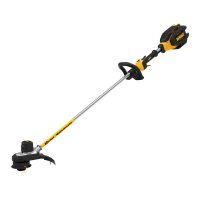
DeWalt DCST990B - User Manual

DeWalt DCST990B
56 pages
Print Icon
To Next Page IconTo Next Page
Loading...
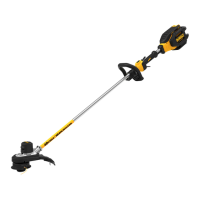
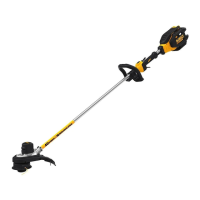
DCST990, DCST990B 40V Max* Lithium Brushless String Trimmer
Taille-bordure sans balaisDCST990, DCST990B au lithium-ion de 40V max.*
Podadora de cuerda sin escobillas y con batería de iones de litio de 40V Máx* DCST990, DCST990B
INSTRUCTION MANUAL
GUIDE D'UTILISATION
MANUAL DE INSTRUCCIONES
INSTRUCTIVO DE OPERACIÓN, CENTROS DE SERVICIO Y PÓLIZA DE
GARANTÍA. ADVERTENCIA: LÉASE ESTE INSTRUCTIVO ANTES DE
USAR EL PRODUCTO.
If you have questions or comments, contact us.
Pour toute question ou tout commentaire, nous contacter.
Si tiene dudas o comentarios, contáctenos.
1-800-4-DeWALT • www.dewalt.com

Questions and Answers

  • M
    Melissa LeeSep 13, 2025
    Why won't the battery charge on my DeWalt DCST990B Trimmer?
    • D
      Donna ClarkSep 13, 2025
      If the battery for your DeWalt Trimmer isn’t charging: 1. Insert the battery into the charger until the red charging light illuminates. If the battery is completely drained, allow it to charge for up to 8 hours. 2. Ensure the charger is plugged into a working outlet. For more information, see the Important Charging Notes. 3. Test the outlet by plugging in another appliance. 4. Check if the outlet is controlled by a light switch and make sure the switch is on. 5. Move the charger to an area where the surrounding air temperature is above 40 °F (4.5 °C) or below 105 °F (40.5 °C).

DeWalt DCST990B Specifications

General IconGeneral
BrandDeWalt
ModelDCST990B
CategoryTrimmer
LanguageEnglish

Related product manuals