Need help?
Do you have a question about the DeWalt DCV582 and is the answer not in the manual?
General warnings and instructions for safe operation of DEWALT appliances.
Critical safety warnings and precautions related to charging DEWALT battery packs.
Step-by-step guide for charging battery packs using the DEWALT charger.
Specific safety guidelines for handling and using lithium-ion battery packs.
Describes the intended use, applications, and restrictions for the vacuum cleaner.
Outlines safety measures related to the electric motor, voltage, and insulation.
Steps to resolve common operational issues with the vacuum cleaner.
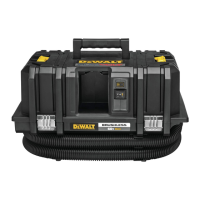
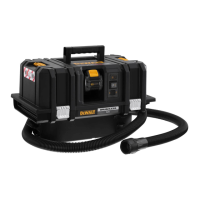
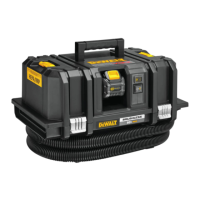
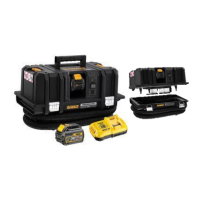
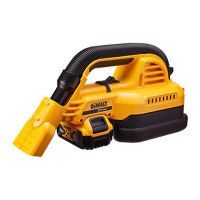
This document describes the DEWALT DCV582 Corded/Cordless Wet/Dry Vacuum Cleaner, a versatile appliance designed for professional applications.
The DEWALT DCV582 is a wet/dry vacuum cleaner capable of vacuuming both dry and wet substances. It can also function as a blower, useful for removing debris from workplaces and drying damp surfaces. The appliance operates on either mains power (corded) or battery power (cordless), making it suitable for both indoor and outdoor use. It automatically switches between AC (mains) and DC (battery) power.
The vacuum can be powered by mains electricity or a DEWALT battery pack. When using mains power, fully unwind the cable and connect the plug to an appropriate outlet before turning the appliance on. Always turn the vacuum off before unplugging. For battery power, insert a fully charged DEWALT battery pack into the battery port. The mains cable power source is designed only to power the vacuum and will not charge an installed battery pack.
To turn the appliance on, set the on/off switch to position "I". To turn it off, set the switch to position "O".
To install a battery pack, align it with the rails inside the vacuum's battery port and slide it in until it is firmly seated and does not disengage. To remove, press the battery release button and pull the battery pack out of the port. For optimal performance and battery life, ensure the battery pack is fully charged before first use.
Some DEWALT battery packs feature a fuel gauge with three green LED lights indicating the remaining charge. Press and hold the fuel gauge button to activate it. The lights will illuminate to show the charge level. If the charge is below the usable limit, the fuel gauge will not illuminate, and the battery will need recharging. Note that the fuel gauge is an indication of charge level and may vary based on product components, temperature, and end-user application.
Insert the notched connecting piece of the hose into the vacuum inlet. Turn the connecting piece clockwise to secure the hose. Connect the desired accessory to the hose nozzle.
Insert the notched connecting piece of the hose into the blow outlet. Turn the connecting piece clockwise to secure the hose. Connect the desired accessory to the hose nozzle.
Before vacuuming, empty and clean the tank. Connect the hose to the vacuum inlet and select the appropriate accessory. It is recommended not to mix wet and dry substances; if switching between them, empty and clean the tank first.
In vacuum mode, the appliance can also function as a dust collector for applications producing dust or debris. Use the supplied dust extraction adapter to connect a power tool to the hose nozzle for dust extraction.
Always operate the appliance with the dust filter in place. Use the appliance in an upright position to prevent liquids from entering the motor housing. If foam or liquid escapes from the machine, switch it off immediately. Regularly clean the water level limiting device and examine it for damage.
If the appliance is used without the dust filter, a shut-off feature will activate when the liquid level in the tank reaches its maximum. A float valve will block the suction opening, causing suction to stop and motor speed to increase. If this occurs, turn off the vacuum immediately, empty and clean the tank, clean the suction opening filter, and ensure the dust filter is in place before resuming work.
Before blowing, empty and clean the tank. Connect the hose to the blow outlet and select the appropriate accessory.
Empty the tank when suction power significantly reduces. Release the latches and remove the power head from the tank. Empty the contents into a waste container. Clean the filter as described in the Cleaning section. Re-install the power head onto the tank and secure the latches.
The DEWALT vacuum cleaner is designed for long-term operation with minimal maintenance. Regular cleaning and proper care are essential for satisfactory operation.
Regularly clean the housing with a soft cloth. Do not use solvents or harsh chemicals on non-metallic parts, as these can weaken the materials. Use only water and mild soap. Never immerse any part of the appliance in liquid.
The tank should be cleaned after each use or when switching between wet and dry substances. Empty the tank, clean it with mild soap and a damp cloth, and dry it carefully with a soft cloth.
The wet/dry filter should be cleaned after each use. If damaged or faulty, it must be replaced. To clean, remove the filter by turning it counterclockwise and taking it off the suction opening. Shake off excess dust into a waste container. If necessary, rinse the outside of the filter under lukewarm running water. Do not wash the inside of the filter. Let the filter dry thoroughly if the inside becomes wet. Do not use a brush to clean the filter. Secure the filter again by placing it over the suction opening and turning it clockwise.
The suction opening filter needs cleaning if the appliance is operated without the dust filter. Keeping the float valve out of the way, remove the filter from the suction opening. Rinse the filter under lukewarm running water and dry it before putting it back in place. Clean the float valve using a damp cloth.
Disconnect the charger from the AC outlet before cleaning. Dirt and grease can be removed from the exterior of the charger using a cloth or soft non-metallic brush. Do not use water or any cleaning solutions.
The vacuum cleaner requires no additional lubrication.
This appliance is not user-serviceable. Take the appliance to an authorized DEWALT repair agent after approximately 40 hours of use, or if problems occur before this time. The charger and battery pack are not serviceable.
This product must not be disposed of with normal household waste. Make it available for separate collection at the end of its life. Separate collection allows materials to be recycled and reused, preventing environmental pollution and reducing demand for raw materials. Local regulations may provide for collection at municipal waste sites or by the retailer.
At the end of its technical life, run the battery pack down completely, then remove it from the appliance. Lithium-ion cells are recyclable; take them to your dealer or a local recycling station for proper recycling or disposal.
 General
| Product color | Black, Yellow |
|---|---|
| Input power | 300 W |
| Airflow | 15.9 l/s |
| Capacity | 3.5 L |
| Number of wheels | 0 wheel(s) |
 Weight and Dimensions
| Depth | 430 mm |
|---|---|
| Width | 305 mm |
| Height | 330 mm |
| Weight | 4500 g |


 To Next Page