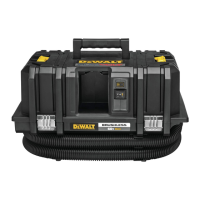
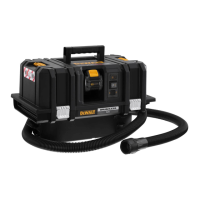
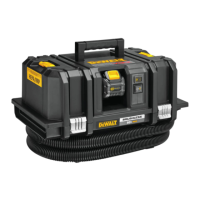
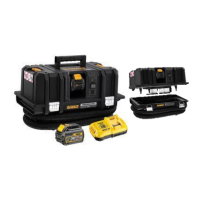
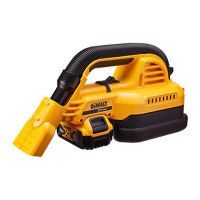
The DEWALT DCV584L is a corded/cordless wet/dry vacuum cleaner and dust extractor designed for mobile operation. It is capable of picking up both wet substances and all types of dry, non-combustible dusts up to dust Class L, with occupational exposure limit values greater than 1 mg/m³. This appliance can also function as a blower, useful for removing debris from a workplace or drying damp surfaces. It can be operated on either mains power (corded) or battery power (cordless), making it suitable for both indoor and outdoor use.
Intended Use and Safety
The DCV584L is intended for commercial use in various settings such as hotels, schools, hospitals, factories, shops, offices, and construction sites. It is crucial for operators to be adequately instructed on its safe use and the substances it is designed to handle. This includes understanding safe methods for removal and disposal of collected materials.
Safety Warnings and Precautions:
- Read all safety warnings and instructions before using the appliance to prevent electric shock, fire, and/or serious injury.
- Do not expose to rain and store indoors to reduce the risk of electric shock.
- Operators should observe safety regulations appropriate to the materials being handled.
- Never leave the appliance unattended when connected to a power source. Always unplug it from the outlet and remove the battery pack when not in use or before servicing.
- Not a toy: Do not allow children to use the appliance. Close supervision is required when used by or near children.
- Use only DEWALT recommended attachments as described in the manual.
- Damaged appliance: Do not use if the cord or plug is damaged, or if the appliance has been dropped, damaged, left outdoors, or immersed in water. Return it to a service center.
- Cord handling: Do not pull or carry the appliance by the cord, use the cord as a handle, close a door on the cord, or pull the cord around sharp edges or corners. Keep the cord away from heated surfaces and do not run the appliance over the cord. Always grasp the plug, not the cord, when unplugging.
- Wet hands: Do not handle the plug, battery pack, or appliance with wet hands.
- Openings: Do not put any objects into the openings. Keep openings free of dust, lint, hair, and anything else that may reduce airflow. Keep hair, loose clothing, fingers, and all body parts away from openings and moving parts.
- Controls: Turn off all controls before unplugging or removing the battery pack.
- Stairs: Use extra care when cleaning on stairs.
- Flammable/combustible materials: Do not use to pick up flammable or combustible liquids (e.g., gasoline) or in areas where such liquids are present.
- Static shocks: Static shocks are possible in dry areas or when relative humidity is low; this is temporary and does not affect vacuum use.
- Spontaneous combustion: Empty tank contents after each use to avoid spontaneous combustion.
- Burning/smoking materials: Do not pick up anything that is burning or smoking, such as cigarettes, matches, or hot ashes.
- Water submersion: This tool is splashproof (IPX4), but do not submerge it in water.
- Combustible/explosive materials: Do not vacuum combustible explosive materials like coal, grain, or other finely divided combustible material.
- Hazardous/toxic/carcinogenic materials: Do not vacuum hazardous, toxic, or carcinogenic materials such as asbestos or pesticide.
- Explosive liquids/acids/solvents: Never pick up explosive liquids (e.g., gasoline, diesel fuel, heating oil, paint thinner, etc.), acids, or solvents.
- Filters: Do not use the vacuum without filters in place.
- Wood preservatives: Some wood contains toxic preservatives. Take extra care to prevent inhalation and skin contact.
- Not a step ladder: Do not use the vacuum as a step ladder or place heavy objects on it.
- Blower mode: Do not use the blower for removing hazardous dust.
- Children/inexperienced operators: Do not let children come into contact with this appliance. Supervision is required when inexperienced operators use it.
- Wet conditions: Do not use under wet conditions or in the presence of flammable liquids or gases.
- Dust extractors: For dust extractors, adequate air change rate L in the room is necessary if exhaust air is returned to the room. Reference to National Regulations is necessary. Class L dust extractors are suitable for extracting dry, non-combustible dusts with workplace limit values of > 1 mg/m³.
Residual Risks:
Despite safety measures, certain risks remain:
- Pinching or crushing of fingers.
- Inhaling fumes when working with adhesives.
- Inhaling hazardous dust.
Electrical Safety:
- The electric motor is designed for one voltage. Always check that the battery pack voltage and charger voltage correspond to the rating plate and mains voltage, respectively.
- DEWALT chargers are double insulated (EN60335), so no earth wire is required.
- 115 V units: Must be operated via a fail-safe isolating transformer with an earth screen between primary and secondary winding.
- Damaged supply cord: Must be replaced by a specially prepared cord available through DEWALT service organization.
- Mains Plug Replacement (U.K. & Ireland Only):
- Dispose of the old plug safely.
- Connect the brown lead to the live terminal.
- Connect the blue lead to the neutral terminal.
- No connection to the earth terminal.
- Follow fitting instructions for good quality plugs. Recommended fuse: 3 A.
- Extension Cable: Use only if absolutely necessary. Use an approved extension cable suitable for the charger's power input (minimum conductor size 1 mm², maximum length 30 m). Always unwind the cable completely when using a cable reel.
Chargers:
DEWALT chargers require no adjustment and are designed for ease of use.
- Important Safety Instructions for All Battery Chargers:
- Read all instructions and cautionary markings on the charger, battery pack, and product using the battery pack before use.
- Shock hazard: Do not allow liquid inside the charger.
- Residual current device: Use of a residual current device with a rating of 30mA or less is recommended.
- Burn hazard: Charge only DEWALT rechargeable batteries to avoid personal injury and damage.
- Children: Supervise children to ensure they do not play with the appliance.
- Foreign material: Keep foreign materials (steel wool, aluminum foil, metallic particles) away from charger cavities. Unplug the charger from the power supply when no battery pack is in the cavity or before cleaning.
- Charger compatibility: Do not attempt to charge the battery pack with any chargers other than those specified in this manual.
- Intended use: These chargers are for charging DEWALT rechargeable batteries only.
- Exposure: Do not expose the charger to rain or snow.
- Disconnecting: Pull by the plug, not the cord, when disconnecting the charger.
- Cord location: Ensure the cord is located so it will not be stepped on, tripped over, or subjected to damage or stress.
- Extension cord: Use only if absolutely necessary.
- Charger placement: Do not place objects on top of the charger or on soft surfaces that block ventilation slots. Place the charger away from heat sources.
- Damaged charger: Do not operate with a damaged cord or plug, or if it has received a sharp blow, been dropped, or otherwise damaged. Take it to an authorized service center.
- Disassembly: Do not disassemble the charger; take it to an authorized service center for service or repair.
- Damaged power supply cord: Must be replaced immediately by the manufacturer, service agent, or qualified person.
- Cleaning: Disconnect the charger from the outlet before cleaning to reduce electric shock risk. Removing the battery pack will not reduce this risk.
- Multiple chargers: Never attempt to connect two chargers together.
- Voltage: The charger is designed for standard 230V household electrical power. Do not attempt to use it on any other voltage (does not apply to vehicular chargers).
Charging a Battery (Fig. C):
- Plug the charger into an appropriate outlet.
- Insert the battery pack 13 into the charger, ensuring it is fully seated. The red (charging) light will blink repeatedly, indicating charging has started.
- Charging is complete when the red light remains ON continuously. The battery pack is fully charged and can be used or left in the charger.
- To remove, push the battery release button and pull the battery pack out.
- NOTE: For maximum performance and life, charge lithium-ion battery packs fully before first use.
Charger Operation:
- Charge Indicators:
- Charging: Red light blinks.
- Fully Charged: Red light is continuously ON.
- Hot/Cold Pack Delay: Red light blinks, yellow indicator light is ON. Charging resumes once the battery pack reaches an appropriate temperature.
- Faulty battery pack: The charger will indicate faulty by refusing to light or displaying a problem pack/charger blink pattern. If this occurs, take the charger and battery pack to an authorized service center for testing.
- Hot/Cold Pack Delay: The charger automatically starts a Hot/Cold Pack Delay if the battery pack is too hot or too cold, suspending charging until the appropriate temperature is reached. This feature ensures maximum battery pack life. A cold battery pack charges slower.
- DCB118 charger: Equipped with an internal fan that turns on automatically to cool the battery pack when needed. Do not operate if the fan is not working or if ventilation slots are blocked.
- Electronic Protection System: XR Li-Ion tools have an Electronic Protection System to protect the battery pack from overloading, overheating, or deep discharge. If engaged, the tool automatically turns off. Place the lithium-ion battery pack on the charger until fully charged.
- Wall Mounting: Chargers can be wall-mounted or placed upright on a table. If wall-mounting, locate the charger within reach of an electrical outlet, away from obstructions. Use the back of the charger as a template for mounting screws (drywall screws, 25.4 mm long, head diameter 7–9 mm, screwed into wood leaving 5.5 mm exposed). Align slots on the back of the charger with exposed screws.
- Charger Cleaning Instructions:
- WARNING: Disconnect the charger from the AC outlet before cleaning.
- Remove dirt and grease from the exterior with a cloth or soft non-metallic brush.
- Do not use water or cleaning solutions. Never immerse any part of the tool in liquid.
Battery Packs:
- Important Safety Instructions for All Battery Packs:
- Read all safety instructions before using the battery pack and charger.
- Explosive atmospheres: Do not charge or use the battery in explosive atmospheres (flammable liquids, gases, dust) as inserting/removing the battery may ignite dust/fumes.
- Compatibility: Never force the battery pack into a non-compatible charger or modify it.
- Charging: Charge battery packs only in DEWALT chargers.
- Liquid exposure: Do not splash or immerse in water or other liquids.
- Temperature: Do not store or use the tool and battery pack in locations where the temperature exceeds 40 °C (104 °F) (e.g., outside sheds, metal buildings in summer).
- Incineration: Do not incinerate the battery pack, even if severely damaged or worn out, as it can explode and create toxic fumes/materials.
- Skin/eye contact: If battery contents contact skin, wash immediately with mild soap and water. If battery liquid gets into eyes, rinse with water for 15 minutes or until irritation ceases. Seek medical attention if needed (electrolyte is a mixture of liquid organic carbonates and lithium salts).
- Respiratory irritation: Contents of opened battery cells may cause respiratory irritation. Provide fresh air and seek medical attention if symptoms persist.
- Burn hazard: Battery liquid may be flammable if exposed to spark or flame.
- Opening battery pack: Never attempt to open the battery pack. If the case is cracked or damaged, do not insert into the charger.
- Damage: Do not crush, drop, or damage the battery pack. Do not use a battery pack or charger that has received a sharp blow, been dropped, run over, or damaged in any way (e.g., pierced by a nail, hit by a hammer, stepped on). Electric shock or electrocution may result. Return damaged battery packs to a service center for recycling.
- Fire hazard: Do not store or carry the battery pack so that metal objects can contact exposed battery terminals (e.g., in aprons, pockets, tool boxes, drawers with loose nails, screws, keys).
- Stability: When not in use, place the tool on its side on a stable surface to prevent tripping or falling hazards.
- Transportation:
- Fire hazard: Transporting batteries can cause fire if terminals contact conductive materials. Protect and insulate terminals.
- DEWALT batteries comply with shipping regulations (UN Recommendations, IATA, IMDG, European Agreement Concerning International Carriage of Dangerous Goods by Road (ADR)).
- Lithium-ion cells and batteries are tested to section 38.3 of UN Recommendations.
- Shipments containing lithium-ion batteries with an energy rating greater than 100 Watt Hours (Wh) are classified as fully regulated Class 9 Hazardous Material.
- DEWALT does not recommend air shipping lithium-ion battery packs alone.
- Shipments of tools with batteries (combo kits) can be air shipped as excepted if the battery pack's Watt Hour rating is no greater than 100 Whr.
- Shipper's responsibility: Consult latest regulations for packaging, labeling/marking, and documentation.
- Transporting the FLEXVOLT™ Battery:
- Use Mode: Operates as an 18V battery when standalone or in an 18V DEWALT product. Operates as a 54V battery in 54V or 108V (two 54V batteries) products.
- Transport Mode: When the cap is attached, the battery is in transport mode for shipping. In this mode, strings of cells are electrically disconnected, resulting in 3 batteries with a lower Watt Hour (Wh) rating, which can exempt the pack from certain shipping regulations.
- Storage Recommendations:
- Store in a cool, dry place away from direct sunlight, excess heat, or cold.
- For optimal performance and life, store battery packs at room temperature when not in use.
- For long storage, store a fully charged battery pack in a cool, dry place.
- NOTE: Battery packs should not be stored completely depleted of charge; recharge before use.
Description (Fig. A, B, E):
- On/off switch (1)
- Power head (2)
- Tank (3)
- Vacuum inlet (4)
- Blow outlet (5)
- Latch (6)
- Wide nozzle (7)
- Crevice tool (8)
- Hose (9)
- Battery port (10)
- Air-lock connector (11)
- Dust extraction adaptor (12)
Inserting and Removing the Battery Pack from the Tool (Fig. C):
- To install: Align battery pack 13 with rails inside battery port 10. Slide the pack until firmly seated and secured.
- To remove: Press the battery release button and pull the battery pack out of the port. Insert into the charger as described in the charger section.
Fuel Gauge Battery Packs (Fig. C):
Some DEWALT battery packs have a fuel gauge with three green LED lights indicating the remaining charge.
- To actuate: Press and hold the fuel gauge button 14.
- LEDs illuminate to show charge level. If the charge is below the usable limit, the fuel gauge will not illuminate, and the battery needs recharging.
- NOTE: The fuel gauge is an indication of charge left and does not indicate tool functionality. It is subject to variation based on components, temperature, and end-user application.
Connecting the Hose (Fig. D):
- Vacuum Mode:
- Insert the notched connecting piece 15 into the vacuum inlet 4.
- Turn the connecting piece clockwise to fix the hose.
- Connect the appropriate accessory to the hose nozzle 11.
- Blow Mode:
- Insert the notched connecting piece 15 into the blow outlet 5.
- Turn the connecting piece clockwise to fix the hose.
- Connect the appropriate accessory to the hose nozzle 11.
Operation:
- Instructions for Use:
- WARNING: Always observe safety instructions and applicable regulations.
- WARNING: To reduce serious personal injury, turn appliance off, disconnect from power source, and remove battery pack before making adjustments or removing/installing attachments/accessories.
- Switching On and Off (Fig. A):
- To switch on, set the on/off switch 1 to position I.
- To switch off, set the on/off switch 1 to position O.
- Power Source:
- The vacuum switches automatically between AC (mains) and DC (battery) power.
- Mains Power:
- Fully unwind the mains cable.
- Connect the plug to the mains outlet before turning the appliance on.
- Always turn the vacuum off when work is finished and before unplugging.
- Tidy the mains cable when not in use.
- Battery Power:
- Tidy the mains cable.
- Insert a battery pack 13.
- Ensure the battery pack is properly seated.
- NOTE: The mains cable only powers the vacuum and does not charge an installed battery pack.
- Vacuuming (Fig. A, E, F):
- Empty and clean the tank 3 before use.
- Connect the notched connecting piece 15 to the vacuum inlet 4.
- Select the appropriate accessory.
- NOTE: Avoid mixing wet and dry substances. Empty and clean the tank when switching substances.
- Dust Collection (Fig. E):
- In vacuum mode, the DCV584L functions as a dust collector.
- It features the DEWALT AirLock connection system for a fast, secure connection between the suction hose 9 and a power tool.
- The AirLock connector 11 connects directly to DEWALT compatible tools or via the included AirLock adapter 12.
- To connect:
- Ensure the collar on the AirLock connector is in the unlock position. Align notches on the collar and connector.
- Push the AirLock connector onto the adapter connector point.
- Rotate the collar to the locked position.
- NOTE: Ball bearings inside the collar lock into the slot, securing the connection.
- Wet/Dry Filter (Fig. F):
- WARNING: Always operate the appliance with the dust filter 16 in place.
- WARNING: Always use the appliance in an upright position. Do not tilt to prevent liquids from entering the motor housing.
- WARNING: If foam or liquid escapes from the machine, switch off immediately.
- CAUTION: Clean the water level limiting device regularly and examine it for damage.
- Shut-off Feature:
- If the appliance is used without the dust filter, a shut-off feature will activate when the liquid level in the tank reaches its maximum. A float valve blocks the suction opening, stopping suction and increasing motor speed.
Blowing (Fig. A):
- WARNING: Never blow hazardous dust!
- Empty and clean the tank 3 before use.
- Connect the hose 9 to the blow outlet 5.
- Select the appropriate accessory.
To Empty the Tank (Fig. F):
Empty the tank when suction power reduces significantly.
- Release latches 6 and remove power head 2 from tank 3.
- Empty contents into a waste container according to regulations.
- Clean filter 16 as described in Cleaning.
- Re-install power head onto the tank and secure latches.
Maintenance:
The DEWALT appliance is designed for long-term operation with minimum maintenance. Continuous satisfactory operation depends on proper care and regular cleaning.
- WARNING: To reduce injury risk, turn appliance off and disconnect from power source before installing/removing accessories, adjusting, or making repairs.
- WARNING: For user servicing, the machine must be dismantled, cleaned, and serviced as far as reasonably practicable without causing risk to maintenance staff. Precautions include decontamination before dismantling, local filtered exhaust ventilation, and cleaning of the maintenance area.
- The manufacturer or an instructed person shall perform a technical inspection at least annually (inspection of filters for damage, air tightness, and control mechanism function).
- When carrying out service or repair, all contaminated items that cannot be cleaned must be disposed of in impervious bags according to waste disposal regulations.
- For dust extractors, adequate air change rate L is necessary if exhaust air is returned to the room.
Cleaning (Fig. F, G):
- WARNING: To reduce serious personal injury, turn appliance off and disconnect from power source and remove battery pack before cleaning, making adjustments, or removing/installing attachments/accessories.
- Cleaning the Housing: Regularly clean with a soft cloth.
- Cleaning the Tank: Clean after each use or when switching substances.
- Empty tank 3.
- Clean with mild soap and a damp cloth.
- Dry the tank carefully.
- Cleaning the Wet/Dry Filter (Fig. G): Clean after each use. Replace if damaged or fails to operate properly.
- Remove wet/dry filter 16 by turning it counterclockwise and taking it off suction opening 17.
- Shake off excess dust by tapping the filter into a waste container.
- Rinse the outside of the filter under lukewarm running water.
- Secure the filter by placing it over the suction opening and turning it clockwise.
- WARNING:
- Do not wash the inside of the filter.
- Let the filter dry thoroughly if the inside becomes wet.
- Do not use a brush to clean the filter.
- Never use compressed air or a brush to clean filters, as this can damage the filter membrane and allow dust to pass through.
- Cleaning the Suction Opening Filter (Fig. G): Clean if the appliance is operated without the dust filter.
- Keeping float valve 18 out of the way, remove the filter from suction opening 17.
- Rinse the filter under lukewarm running water.
- Dry the filter before putting it back in place.
- Clean float valve 18 using a damp cloth.
Troubleshooting:
If the vacuum does not operate properly, follow these instructions. If the problem persists, contact your repair agent.
- Motor does not run: Check power cord, plugs, outlet, battery contact, and battery charging condition. Ensure the on/off/tool control switch is in the ON position I.
- Suction capacity decreases: Remove blockages in the suction nozzle, tube, hose, float valve, or filters. Check for proper installation of filters. Clean or replace filters. Empty canister.
- Vacuum stops running (Thermal overload tripped):
- Turn the vacuum off and disconnect from power source.
- Empty the canister if needed.
- Allow the unit to cool.
- Plug the power cord into an outlet or battery into the battery port. Turn on/off/tool control switch to ON position I to test. If it does not restart, contact your seller or nearest authorized DEWALT repair agent.
- Dust comes out while vacuuming: Check for proper installation of the filter and dust tank. Ensure the filter is not damaged; replace if necessary. Ensure filter seals are in place and secure. If dust still comes out, contact your seller or nearest authorized DEWALT repair agent.
If Shut-off Feature Engages:
- Turn off the vacuum immediately.
- Empty the tank.
- Clean the suction opening filter.
- Remember to put the dust filter in place before resuming work.
Lubrication:
Your vacuum cleaner requires no additional lubrication.
Cleaning:
- WARNING: Cleaning with blowing with compressed air is not allowed for dust class L vacuums. Wear approved eye protection and dust mask.
- WARNING: Never use solvents or harsh chemicals for cleaning non-metallic parts. Use a cloth dampened with water and mild soap. Never let liquid get inside the tool or immerse any part of it.
Optional Accessories:
- WARNING: Use only DEWALT recommended accessories to reduce injury risk.
- The replacement filter (DCV5801 H) is available as an accessory. Consult your dealer for more information.
Protecting the Environment:
- Separate collection: Products and batteries marked with this symbol must not be disposed of with normal household waste.
- Products and batteries contain materials that can be recovered and recycled. Recycle electrical products and batteries according to local provisions. Further information is available at www.2helpU.com.
Rechargeable Battery Pack:
Recharge the battery pack when it fails to produce sufficient power. At the end of its technical life, discard it with due care.
- Run the battery pack down completely, then remove it from the vacuum cleaner.
- Li-Ion cells are recyclable. Take them to your dealer or a local recycling station for proper recycling or disposal.



 To Next Page
 General