01
1
2
3
4
5
6
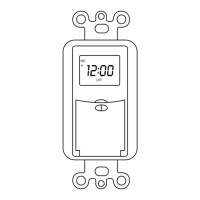
Before initial use, plug the timer in for at least 30 minutes to charge the
internal battery. After the screen displays, the unit is ready for program-
ming.
NOTE: Only the "PM" icon will display on the bottom right portion of the
screen; during the "AM" time frame, no icon will be displayed.
1.Do not connect any devices which may exceed the maximum ratings of
this timer.
2.Children are not allowed to use the timer without supervision.
3.Do not disassemble or repair the product, but only by authorized service
personnel.
4.Unplug the timer before cleaning.
5.Do not control appliance that contain heating elements such as cooking
appliances, heaters, and irons.
8
7
Always
ON
Timer
Control
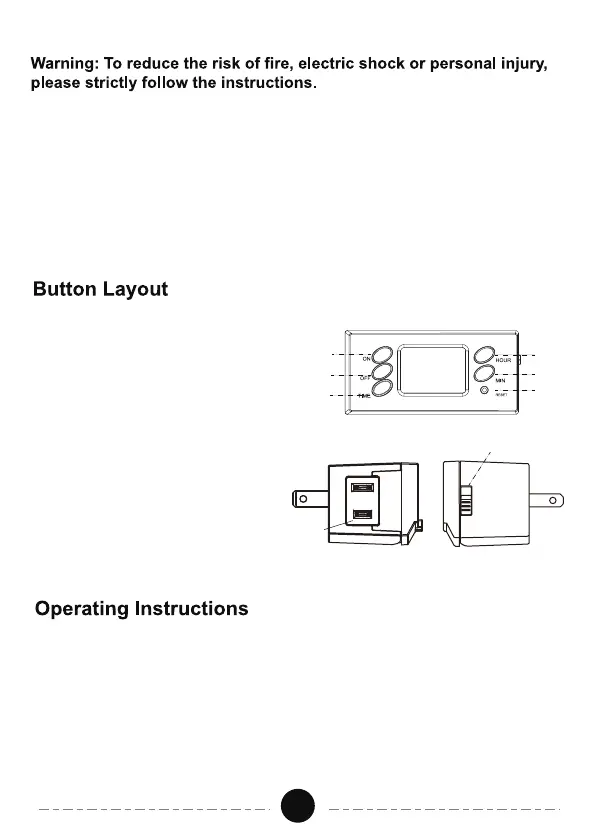
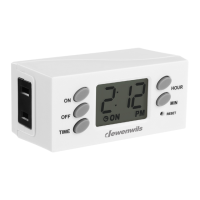
1. TIME: Set the clock.
2. ON: Set the ON time of event.
3. OFF: Set the OFF time of event.
4. HOUR: Set the hour for the timer.
5. MIN: Set the minute for the timer.
6. RESET: Reset all functions.
7. SIDE SWITCH: Set the timer
function, always ON or timer
control.
8.OUTLET: To plug the lights or
devices to be controlled by the
timer.


 To Next Page