02
1.Set the Clock
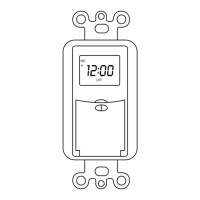
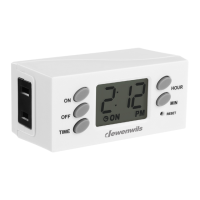
- Press and hold the TIME button, and then press the HOUR button to set
the current hour;
- Press and hold the TIME button, and then press the MIN button to set the
current minute;
- Release the TIME button and the timer will display the current time.
2.Set the ON Time
- Press and hold the ON button, and then press the HOUR button to set the
hour ;
- Press and hold the ON button, and then press the MIN button to set the
minute;
- Release the ON button, the timer will display the current time and and ON
time has been programmed.
3.Set the OFF Time
- Press and hold the OFF button, and then press the HOUR button to set
the hour;
- Press and hold the OFF button, and then press the MIN button to set the
minute;
- Release the OFF button, the timer will display the current time and OFF
time has been programmed.
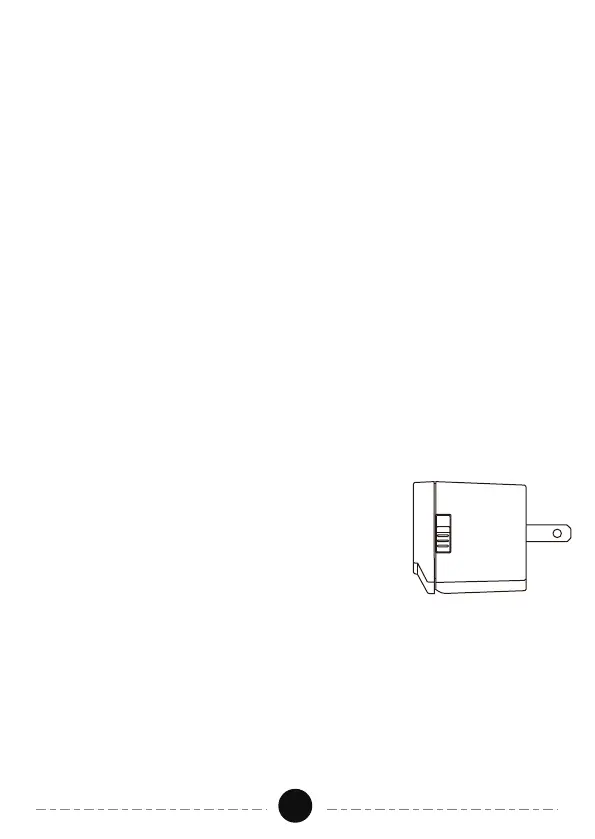
4.Side Switch
Always ON: The power will stay on regardless of
the previous timer setting.
Timer Control:The timer will control the
plugged-in device according to the times-event
previously programme.
Always
ON
Timer
Control
Specifications
Input Voltage: 125VAC,60Hz
Max Power Rating: 15 A General Purpose
15A Resistive
1000W Tungsten
500VA Electronic Ballast
20 VAC 60Hz, 8.3A Standard Ballast
1/2 HP


 To Next Page