
 Need help?
Do you have a question about the Dewenwils HOWL07B and is the answer not in the manual?
Risk of fire, consult electrician before installation, turn off power to prevent shock.
List of included items: Wall light, wire connectors, mounting screw, instruction manual.
Technical details: Input Voltage 120VAC 60HZ, Maxload Power 60W, Socket E26, Material Aluminum and Glass.
Turn off the wall switch or main circuit breaker to ensure no power is supplied to the installation location.
Clean the glass and photocell sensor surface with a soft, damp cloth for optimal performance.
Connect the live, neutral, and ground wires securely using wire connectors for proper electrical connection.
Mount the lamp on the wall using screws and install an A19 bulb (E26 base) into the fixture.
Restore power; the light will operate automatically at dusk and turn off at dawn.
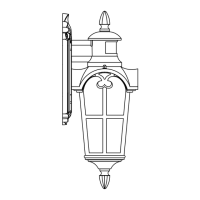
Diagram illustrating the components of the wall light, including wires, mounting bracket, bulb, and shades.
Instructions for turning on the light, sensor warm-up, and adjusting modes, sensitivity, and delay time.
Fixture stays off at day, turns on at night with motion, and turns off after inactivity based on set time.
Adjust the duration the light stays on after motion detection using the 'Time' knob, clockwise to increase.
Adjust the detection range of the motion sensor using the 'Sens' knob, clockwise to increase distance.
Low brightness at night without motion, full brightness with motion, then returns to low brightness.
Adjust low-level brightness for AUTO+ mode using the 'Sens' knob, clockwise to increase.
Lights off during the day and turn on at dusk. Other functions are disabled in this mode.
Notes on sensor sensitivity affected by temperature, cleaning the lens, and motion detection patterns.
Information on optimal installation height (6.5 ft) and detection range (40 ft, 180 degrees) at 77°F.
Tips for mounting straight on the wall and avoiding heat sources or reflective objects for optimal performance.
Warranty for one year, void if damaged by misuse or improper installation. Customer service within 24 hours.
FAQs on matching products, bulb replacement (ST64 recommended), and outdoor use in weather.
 General
| Model | HOWL07B |
|---|---|
| Voltage | 3.7V |
| Weatherproof Rating | IP65 |
| Color Temperature | 6000K |
| Motion Sensor | Yes |
| Battery Type | Lithium-ion |
| Charging Time | 6-8 hours |
| Material | Plastic |
| Detection Range | 26 Feet |
| Installation | Wall Mount |

 To Next Page