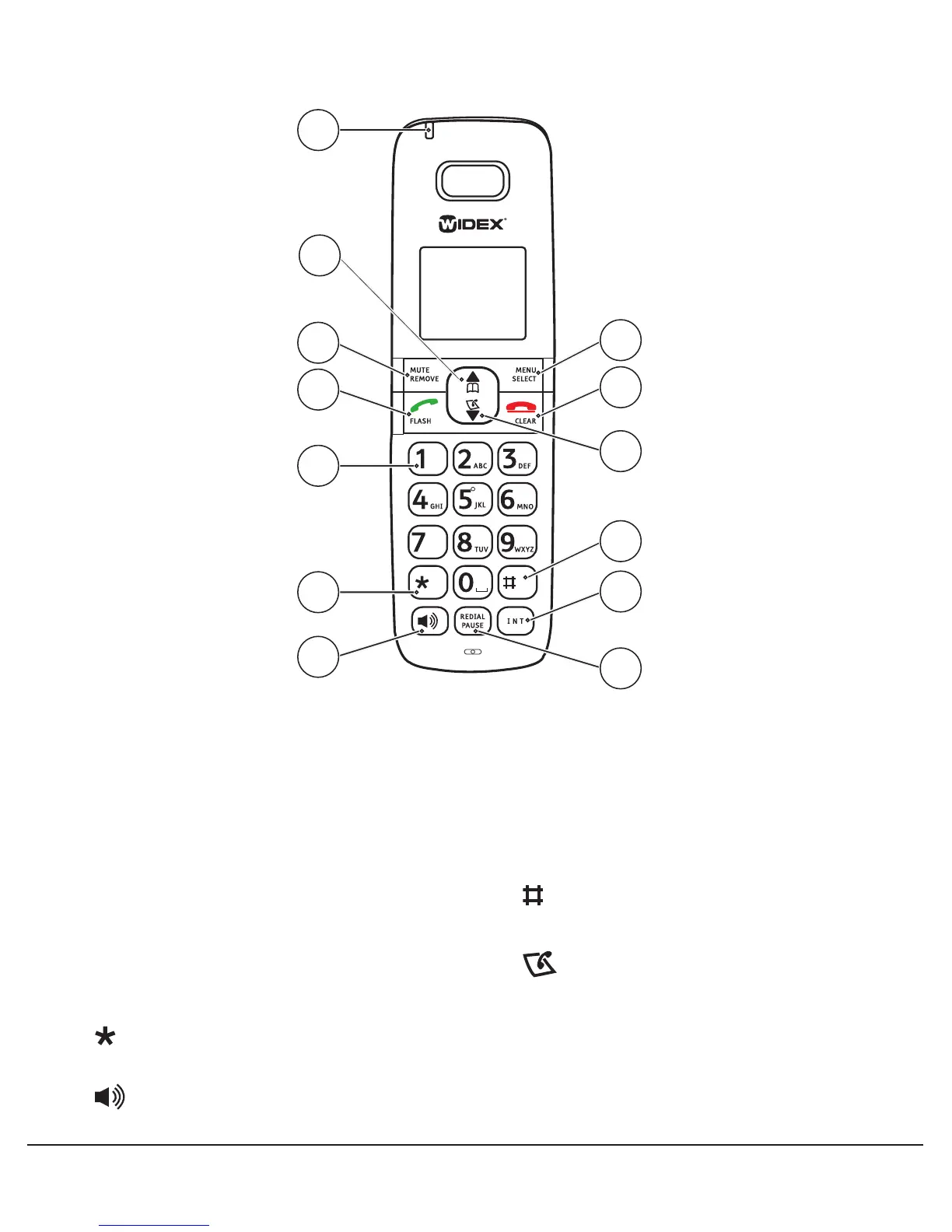
1� Charge light
2�
{
scroll up, increase volume,
b
directory
3� MUTE / REMOVE entered digits or
characters, or delete entry
4�
q
/ FLASH
5� Dialing keypad
6� switch to tone dialing temporarily
when using the pulse service
7� speakerphone
8� REDIAL / press and hold PAUSE to
insert a dialing pause
9� INT Intercom
10� dialing options for call log
11�
}
scroll down, decrease volume,
call log
12�
L
/ CLEAR silence the ringer
temporarily or exit menus
13� MENU / SELECT show menu or save an
entry or setting
Handset layout
PQRS
1
3
2
4
5
6
7
9
10
13
12
8
11
1



 To Next Page