NDS3208 8 in 1 MPEG-2 Encoder User’s Manual
18 / 29
appear.
4.2 Operation
System→Encoder
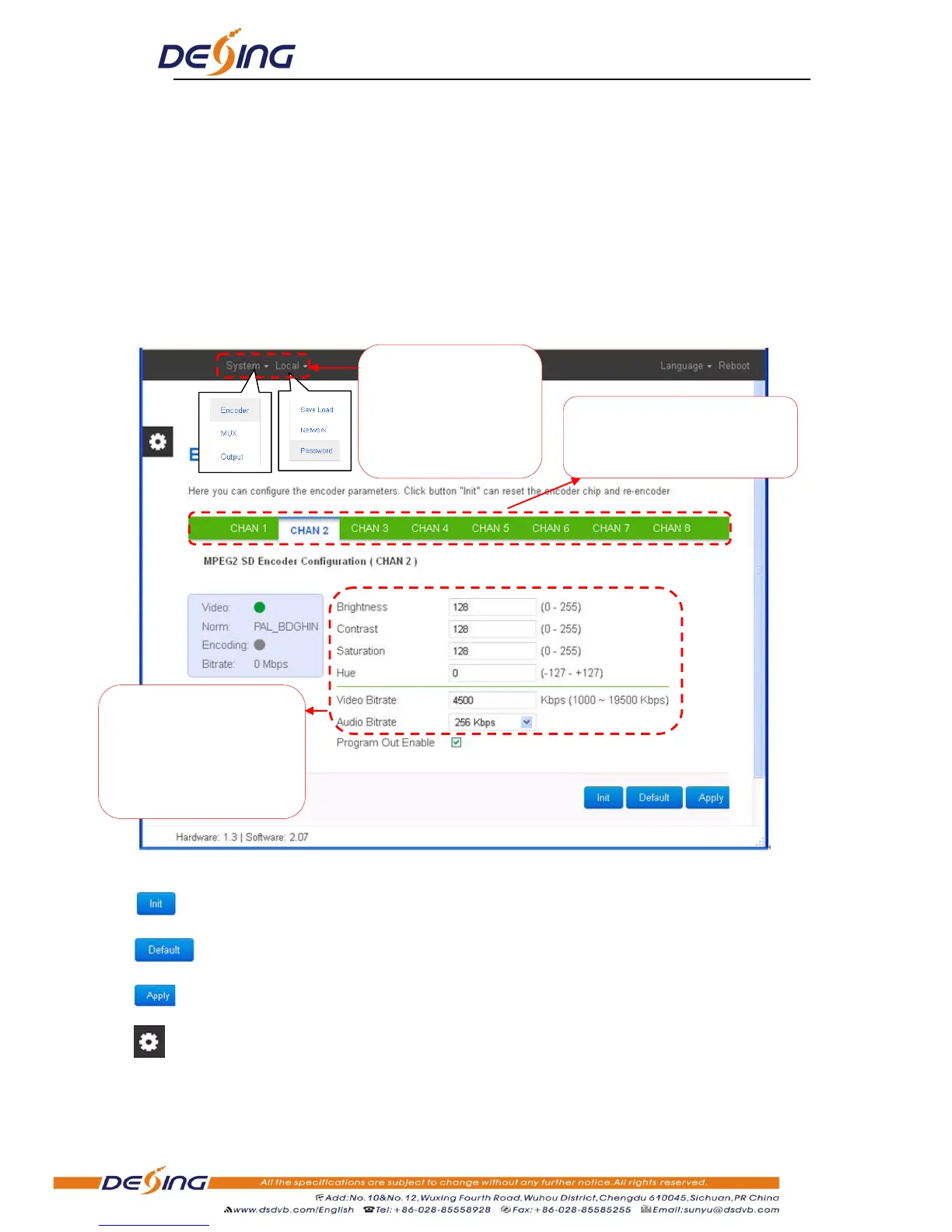
From the menu on top side of the webpage, clicking “Encoder”, it displays the information of
the programs from the X
encoding board as Figure-2.
Figure-2
Click this button to reset the encoder chip and re-encoder.
Click this button to apply the default setting of Input X
Click this button to apply the modified parameters.
Click this button to choose color schemes and patterns
System→MUX
User can set the parameters
of the video brightness,
contrast, saturation, Hue
and Video/Audio Bitrate by
moving respective slider.
Input channel selection area. The
interface and setting principle of
each channel are the same.


 To Next Page