NDS3208 8 in 1 MPEG-2 Encoder User’s Manual
20 / 29
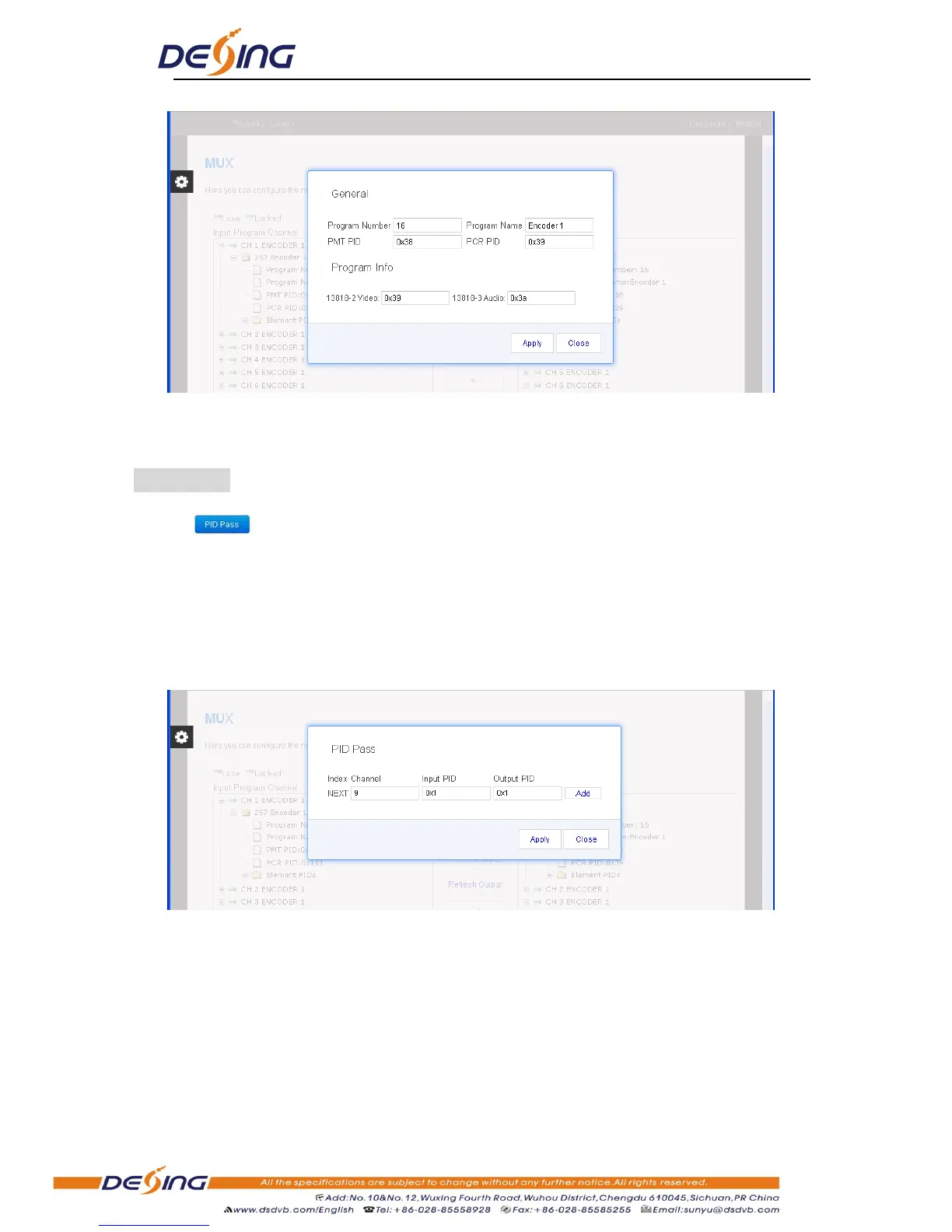
Figure-4
Input new data and click „Apply‟ button at last to confirm the modification.
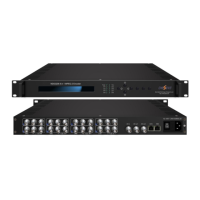
PID Pass:
Clicking , it displays the interface where to add the PIDs which need pass through.
(Figure-5)
In some occasions, there are some PIDs which won‟t belong to any program, such as EPG, NIT
tables and so on which user just wants to pass them through the multiplexing module without
changing anything. This is the main purpose of this function.
Figure-5
Click “Add” to add more boxes for filling the Input & Output PIDs, then click “Apply” to
confirm.
System→Output
Click “Output”, it displays the interface where users can configure the IP output, it include
SPTS, MPTS and ASI output.


 To Next Page