
 Need help?
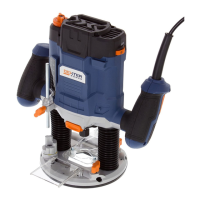
Do you have a question about the Dexter Power PC1300RT and is the answer not in the manual?
Read all safety warnings and instructions to prevent electric shock, fire, or serious injury.
Maintain a clean, well-lit area and keep bystanders away to prevent accidents.
Ensure proper plugs and avoid contact with grounded surfaces to reduce electric shock risk.
Stay alert, use PPE, prevent unintentional starting, and maintain proper footing and balance.
Use the correct tool, maintain it, and disconnect power before adjustments or storage.
Have the power tool serviced by qualified personnel using identical replacement parts.
Secure the workpiece, keep hands clear, use correct bits, and maintain firm grip and balance.
Choose router bits based on material type and ensure their speed rating meets machine requirements.
Follow steps to securely install or remove a router bit using the spindle lock and collet nut.
Steps to safely remove the router bit after disengaging the spindle lock.
Attach and adjust the edge guide for straight line cutting, chamfering, or grooving.
Connect a dust extraction device for health and safety, especially with wood or fine dust.
Adjust the primary depth of cut by locking the router when the bit touches the workpiece.
Fine-tune the cutting depth using the adjustment knob after coarse adjustment.
Use the step buffer to divide deep cuts or pre-adjust multiple cutting depths.
Always feed the router against the bit's rotation direction (up-grinding) for control.
Select the required speed using the thumbwheel, even while the tool is running.
Understand the lock-off button and trigger switch operation for safe power on/off.
Execute cuts by positioning the router, lowering the bit, and maintaining uniform feed.
Use guide bushings for template and pattern routing on workpieces.
Utilize the parallel guide to ensure straight cuts along the edge of the workpiece.
Create circular profiles by guiding the router with a centering pin along the arc.
 General
| Brand | Dexter Power |
|---|---|
| Model | PC1300RT |
| Category | Tools |
| Language | English |

 To Next Page
