www.dfi .com
45
Chapter 3 BIOS Setup
Chapter 3
Boot
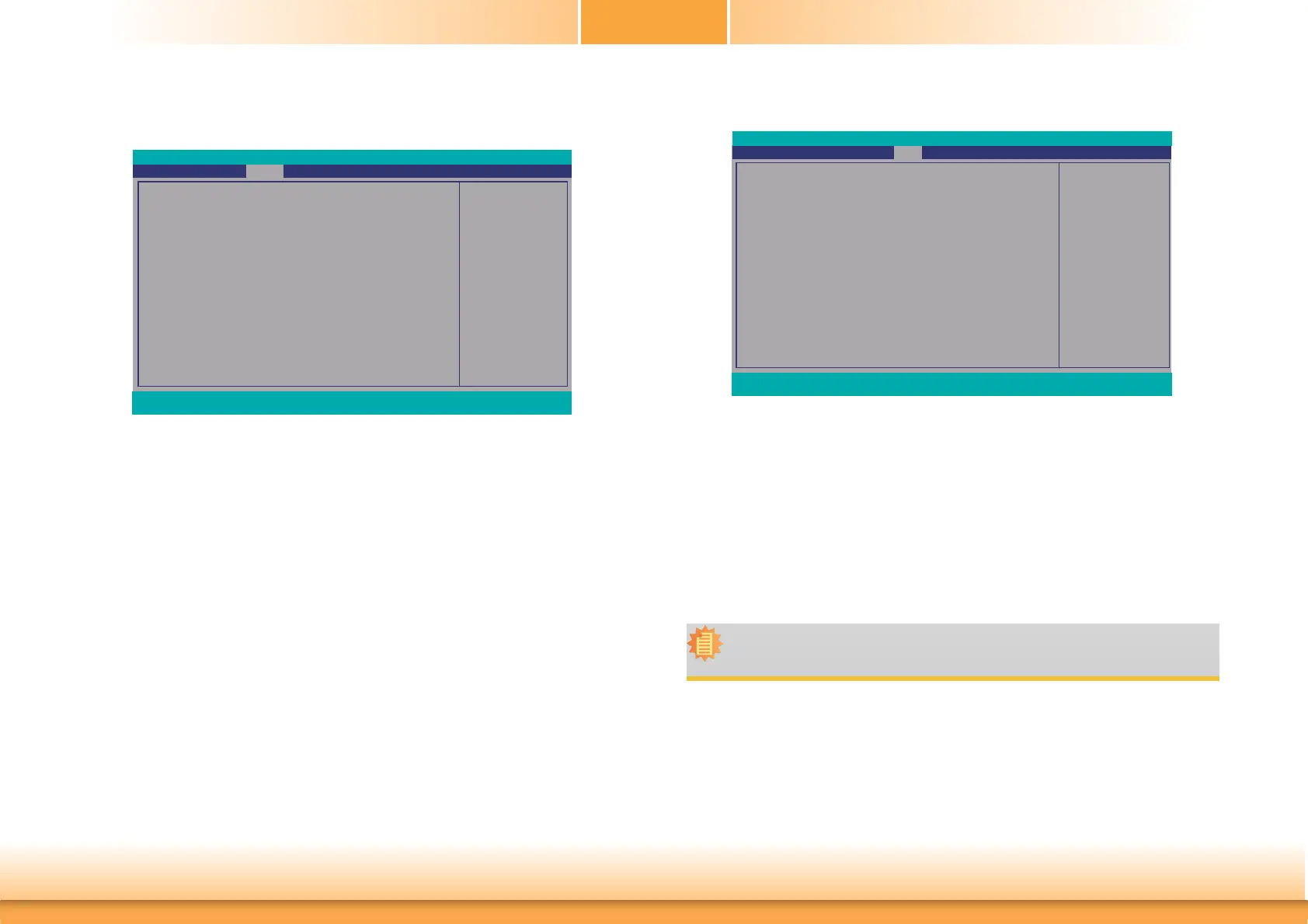
Numlock
Select the power-on state for numlock.
Boot Type
Select the boot type. The options are Dual Boot Type, Legacy Boot Type or UEFI Boot
Type.
If you select “Dual Boot Type” or “UEFI Boot Type”, the “Network Stack”, “PXE Boot
capability”, “USB Boot” and “Quiet Boot” will show up.
If you select “Legacy Boot Type”, “PXE Boot to LAN”, “USB Boot” and “Quiet Boot” will
show up.
Network Stack
This field is used to enable or disable network stack.
PXE Boot capability
Disabled Suppoort Network Stack
UEFI IPv4/IPv6
Legacy Legacy PXE OPROM only
Selects Power-on state for
Numlock
Numlock
Boot Type
Network Stack
PXE Boot capability
USB Boot
Quiet Boot
Main Advanced
F1 Help ↑/↓ Select Item F5/F6 Change Values F9 Setup Defaults
Esc Exit ←/→ Select Item Enter Select
SubMenu F10 Save and Exit
InsydeH2O Setup Utility
Security Exit
Rev. 5.0
<On>
<Dual Boot Type>
<Disabled>
<Disabled>
<Enabled>
<Disabled>
Boot
Note:
If the boot type is set to UEFI, the method for RAID volume creation will be different.
Please refer to Chapter 5 ˗ RAID for more information.
Security
Install or Change the Pass-
word and the length of
password must be greater
than one character.
Current TPM Device
TPM State
Supervisor Password
Set Supervisor Password
Main Advanced
F1 Help ↑/↓ Select Item F5/F6 Change Values F9 Setup Defaults
Esc Exit ←/→ Select Item Enter Select
SubMenu F10 Save and Exit
InsydeH2O Setup Utility
Security Boot Exit
Rev. 5.0
<Not Detected >
Not Installed
Not installed
Set Supervisor Password
Set the supervisor’s password and the length of the password must be greater than
one character.



 To Next Page