4
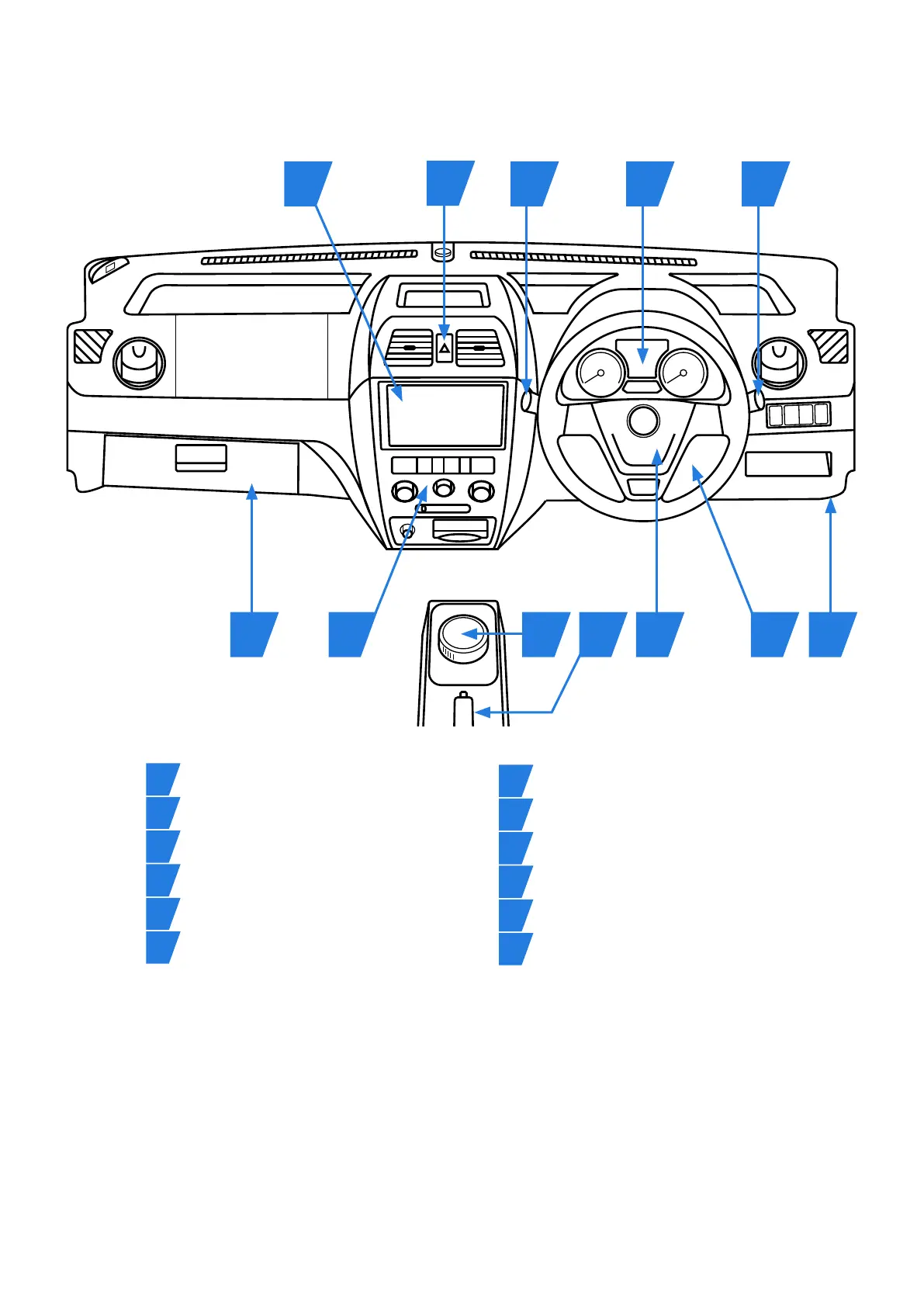
1. Dashboard
4811 121
526
7
10
93
*The infotainment system contains DAB and FM radio, Bluetooth
®
connectivity and supports Android Auto
™
and Apple CarPlay
®
. Before
setting up the infotainment system, please ensure that you are parked safely with the vehicle handbrake on.
To pair your Bluetooth
®
device, select the ‘Bluetooth
®
’ icon on the infotainment screen to activate pairing. Enable Bluetooth
®
on your
device and start scanning. Select ‘Grundig’ and follow the instructions to pair.
To enable Apple CarPlay
®
, connect your phone using a USB cable plugged into the socket in the glovebox. Once the device connected
and unlocked, the Apple CarPlay
®
icon should appear on the infotainment screen. Tap the icon to launch.
To enable Android Auto
™
, ensure you have downloaded the Android Auto
™
app from the Google Play store. Connect your phone using a
USB cable plugged into the socket in the glovebox and unlock the device. The Android Auto
™
app will open on the phone; follow the
on-screen instructions to complete the launch process.
To make the most of the infotainment system, please refer to the user manual, which you can download by scanning the QR code on the
back cover of this Quick Start Guide.
Ignition switch Instrument cluster
Gear selector Handbrake
Indicator / light stalk Wipers / screen wash
Hazard warning light switch Heating and air conditioning
Driver’s airbag / horn Infotainment system*
USB media port (inside glovebox) Bonnet release
1
5
9
3
7
11
2
6
10
4
8
12


 To Next Page