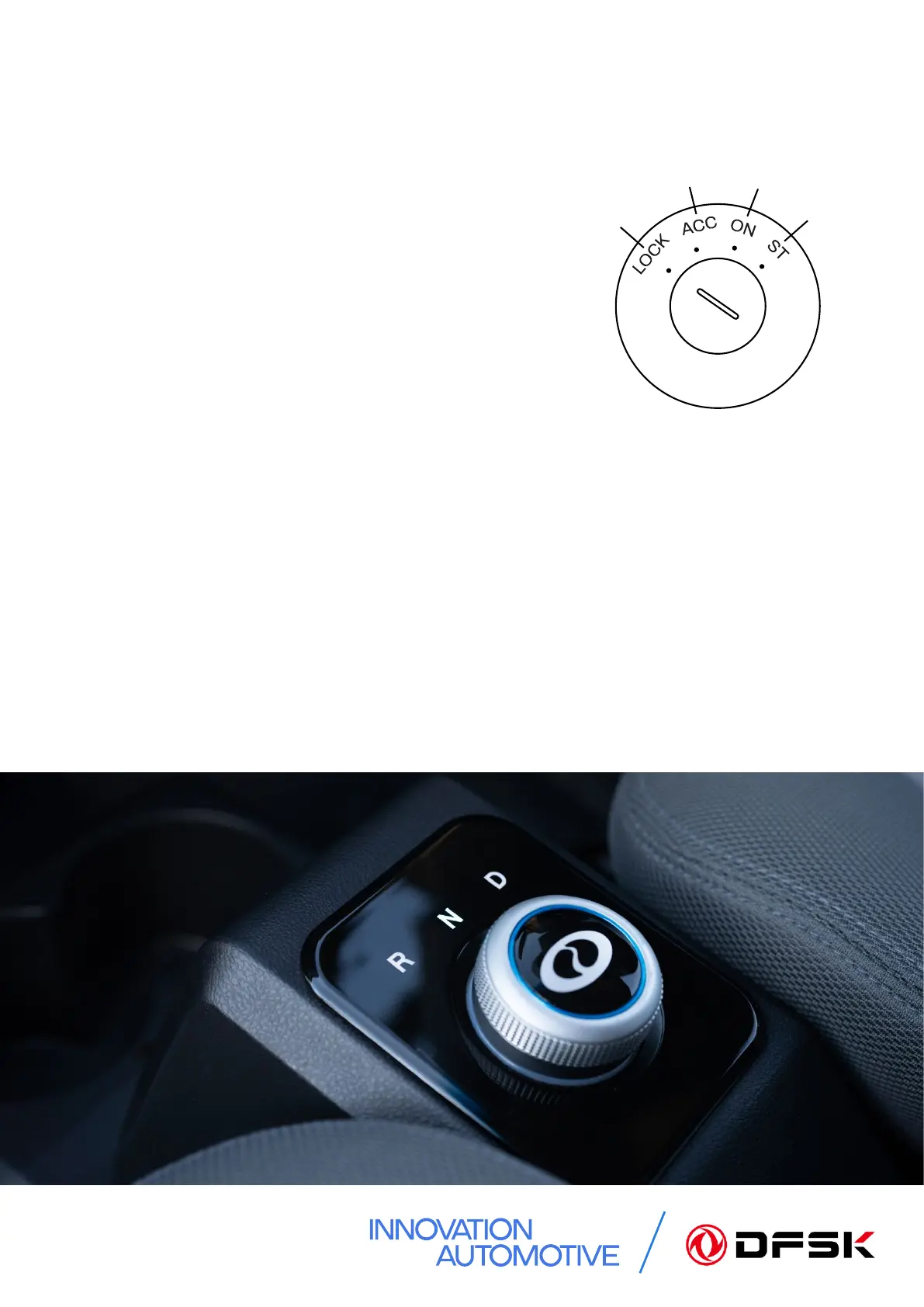
LOCK
ACC
ON
START
2. How to Start
5
To start your DFSK vehicle:
• Ensure all required seat belts are fastened and all
doors are shut, and the gear selector switch is in
the ‘N’ position.
• Insert the ignition key into the ignition switch and
turn to the ‘ON’ position – this will activate the
instrument cluster.
• Press the brake pedal rmly and turn the key
momentarily to the ‘START’ position.
(The main relays will engage with an audible ‘click’ and the READY message will
appear in the instrument cluster).
• Select either ‘D’ Drive or ‘R’ Reverse as required.
• Release the handbrake and, ensuring it is safe to proceed, release the brake pedal
and accelerate as required.
• When you nish driving, turn the selector to the Neutral ‘N’ position before applying
the handbrake and removing the key. If the vehicle is switched o whilst in Drive
or Reverse, Neutral will need to be selected on the gear selector when the ignition
is started again. You will then need to switch the ignition o and back on again in
order to select Drive or Reverse.


 To Next Page