-13-- 13 -
Power ON/OFFPower ON/OFF
Power ONPower ON
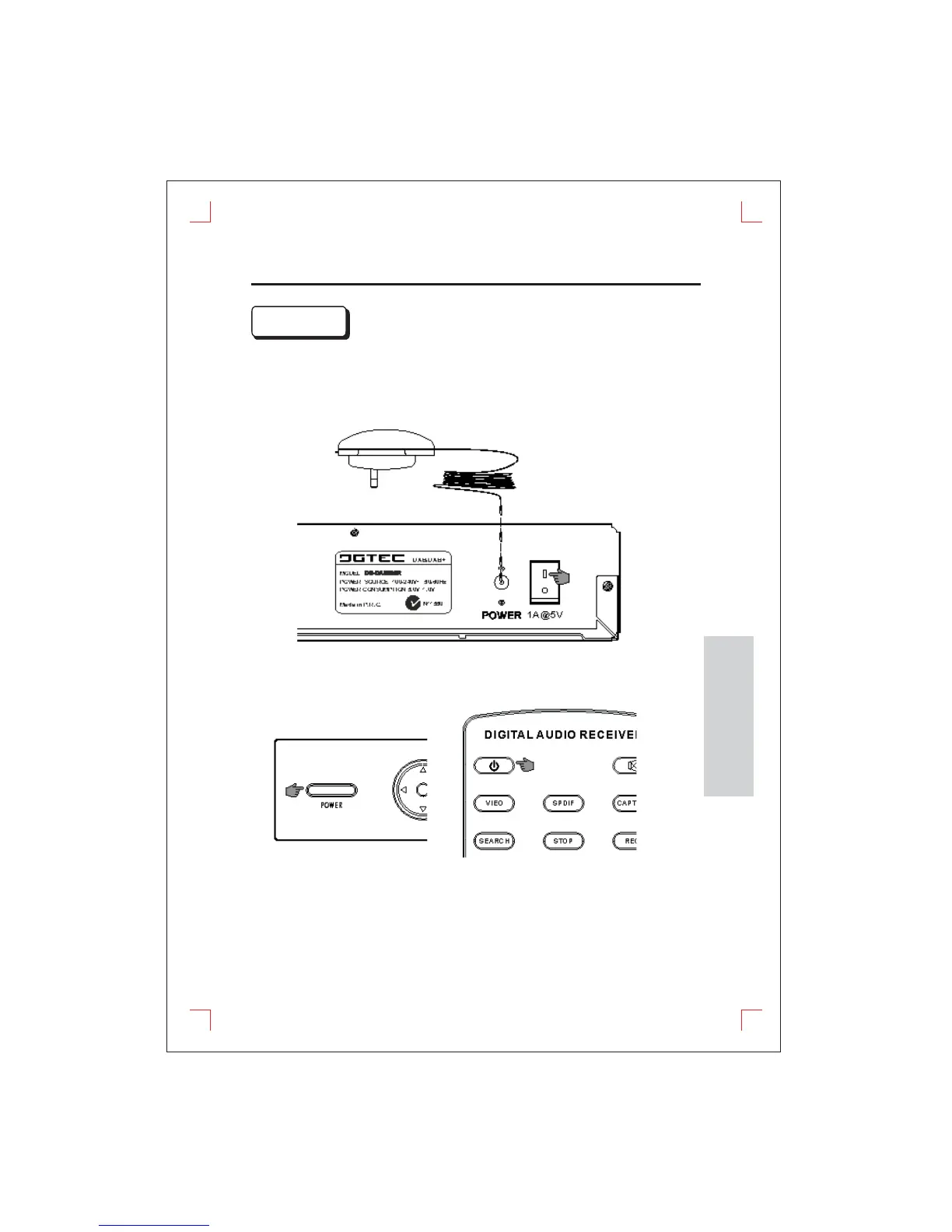
There are two kinds power on. - Main power on and STANDBY mode.
1. Main Power ON
(1)
(2) Press the upper side of the main power switch.
Connect the AC/DC power adaptor into the power jack.
There are two kinds power on. - Main power on and STANDBY mode.
1.
Main Power ON
(1)
(2)
Press the upper side of the main power switch.
Connect
the AC/DC power adaptor into the power jack.
2. STANDBY mode in watch mode
(1)
(2)
Press the power button on either the front panel or remote control.
A blue light will illuminate the circular directional button.
2. STANDBY mode in watch mode
(1)
(2)
Press the power button on either the front panel or remote control.
A
blue light will illuminate the circular directional button.
FUNCTIONS


 To Next Page