-14-- 14 -
Power ON/OFFPower ON/OFF
Power OFFPower OFF
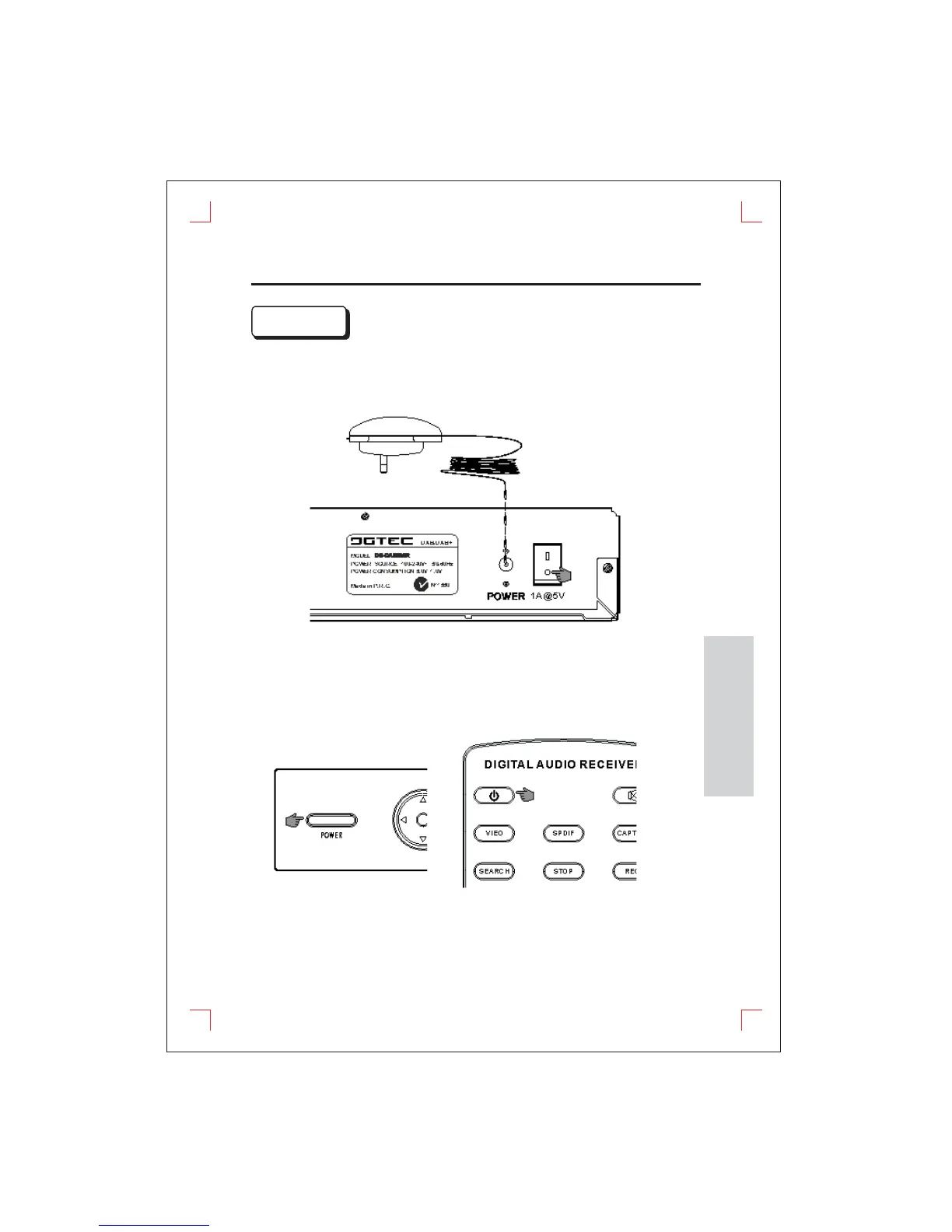
There are two kinds of power off. - Main power off and STANDBY mode.
1. Main Power Off
(1) Please press the low side of the main power switch.
There are two kinds of power off. - Main power off and STANDBY mode.
1.
Main Power Off
(1) Please press the low side of the main power switch.
2. STANDBY mode
(1) Please press and hold the power button on product front panel or remote control.
(2) Then the blue light will be turned off and the screen will display watch and date.
2. STANDBY mode
(1) Please press and hold the power button on product front panel or remote control.
(2) Then
the blue light will be turned off and the screen will display watch and date.
FUNCTIONS


 To Next Page