VGA
7 8 9
RF(75 )
PC
AUDIO
R
L
VIDEO
HDMI
DC-12V
S-VIDEO
Y PB PR
8
TV Terminal connections
7
DG-HD19LCDVD
DG-HD22LCDVD
1. S-VIDEO input.
2. DC 12V power input.
3. HDMI input.
4. VGA input.
5. Component input terminal.
6. AV input .
7. PC audio input.
8. Headphone output.
9. Antenna input (75 Ohm VHF/UHF).
1. Power input.
2. S-VIDEO input.
3. HDMI input.
4. VGA input.
5. Component input terminal.
6. AV input .
7. PC audio input.
8. Headphone output.
9. Antenna input (75 Ohm VHF/UHF).
VGA
7 8 9
RF(75 )
PC
AUDIO
R
L
VIDEO
HDMI
POWER
S-VIDEO
Y PB PR
RR
RR
5.LCD TV panel overview
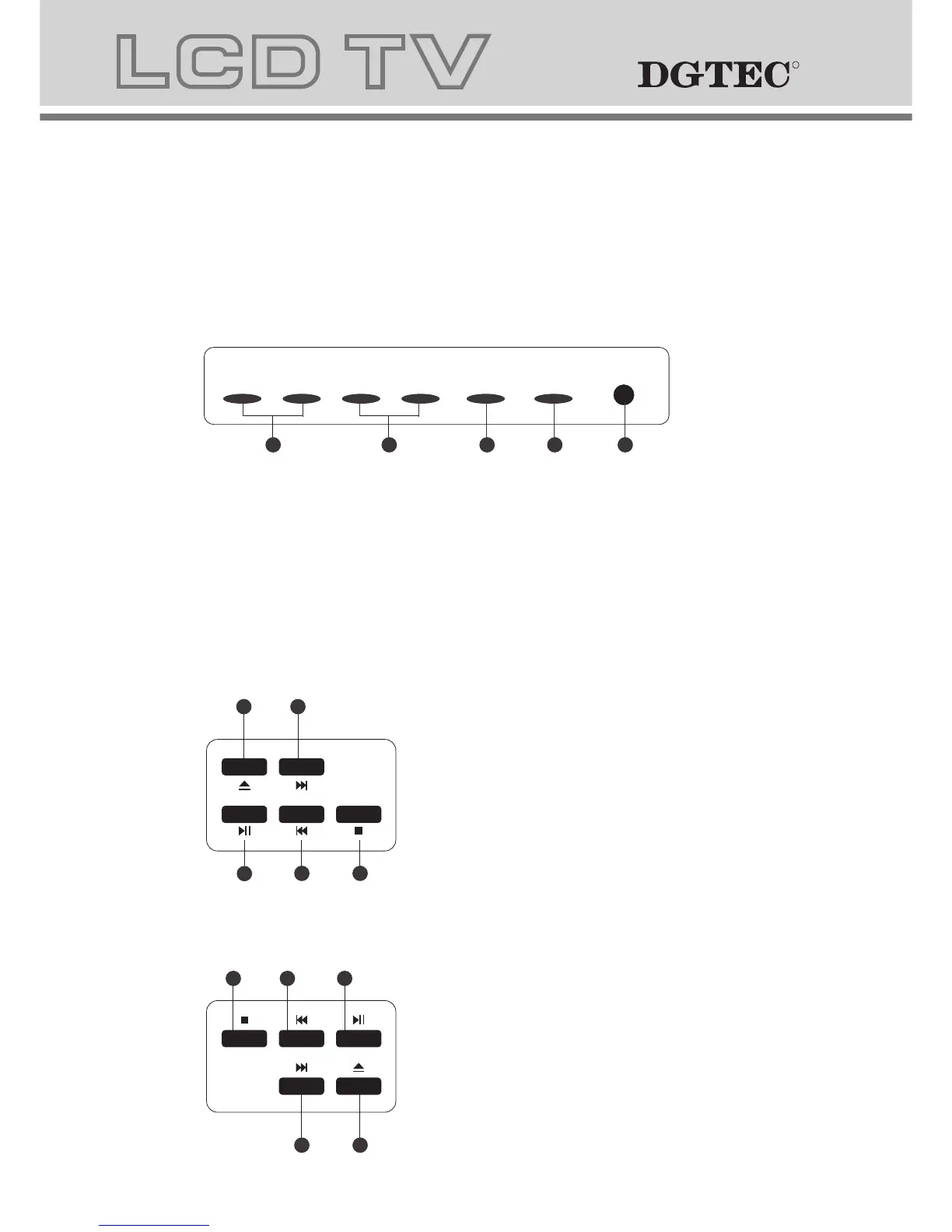
TV Control Panel
DG-HD19LCDVD
SOURCE
MENU
CH- CH+
VOL- VOL+ POWER
1.Volume adjusting.
2.Channel selecting.
3.Main menu display and confirm.
4.Selecting exterior signal input.
5.On/off button.
1
2 3
4
5
1
2
3
5
4
1.STOP button
2.PREV button
3.PLAY/PAUSE
4.NEXT button
5.OPEN/CLOSE button
1
2
3
5
4
1.OPEN/CLOSE button
2. NEXT button
3.PLAY/PAUSE
4.PREV button
5.STOP button
DG-HD22LCDVD



 To Next Page